Provides settings for and read access to system logging.
Ribbon menu

(1) The system node whose settings are to be edited or logs are to be viewed can be selected here. If the system is not a cluster system, only a "Standalone" node is available here.
(2) Refreshes the system node list.
The logging dialog is divided into two tabs.
Server logs
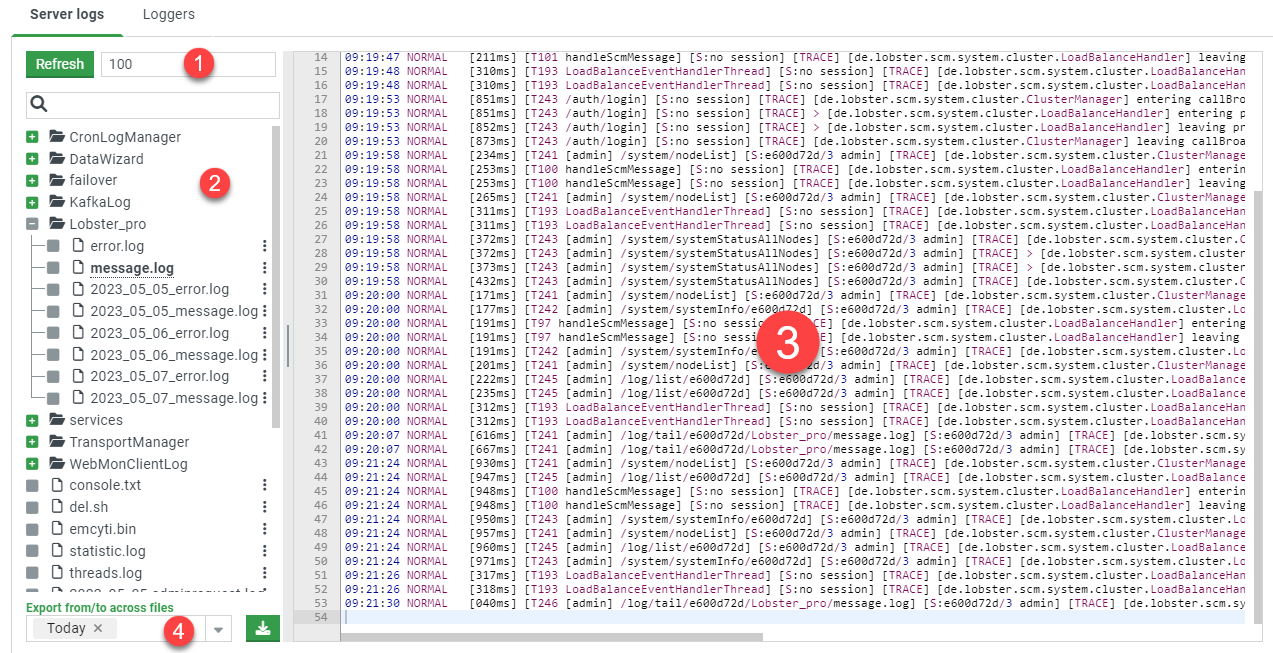
(1) Defines the number of log lines loaded (from the end of the respective log file). The Refresh button loads the last n lines from the selected log file.
(2) Lists all available log files on the current node.
(3) Shows the last n (see 1) lines of the selected log file.
(4) Offers the possibility to download all log files (listed in 2) as one zip file.
Loggers
Provides the possibility to set the log level of the individual loggers.
The log level specifies the level of detail of the written log messages (from All to Fatal (only critical errors)).
NOTE The more messages are logged, the more the log files become spammed. In addition, these then take up more drive memory.
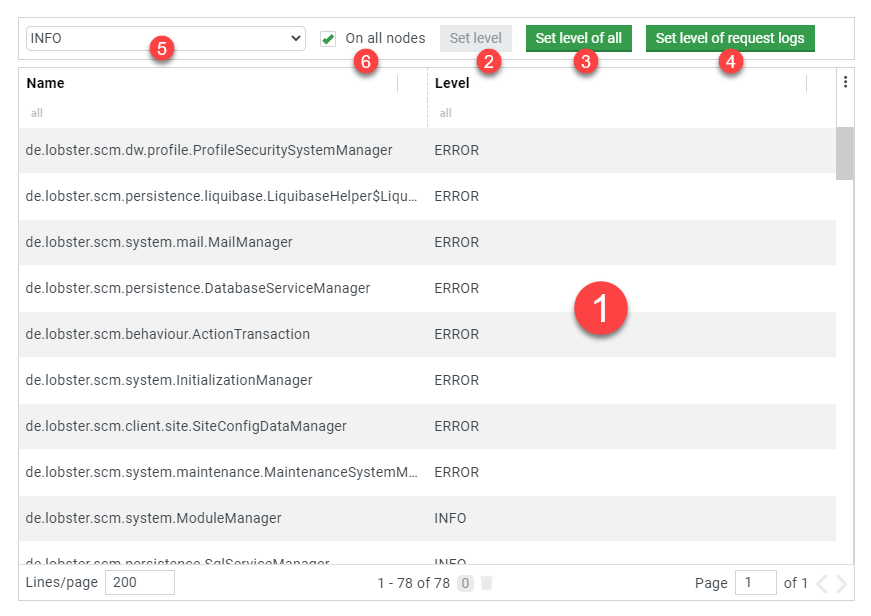
(1) Lists all loggers active in the system and their current log level. For example, most managers have their own loggers to be able to configure them independently from the others.
(2) Sets the log level selected in (5) for the currently selected logger.
(3) Sets the log level selected in (5) for all loggers.
(4) A shortcut function to set the "$REQUEST$" log level. Important: This logger only writes into the log files when a client request has resulted in an error.
(5) Defines the log level, which is set with the functions (1-4).
(6) Applies the functions (1-4) accordingly to all nodes in the cluster (not relevant if it is a standalone system).
Log settings
The adjustments are adopted during normal operations and also adjusted in the associated XML configuration so that they are applied again after a system restart.
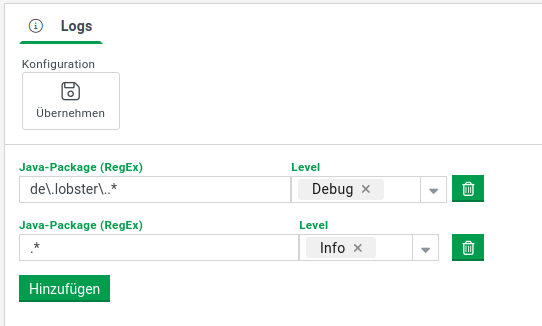
Description | |
|---|---|
Apply | Adapts the configuration of _pro, if necessary on all nodes of a cluster, and persists it in the associated XML configuration. |
Java-package | This is a list of regular expressions for which the log output level can be defined. The list is handled in sequence. From the perspective of the log-generating Java package, the first applicable expression is used. If no expression applies, no log entry is output. It is therefore recommended to create a default entry with ".*" (= any character). Example: "de\.lobster\..*" applies to all Java classes whose package definition begins with "de.lobster". |
Level | Determines the level of granularity of the log output for the corresponding Java package. |