The detail view of a product catalog entry contains the toolbar (grouped into Details, List, and History), the input form for the product data, and the list of product catalog entries.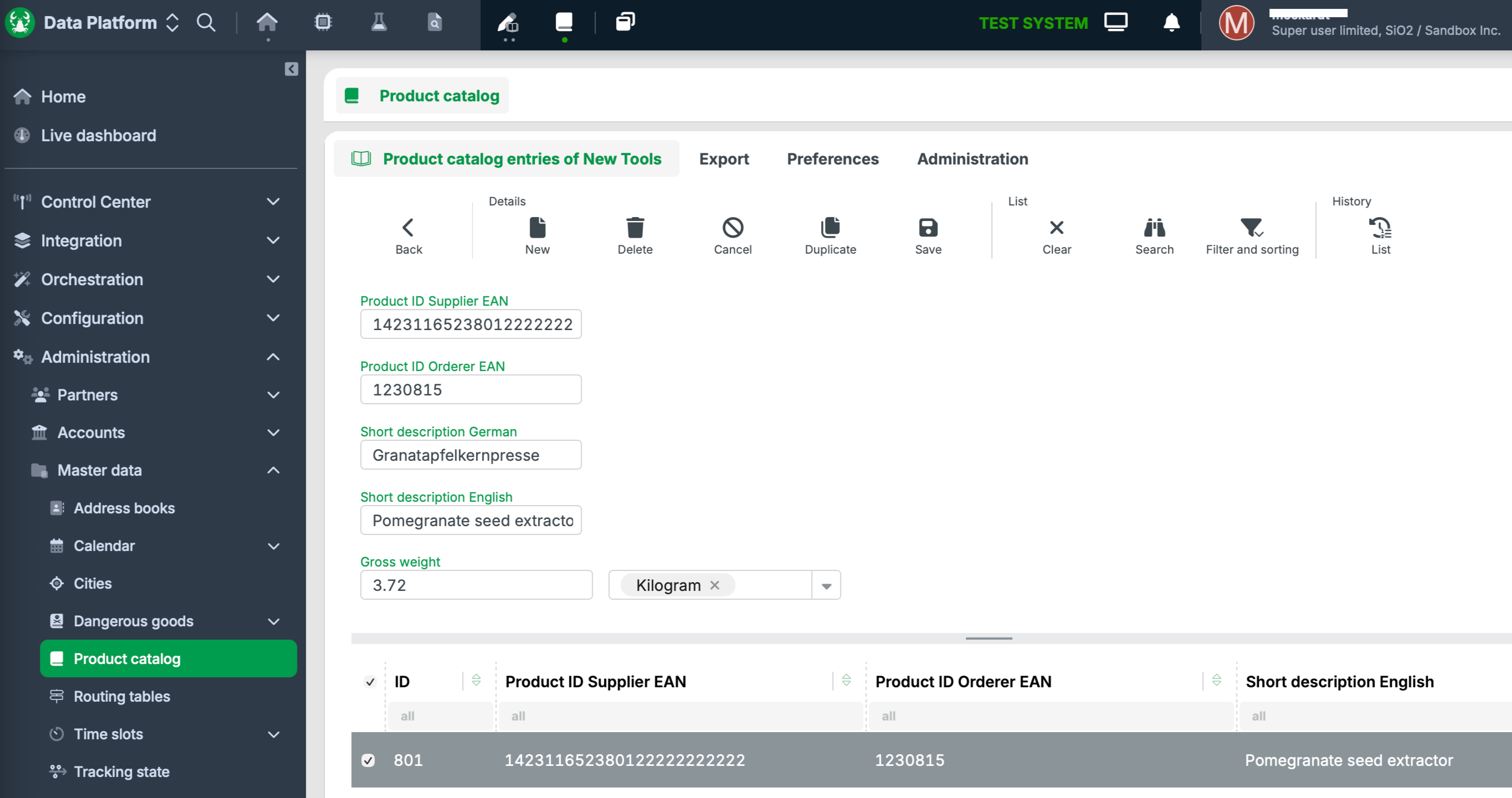
Input forms for product catalog entries can be configured individually (see Input forms for product catalog entries). The following table describes the toolbar functions and the fields of the input form with sample data shown above.
Name | Description |
|---|---|
Back | Returns from the product catalog entry form to the previous view (Product catalog). |
New | Creates a new product catalog entry. |
Delete | Deletes the selected product catalog entry from the database. |
Cancel | Discards unsaved changes to the current entry. |
Duplicate | Creates a copy of the current product catalog entry. |
Save | Saves the current product catalog entry to the database. |
Clear | Empties the current result list. |
Search | Opens the search for product catalog entries. |
Filter and sorting | Accesses the menu for filtering to save views as filters and load existing filters. |
List | Opens the change history of the selected entry. |
Product ID Supplier EAN | The EAN (European Article Number) with which the supplier identifies the product. Corresponds to a product ID with the context "Supplier" and the type "EAN". |
Product ID Orderer EAN | The EAN with which the orderer identifies the product. Corresponds to a product ID with the context "Orderer" and the type "EAN". |
Short description German | Single-line short description of the product in German. |
Short description English | Single-line short description of the product in English. |
Gross weight | The gross weight of the product. The unit of measurement (e.g., Kilogram) is selected in the adjacent drop-down list. |