Value resolver – Abstract
Purpose: Returns the entity to which a tracking state entry present as input value refers to the tracking state owner.
Tooltip
Usage: An entity of the "Tracking state entry" type is expected as an input value. The value resolver returns its "Tracking state owner", provided that this corresponds to the Type of referenced object.
Parameter: For the Type of referenced object parameter, a class must be selected that matches or is at least compatible with the tracking state owner type, otherwise the return value will be
$null.NOTE If an overarching class is selected as the Type of referenced object, the specific entity type can be determined in the context of the return value via the variable
entityClass.IMPORTANT This value resolver is not supported on the client side.
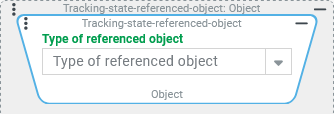
The Tracking-state-referenced-object value resolver returns the entity to which a tracking-state entry present as an input value refers as the tracking state owner.
If the input value is not a tracking state entry, "no value" (
$null) is returned.
For the Type of referenced object parameter, a class must be selected that matches or is at least compatible with the type of the tracking state owner.
With no or with an inappropriate selection, "no value" (
$null) is returned.
NOTE This value resolver is not supported on the client side (e.g. in a Client Workflow), since the "referenced object" must be retrieved from the server.
Configuration
The input value is expected to be an entity of the "Tracking state entry" type (TrackingStatusEntry).
The Type of referenced object must be selected "appropriately" for the Tracking state owner, since the selection options for further configuration (e.g. access to attributes, etc.) may depend on this selection, among other things.
Often, in the value resolver's operational environment, it is clear which type the tracking state owner is. Then the selection declares this type for subsequent configurations, for example, in the context of an Execute with event action.
If the value resolver is used in a context where the tracking state owner type can be variable, a suitable overarching class (e.g. "entity" or "business transaction object") must be selected as the Type of referenced object.
NOTE The selection of an overarching class as the Type of referenced object may impose restrictions on the configuration in terms of specific content for the contained classes. However, at runtime the tracking state owner is always returned in full. Its specific type can be determined via Check type or by evaluating the entityClass variable.
Example
Simple use case
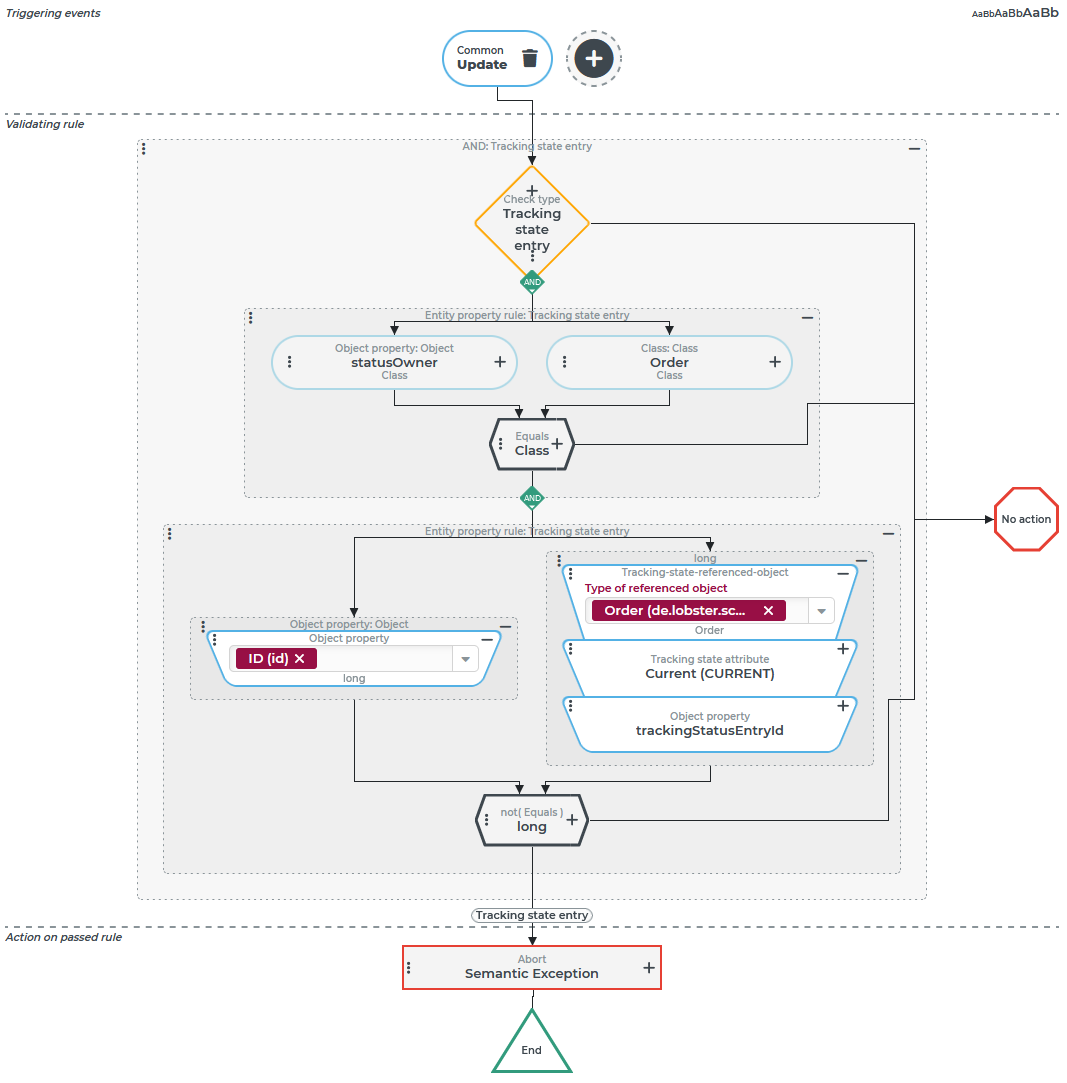
Changing an existing tracking state entry (e.g. to enter a comment or upload a signature) should be prevented for Orders if it is not the current tracking state entry (for the default Tracking state type "Current" (CURRENT)) of the related object.
Configuration:
The event handling shown on the right is aimed at preventing the saving of changes for existing tracking state entries by means of an Abort, provided that these affect Orders:
|
|
More complex use case
A user should receive notifications of "current" tracking state changes in their area of responsibility at the push of a button.
Tracking state entries that have been created (i.e. successfully added to an entity) since the beginning of the current day should be considered "current".
The separation for the "scope of responsibility" should be provided by read access for the tracking state entries in the context of the current session.
Runtime example:
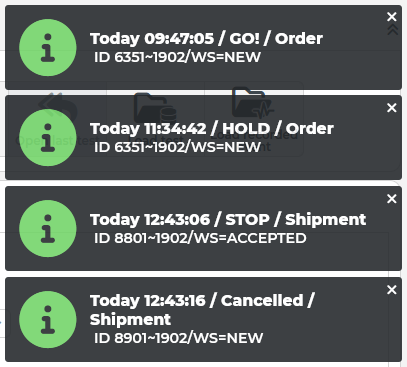
After clicking on a ribbon button, a notification of the "Info" type should be displayed on the right side of the screen for each "current" tracking state change, containing the following information: In the title:
In the message:
|
|
Configuration:
The following event handling is triggered by a Custom action event "What's new?" (WHATS_NEW), which users can trigger via ribbon buttons in selected views.
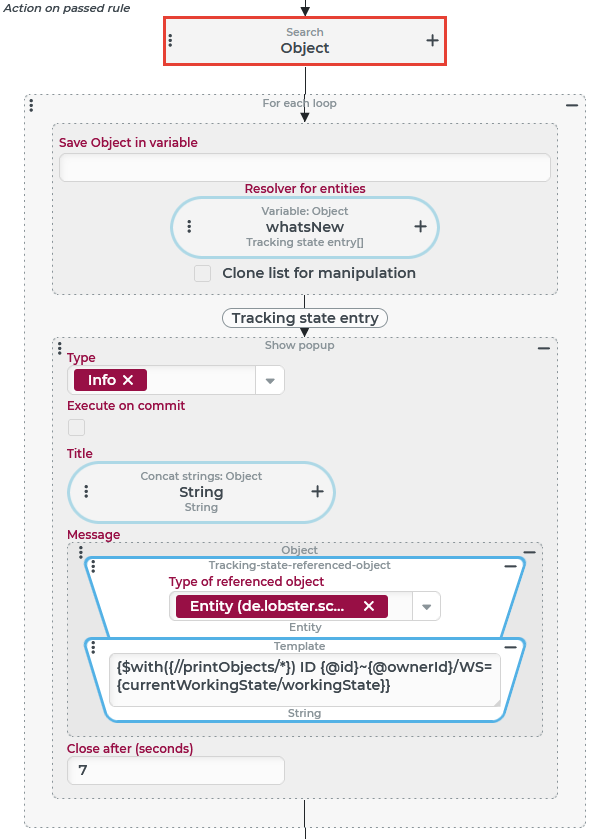
The tracking state entries relevant for display are provided by a Search (Event action). This returns a chronologically sorted list of all tracking state entries readable in the context of the session that have been created since the beginning of today"s tag (see Relative date with time) in a The following For each loop action iterates over the tracking state entries in the For each entry a Show alert (Popup) event action is executed in which the desired information is prepared:
NOTE The |
|