These Content Inspectors have exceeded the maximum waiting time and were configured to assume status "Overdue" if that occurs (instead of starting the processing).
Settings
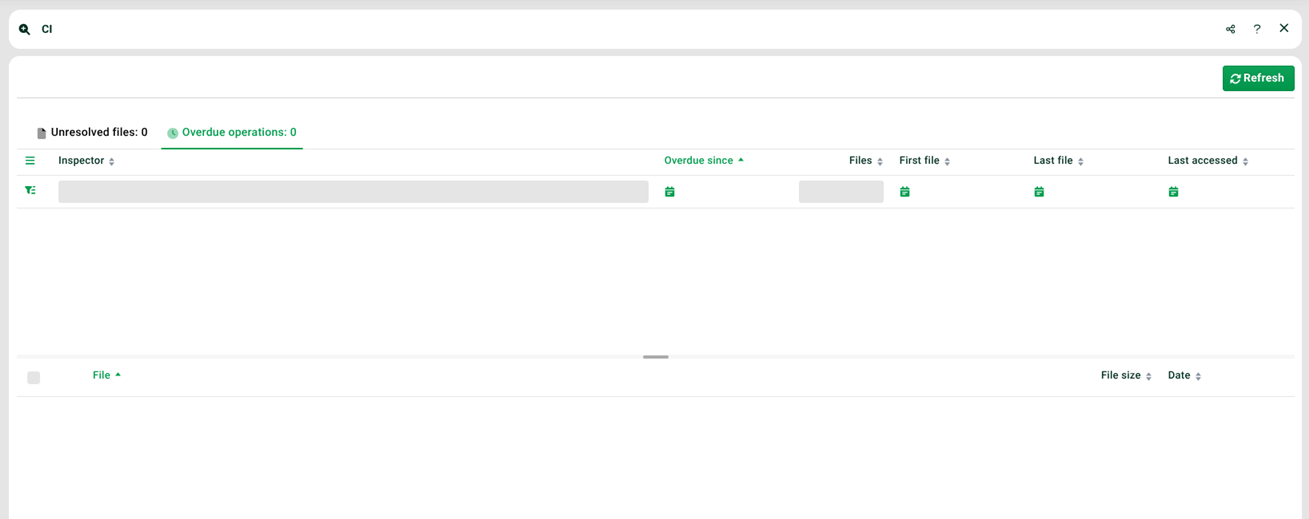
(1) Funnel icon: The (changeable) status of the Content Inspector. The following statuses are available.
"OK". The files of the Content Inspector are passed on to his processing profile.
"Wait". The waiting time of the Content Inspector is reset, i.e. he again waits until his maximum waiting time is reached.
"Overdue". Content Inspectors in this status are shown here.
(2) Files: The number of files in the File Pool of the Content Inspector.
(3) First file: The time of receipt of the first file of the Content Inspector.
(4) Last file: The time of receipt of the last file of the Content Inspector.
(5) Last accessed: The time the Content Inspector was last accessed (for example, if you manually change his status).
(6) List top: List of timed-out Content Inspectors.
(7) List bottom: List of files of the selected timed-out Content Inspector.
Context menu for Inspectors
Set status to | Allows you to change the status of the Content Inspector. Available statuses: "OK", "Wait", "Overdue". |
Context menu for files of an Inspector
Process | The files of a Content Inspector will be processed. |