All Search types can optionally specify a list of search criteria for a hierarchical Sorting of the results.
Configured search criteria are usually mapped directly to the ORDER BY clause of generated SELECT statements.
NOTE Sorting is always applied to the search results list before the "First result" and "Maximum results" parameters take effect. Sorting can therefore be used to control which subset of matches is considered a search result.
Configuration
The data object of the search offers a list field Order by (orders), which expects data objects of the "Search order" (SearchOrder) type as list values:
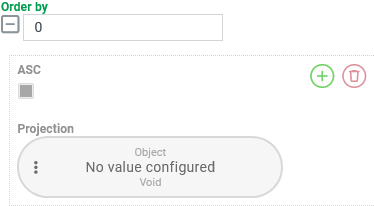
By default (see screenshot above), the Order by list is empty.
A sorting criterion (
SearchOrderinstance) can be added to the list by clicking on the.svg) icon.
icon.An existing sorting criterion can be removed by clicking on the trashcan symbol.
If the context provides a tree structure for displaying the search, the sequence line item of the sorting criteria and therefore their rank within the hierarchy can be adjusted using drag & drop.
Each SearchOrder data object has exactly two properties (see also the placeholder structure in the screenshot above):
Labeling | Data field | Data type | Meaning |
|---|---|---|---|
Ascending |
|
|
|
Projection |
| Projection (entity) | Technically, all types of Projections can be inserted via the projection configuration.
|
Examples
Simple use case: Single-stage sorting
A CSV search for Users should be sorted in ascending order according to the "username" (username) String property.
Configuration:
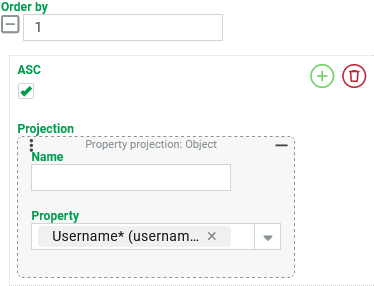
The screenshot on the right shows the configuration for Sorting with a search criterion:
On the database side, this configuration generates the sort expression
|
|
Runtime example: With exactly one output column that corresponds to the Property projection from the Order by:
| The example data on the left suggests that the sorting distinguishes between upper and lower case letters, but that the difference between upper and lower case is comparatively low:
NOTE Essentially, an |
More complex use case: Multi-stage sorting
The previous example should be extended as follows:
In addition to the "username" (
username), an additional output column specifies the internal "ID" (id), i.e. the uniqueLongvalue that is used as the primary key for entities in the database.The sorting for the "username" (
username) property should be case-insensitive.However, the internal "ID" (
id) should be taken into account as an additional (subordinate) sorting criterion.
Configuration:
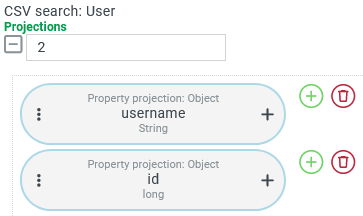
The screenshot on the right shows the two Projections:
|
|
Order by is adjusted as shown on the right:
|
|
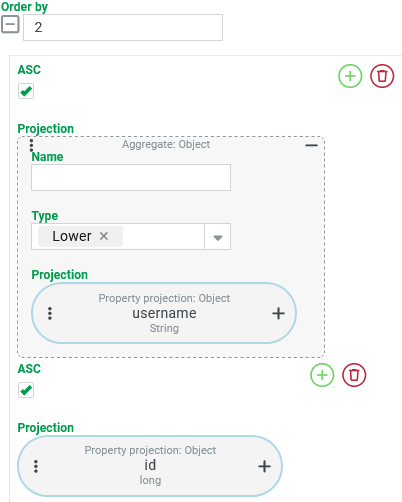
Runtime example:
| The order of the users "TEST", "test" and "tEST" is no longer determined by the alphanumeric sorting used in the previous runtime example, but by the The sorting of "test2" vs. "TEST2" is now also based on the NOTE Without the Aggregate for the first sorting criterion, the sequence would have been the same as in the previous runtime example. The |
More complex use case: Multi-stage sorting with specific treatment for NULL values
Configuration: (limited solution)
The screenshot on the right shows the configuration for a hierarchical Order by with two sort criteria:
CAUTION This configuration is only effective if the VIP attribute is explicitly created for all relevant addresses so that the "Flag value" can be read as either If Users exist whose address does not contain the |
|
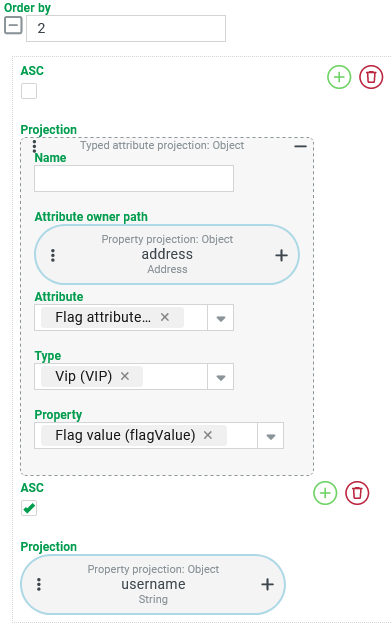
Runtime example: (Groups regarding VIP identification were subsequently artificially separated by a blank line).
|
|
Variant:
In our use case, the conversion from $null to false should not only affect the output column, but also the sorting.
Configuration:
The Projection for the first sorting criterion explicitly assigns the value false as the return value via a case differentiation per Case projection and a Literal projection if the typed attribute projection returns "no value" ($null) instead of the flag value (flagValue).
If the Typed attribute projection returns a flag value (flagValue), this is used as the return value for the sorting.
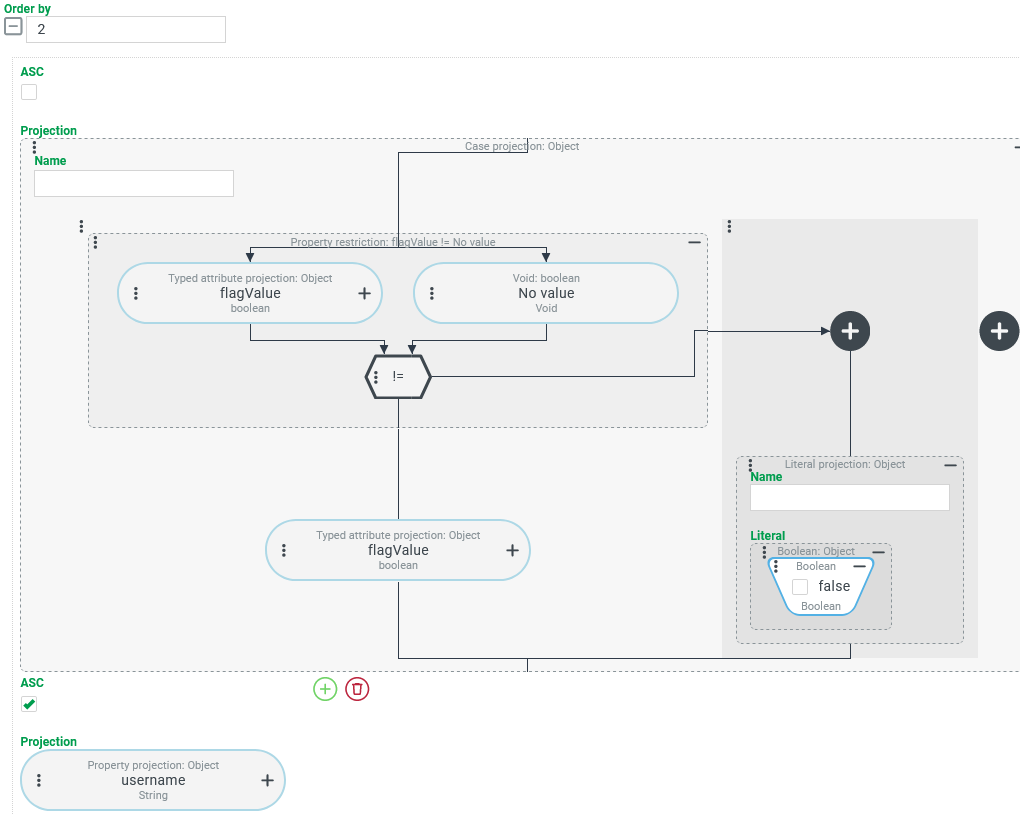
Runtime example: (Groups regarding VIP identification were subsequently artificially separated by a blank line).
| The results list now only contains two groups: |
More complex use case: Sorting a CSV search with grouping by aggregation result
A CSV search for Users should specify the "username" (username) and the number of assigned "roles" (roles) for each user account and sort the list in several levels as follows:
First, the number of roles per user should be sorted in descending order.
Users with the same number of roles should be sorted in ascending order by "username".
Configuration:
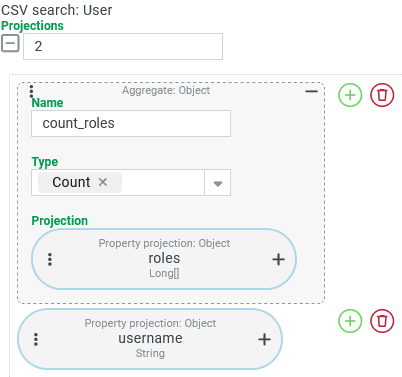
The output columns for the Tuple search are configured as shown on the right:
NOTE These Projections must subsequently also be used for "Group by’s" and "Order by". For the sake of transparency, we arbitrarily choose the same Name for the Aggregate as for the output column ( |
|
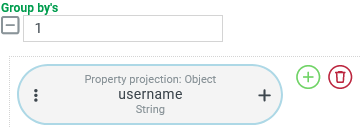
In order for the "Number" aggregation function to be applicable within the Aggregate, Group by’s must be ordered that names the "username" property as the only grouping criterion via Property projection, as shown on the right. |
|
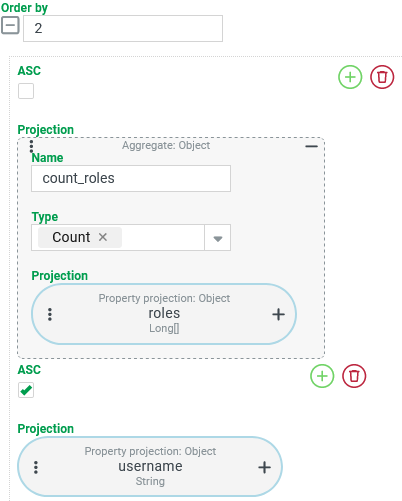
The desired Sorting uses two sorting criteria:
NOTE The order of the output columns does not necessarily have to correspond to the hierarchy of the sorting criteria. From a technical point of view, it is not even necessary for the Projections used in the Sorting to be created as output columns at all. However, it does make it easier to interpret the results. |
|
Runtime example:
| The example data (left) illustrates that users with the same number of roles are first sorted in descending order according to the result in the |
More complex use case: Sorting complete entities by aggregation result
As a variation on the previous example, a Search for Users returns a list of complete user accounts, the order of which is defined by the same two-level sorting:
First, the number of roles per user should be sorted in descending order.
Users with the same number of roles should be sorted in ascending order by "username".
Configuration:
Since a Search (unlike the CSV search in the previous example) does not support "Group by’s", Sorting cannot use a "number" Aggregate directly as a projection.
The following trick solves this problem, albeit at the expense of query performance:
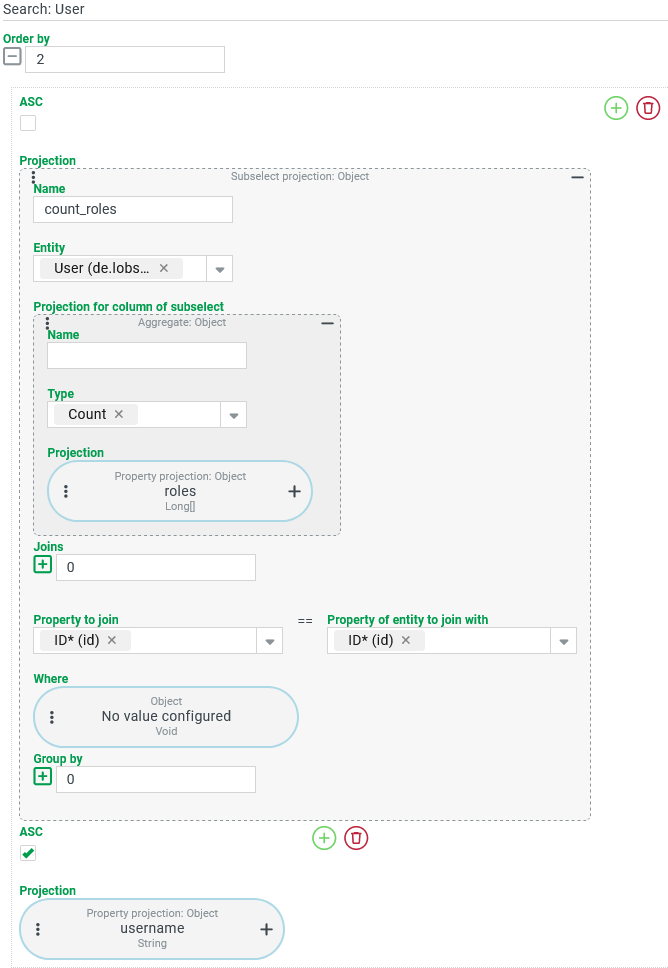
How does the Sorting define two sorting criteria:
|
|