See also: Widgets.
Defines an area where widgets can be added. Whether the user is allowed to add/remove widgets and which categories are available can be set accordingly via the element properties. The configuration of a widget panel is saved under the specified context per user.
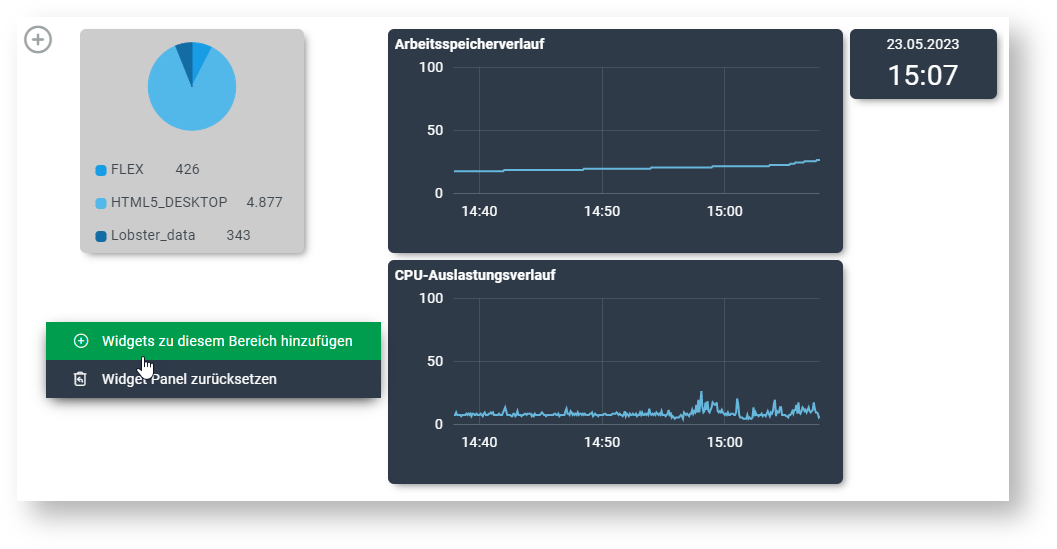 Example of a widget panel
Properties
Category | Property name | Meaning |
|---|---|---|
Layout | Align right | Controls the "flow direction" of widgets. If "Align right", the overflow/wrap direction is left, otherwise it is right. |
Layout | Widgets can wrap | Determines whether widgets can wrap in horizontal direction or whether a scrollbar is displayed. |
Widget panel | Context | Defines the context of the panel, which controls the saving of the configuration per user. Widget panels with the same context load/overwrite the same user configuration. Contexts can be managed via the dynamic enumeration "Widget context" (Enumerations). |
Widget panel | Allowed categories | A filter for widget categories, which are available for the user to choose from (see Widgets). |
Widget panel | Add/remove widgets allowed | Specifies whether the user is allowed to add new widgets to the panel or remove existing ones. |