See also: User prompt
The Behavior type User confirmation determines the Boolean value for the selection of the actions to be performed by interactive decision.
The Behavior type User confirmation determines the Boolean value for the selection of the actions to be performed by interactive decision.
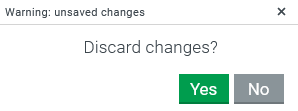
A simple modal selection dialog is displayed to the user with the buttons Yes and No:
Actions on "true" are only executed if the user confirms the dialog by clicking Yes.
Actions on "false" are executed when the user selects No or closes the dialog by pressing "X" (top right).
In both cases any input data ($input) is passed on to the actions.
Configuration
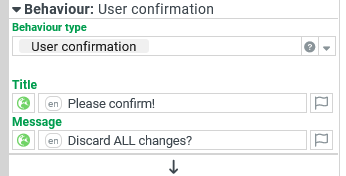
The text input for the Title appears in the title bar of the dialog.
The text input for the Message should inform users about the meaning or effects of selecting Yes or No.
NOTE Given behavior data (provided by Events (Form designer) or when the behavior is called by action Execute behavior) can be referenced e.g. via $input in the text.
Use case example
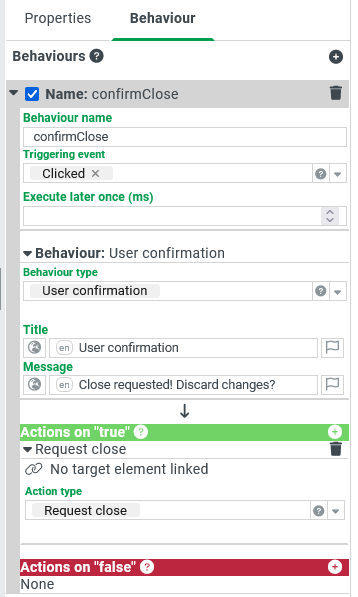
A portal provides a Button which closes it by the action Request close. Since a careless click on this Button could result in the loss of any data entered, a prompt will offer the possibility to cancel the "Close" action.
Only if the user confirms with Yes, will the portal actually be closed.
Configuration
|
|
Runtime example