Please import the following profile and set it to active. This profile serves us as a local web service: Profile-Profile_as_web_service_dynamic_response.pak. See also section Profile as SOAP web service (dynamic response).
Calling the web service
Now import the following profile. We use this profile to call the local web service in a Response : Profile-Calling_web_service_with_response_route.pak
Please open the example profile and navigate to phase 3.
Here we create a target structure based on the WSDL file of the web service.
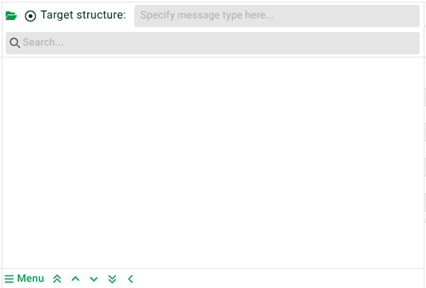
(1) Menu: Click here and select the menu item "Create structure from WS-SOAP request". Another dialogue appears.
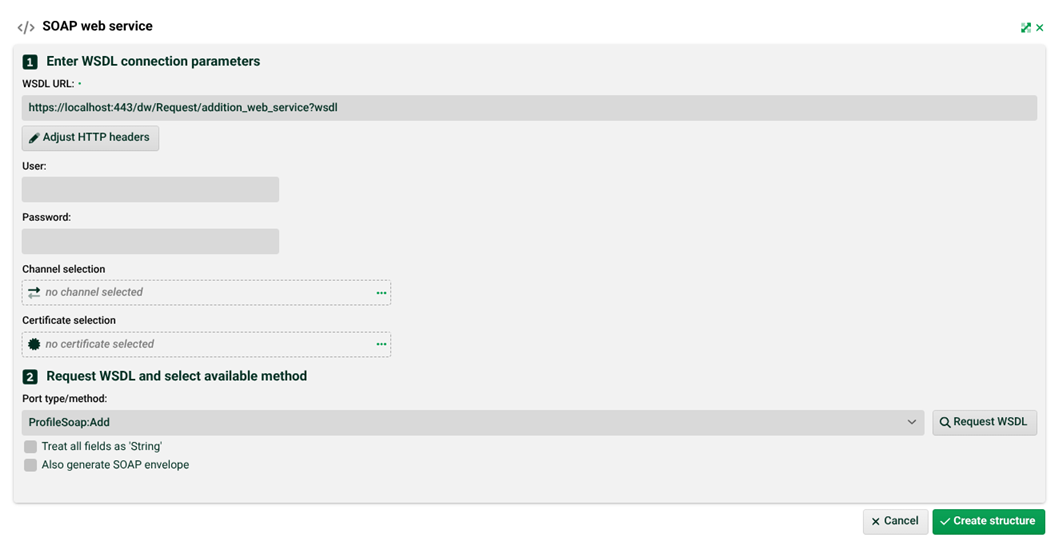
(2) WSDL URL: Enter the value "https://localhost:443/dw/Request/addition_web_service?wsdl". That is our local web service.
(3) Request WSDL: After you click here, (4) will be filled.
(4) Port type/method: The list of web service methods (only one here).
(5) Create structure: Creates a fitting target structure, see the following screenshot. Enter the fixed values "1" and "2" in fields "intA" and "intB".
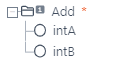
Now navigate to phase 5 and select the XMLNoTemplateUnit and enter value "Add" for the "Root node name" parameter. You can ignore all other parameters.

Now switch to phase 6 and add a Response "HTTP". The content settings must be as follows.

Following the HTTP settings.
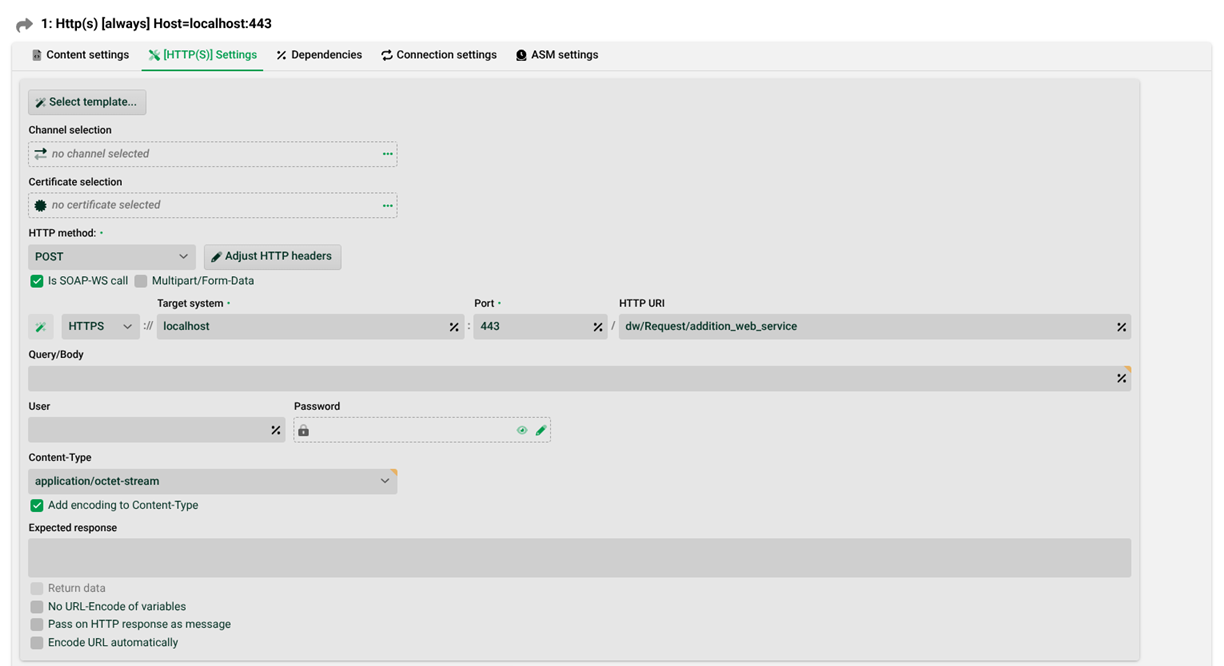
(6) Is SOAP-WS call: Must be set.
(7) HTTP URI: The URL of the web service. That is our local web service.
(8) Pass on HTTP response as message: The response of the web service can (but does not have to) be analysed in a subsequent profile. See details in section Response HTTP. Note: The response has the encoding UTF-8.
(9) Adjust HTTP headers: Some web services require additional values that are expected in the HTTP header, such as eBay (application ID, etc.). These can be set here.