Overview
In the "SCEM" (Supply Chain Event Management) area, all events triggered in the system by configuration are recorded in order to better monitor the supply chain.
However, SCEM events are not listed in a general way. This is done either by manual entry, by imports or with the help of the SCEM (Event actions) in the configured workflows.
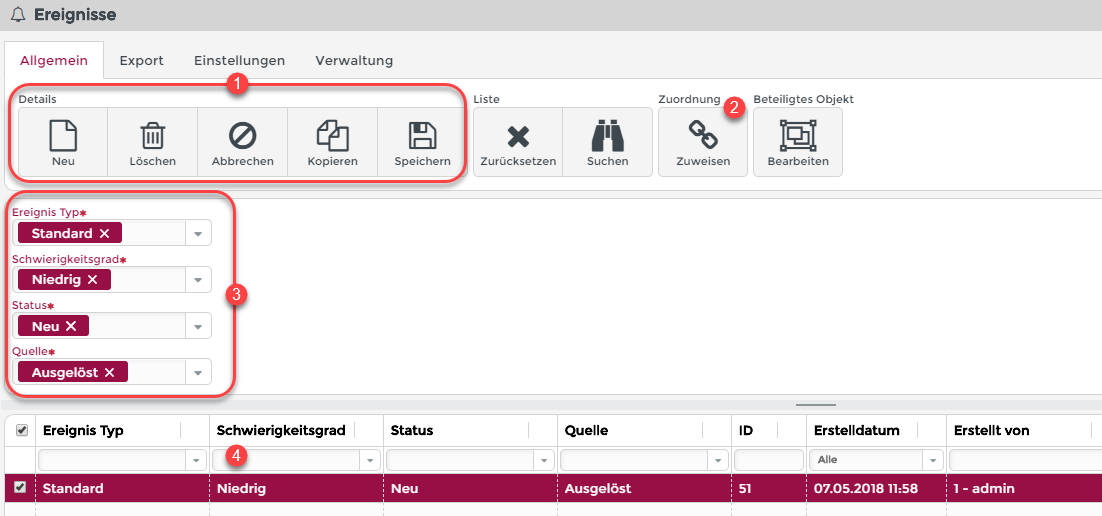
This image shows the overview for SCEM incidents.
(1) New, Delete, Cancel, Copy, Save: SCEM Incidents can be saved in the data bank, or be copied and deleted.
(2) Assign: SCEM incidents can be assigned via association criteria. (See also Association criteria).
(3) Details: Here you can see the detail data of the SCEM incident.
(4) List: The list of visible SCEM incidents is shown.
Objects involved
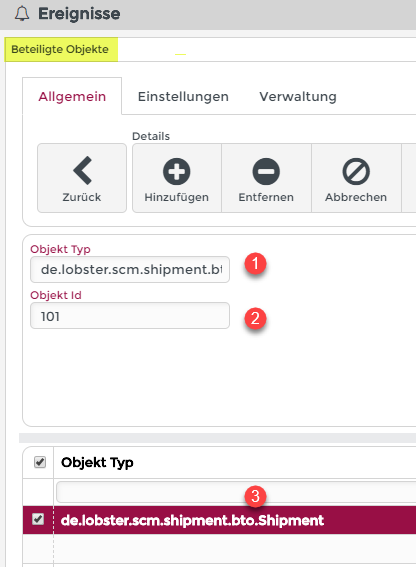
The image shows the objects involved in a SCEM event.
(1) Entity Type: The class name of the object involved in the SCEM event. (Here a shipment).
(2) Entity Id: The unique Id of the object that is involved in the SCEM event.
(3) List: List of objects involved.