See also: Equals
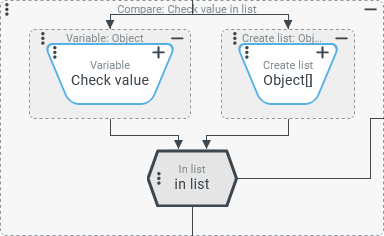
The In list compare type checks in the context of an Entity property rule whether the "List" (List, Set, Array) defined as a Compare value (value configuration on the right) contains at least one entry that passes an Equals comparison with the Check value (value configuration on the left).
If the Compare value (right) is not a "List" (
List,Set,Array), it is used directly.If the data type of entries in the Compare value differs from the data type of the Check value, a type conversion to the type of the Check value is attempted in the same way as described for the Equals compare type. This also applies to the case where the Check value is a list.
For the comparison of data objects, the logic of an Equals comparison with the Deep compare option switched off applies.
IMPORTANT
The In list compare type relies on the logic of the Equals compare type. A robust understanding of the details and peculiarities of the Equals compare type is strongly recommended as a basis for the safe use of the In list compare type.
Specific example:
Check value (JSON notation) | Compare value (JSON notation) | Check result | Comments |
|---|---|---|---|
|
|
true | List in Compare value contains the Check value (direct) |
|
|
true | The second list entry in the Compare value is converted to the integer |
|
|
true | The second list entry in the Compare value is converted to the integer |
|
|
true | The second list entry in the Compare value is converted to the integer |
|
|
true | The third list entry in the Compare value is converted to the list defined as the Check value (with one entry). |
|
|
true | The Compare value ( |
|
|
true | None of the list entries in the Compare value matches the list provided as the Check value. |
|
|
true | The second list entry in the Compare value matches the list defined as the Check value with two entries. |
|
|
true | The second list entry in the Compare value returns the string defined as the Check value as a |
|
|
false | None of the list entries in the Compare value returns exactly the Specifically, to match the first entry, the space after the comma is missing. |
Comparison of "client objects": | |||
|
| in server context: true in Client Workflow:
false/true | In a server-side execution context (within Event handling, Association criteria, etc.) data objects are basically compared by content, i.e. by their specific property values. In a Client Workflow, a "Client object" is only recognized as "equal" if it is the same "Client object". A comparison of the contents does not take place. |
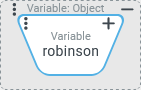
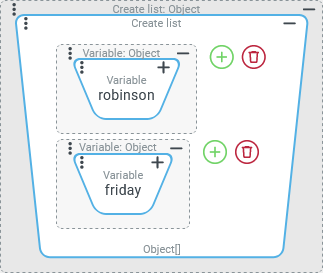
We create the two "Client objects" from the list in the compare value (above) in advance and assign them to two variables (named | |||
|
|
true | Since in this example the list entries refer by reference to the "Client objects" created in advance, the In list comparison is also considered to have passed in the Client Workflow. For the Client Workflow, the comparison appears like this:
|
|
| in server context: true in Client Workflow:
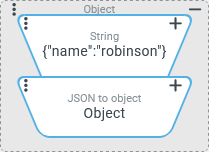
false | The server compares content and recognizes the match. For the Client Workflow, the comparison appears like this:
Whether or not the content of Object-A is the same as Object-C is simply not examined. |
|
|
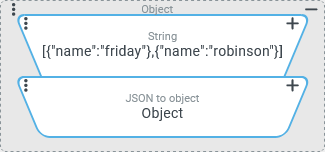
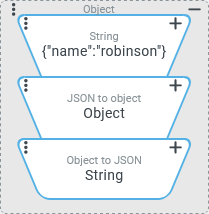
false | In this variant, the "Client object" in the Check value is converted to a The following variant, on the other hand, leads to the goal. |
|
|
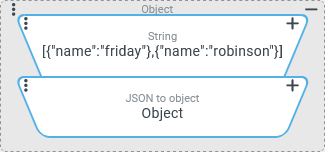
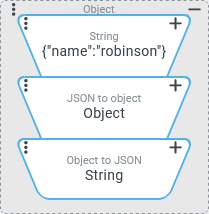
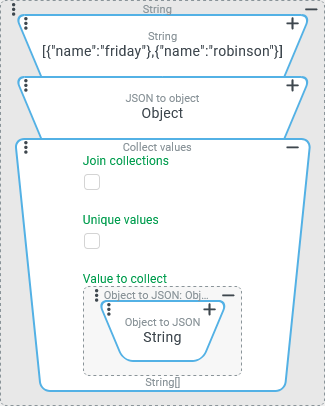
true | With this variant, the content comparison of "Client objects" can be enforced independently of the execution context (client/server) by comparing their JSON format image as a string instead of the objects involved. The list of "Client objects" in the Compare value is converted by the concatenated Collect values resolver into a list of The Value to collect is defined via the Object to JSON value resolver, ensuring that the notation in detail matches the JSON string generated as the Check value if a content-matching "Client object" is listed in the Compare value. |
.svg)
.svg)

NOTE A check for the presence in a list of a "Client object" whose content matches the Check value can alternatively be achieved with a rule configuration like the following one:
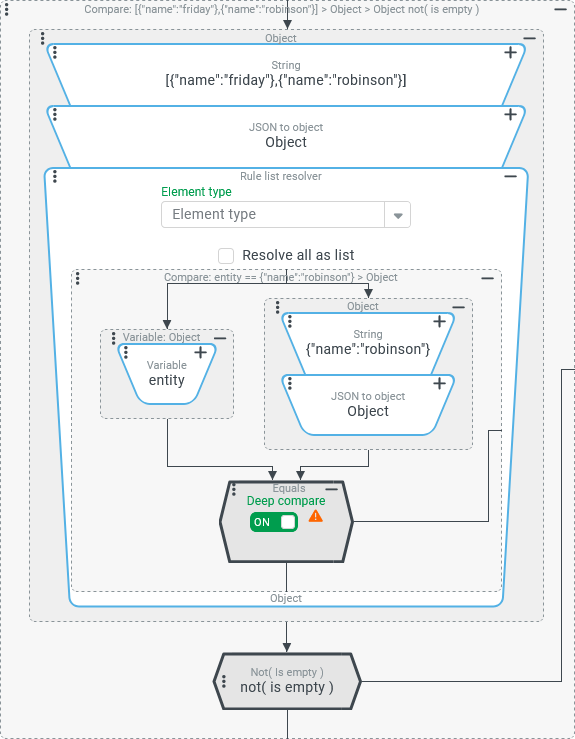
The In list compare type is purposefully not used here so that the check of the list provides the same results regardless of the execution context (server/client):
This may sound complicated, but it is really quite simple: The rule is passed if the list from the input value contains a "Client object" as an entry that matches the content of the object searched for. This is because it is then considered to be the Check value for the outer Entity property rule, which satisfies the not (Is empty) condition. |
|
Configuration
The value configurations for the Check value and the Compare value are not optional for the In list compare type.
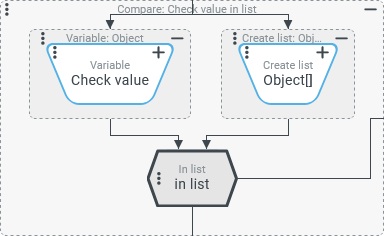
As soon as the In list compare type is selected for an instance of the Entity property rule, the default value configuration for the Compare value (a Create list value resolver without entries) shown on the right appears – if applicable, instead of an existing value configuration for the Compare value (right). |
|
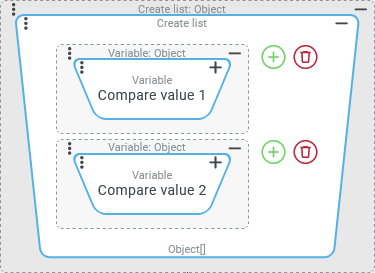
In the automatically added Create list resolver, value configurations for list entries can be assigned by clicking on the symbol. Clicking on the symbol removes an existing entry for a value configuration. |
|
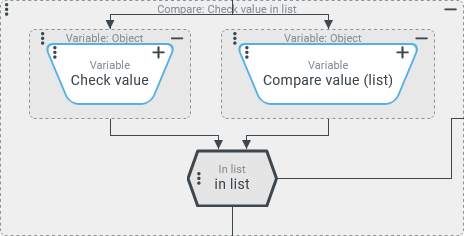
However, instead of the default value configuration, any other value configuration can be used that provides one or more suitable Compare values at runtime. |
|
Examples
Simple example: Static positive list for values of a dynamic enumeration
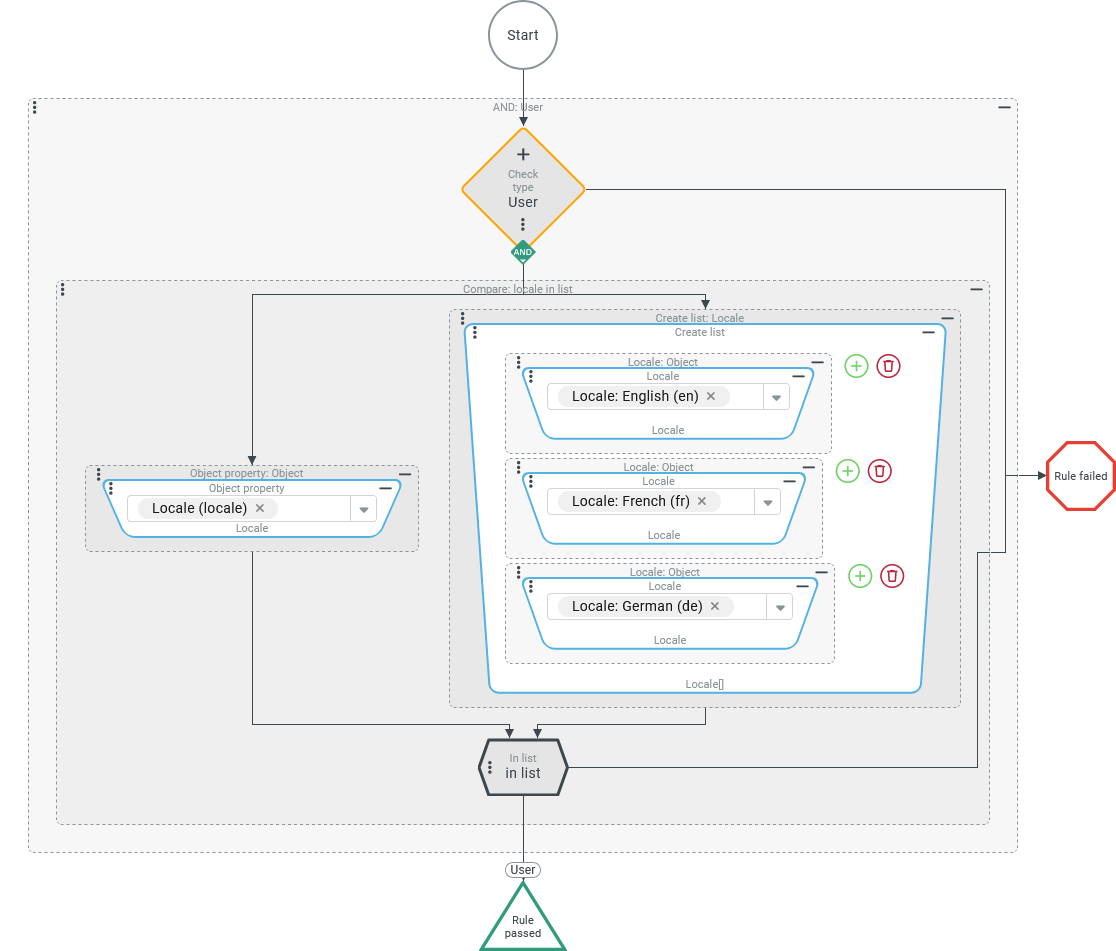
An association criteria (see Association criteria) is considered passed in the context of a user (see Users) if the selection for the "Locale" (locale) property is contained in a statically stored positive list.
Configuration:
The association criteria uses the AND conjunction of two rules as shown on the right:
|
|
More complex example: Could I login as the owner of a given entity?
An association criteria (see Association criteria) is considered to have passed in the context of an entity of any type exactly when the owner of that entity is a company (see Companies/Clients) that is available to the User of session when logging on to a session.
The condition is fulfilled if the Long value specified in the "Owner" (ownerId) property of the entity can be found as an entry in the "Companies" (companies) list property of the relevant user account (see Users).
Configuration:
The association criteria uses the AND conjunction of two rules as shown on the right:
|
|
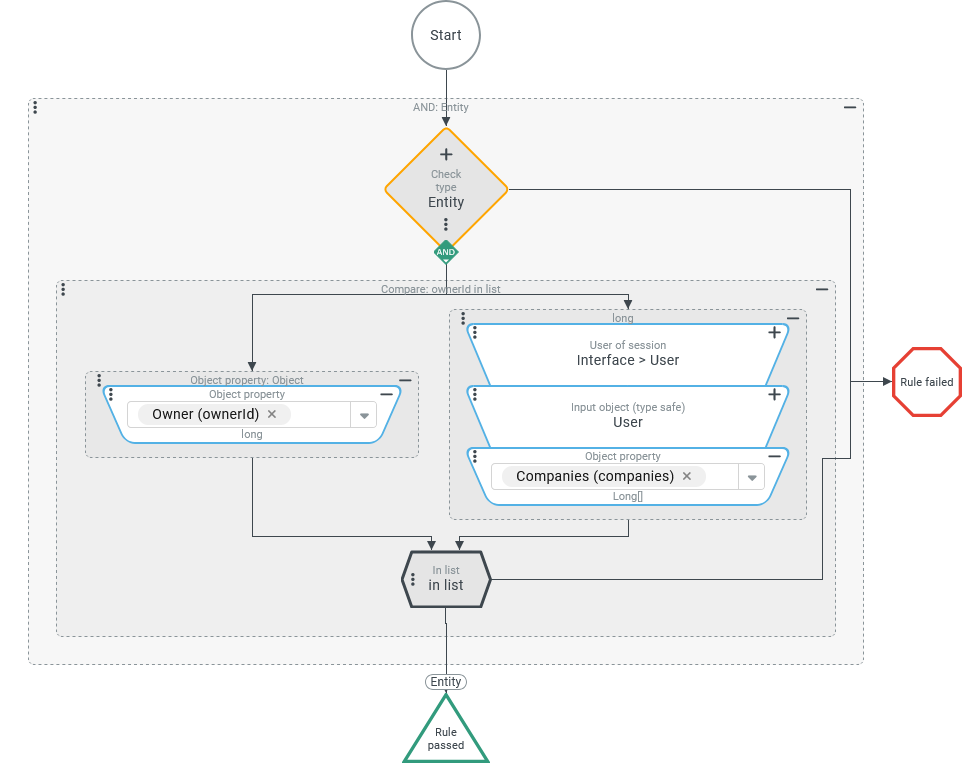
If the association criteria is also used for Guest users, it is necessary to take into account that no list of companies can be associated with a guest user. Instead of the "Company" list property, the guest user account uses a "Company" (companyId) property for which exactly one Long value can be selected.
This configuration variant for the Compare value utilizes the option of using either a list or a single value as the Compare value for an In list comparison:
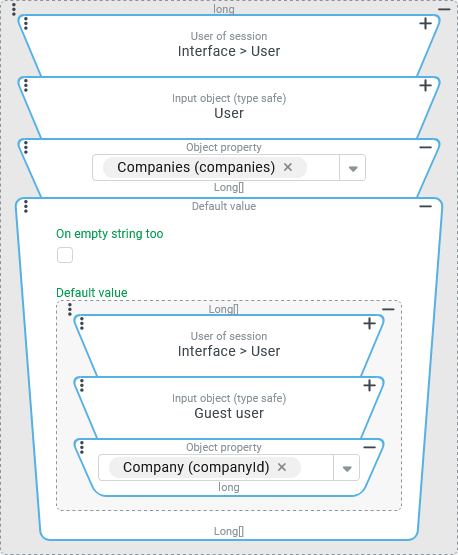
If the User of session is a guest user, the first three value resolvers in the chain, which are identical to the above configuration, will return "no value" ( On this basis, the specific treatment for Guest users can be controlled by the Default value resolver attached to the chain. As the image on the right shows, the value resolver chain in its Default value parameter is structured in the same way as before:
NOTE The return value type for the chain is still the |
|
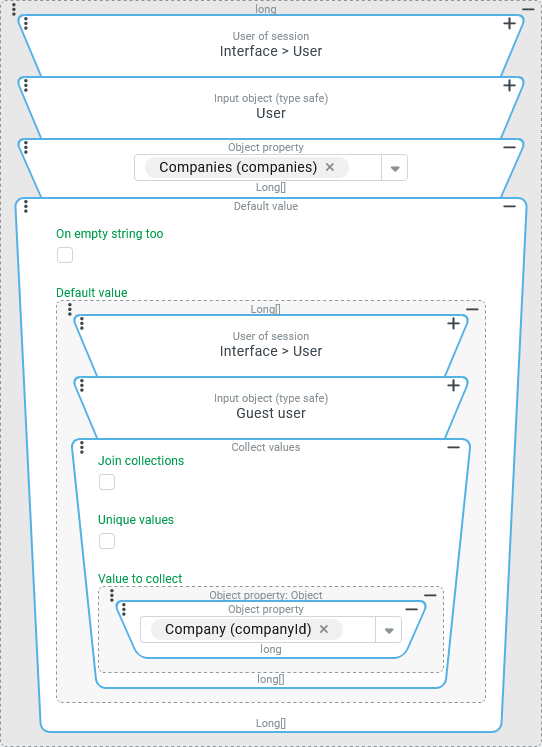
Accessing the "Company" property via the Object property value resolver can alternatively be done in the context of a Collect values resolver. Since the guest user account passed as input value is not a list, again only a single value ("Company") is read. However, this is returned as the only entry in a list, so during configuration the This additional processing step in the value resolver chain creates transparency in the configuration, even if nothing changes in the effective logic at runtime. NOTE Indirect case discrimination via Default value resolvers within a common value resolver chain solves the problem and results in a relatively compact configuration. For the benefit of more transparency and "readability" in the configuration, an explicit case distinction could be configured within a With rule instead, which recognizes the User of session as either a "User" or "Guest user" based on a Check type and then makes a specific comparison with the entity's "Owner" ID. Then the In list comparison type must be used only for Users, while for Guest users an Equals comparison is sufficient. |
|