After selecting an element from the "Addresses" or "Addresses (edit only)" containers, the individual attributes of an address can be edited in the "Address" dropdown entry that now appears. For this purpose, the container element (row layout) of the address must be selected in the "Tree View" window of the Form editor.
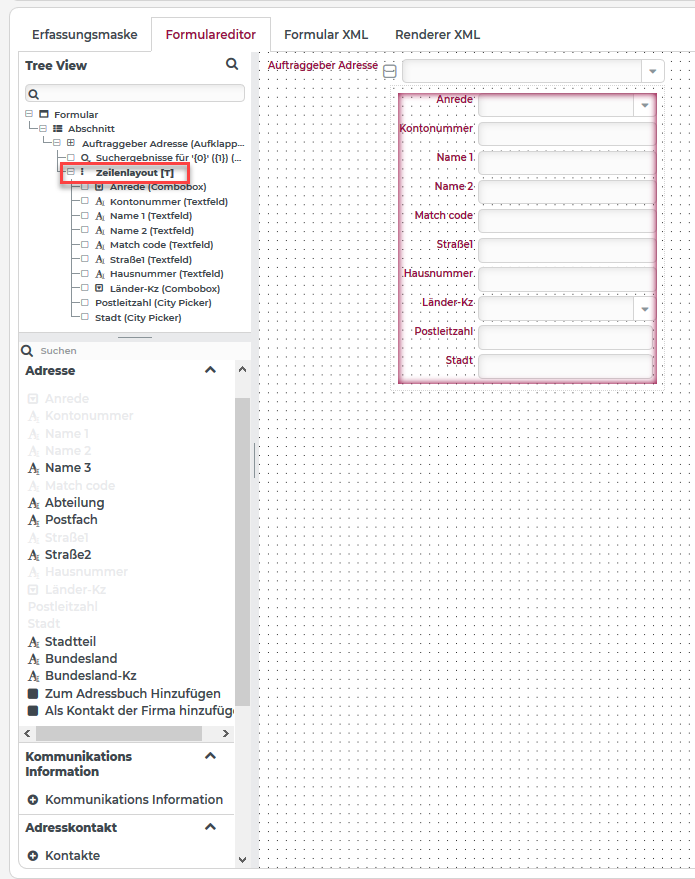
Figure 1: Editing the address attributes when using the "Addresses" form element.
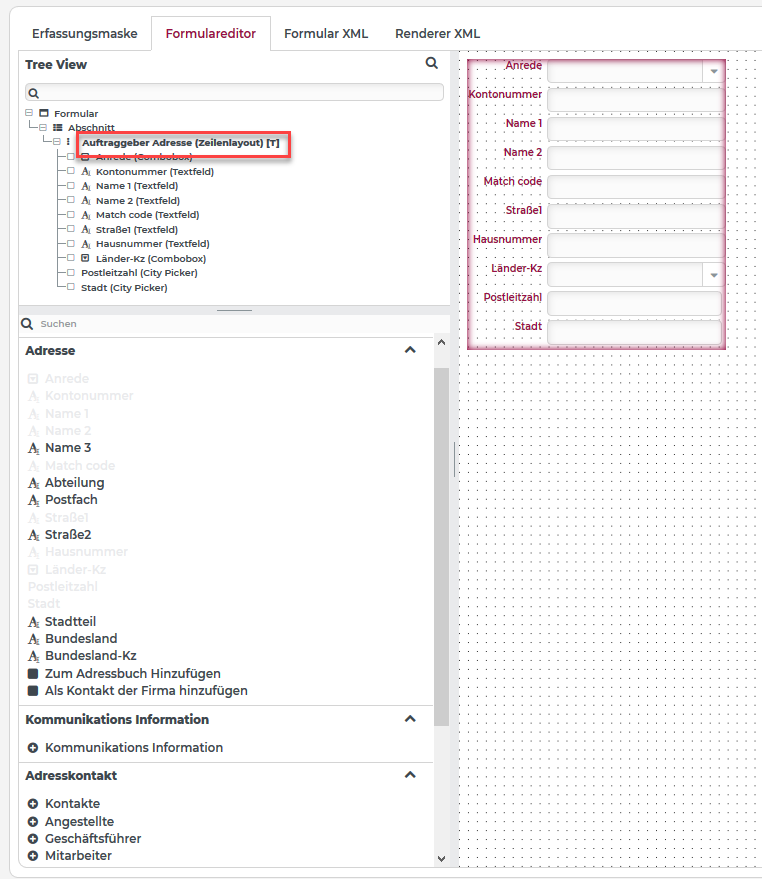 Figure 2: Editing address attributes when using the "Addresses (edit only)" form element.
Text attributes
In Lobster Data Platform/Orchestration, the following Address text attributes are created by default with the "Address" element in a form:
Account number
Name 1
Name 2
Match code
Street1
House number
Postal code
City
Depending on the requirement, the already existing fields (text attributes) can be removed from the element again or additional fields can be added from the selection list into the "Address" element.