See also: cssColor, intToHex (Convert integer to hexa decimal format), resolve as hexadecimal color (Integration function)
Using the color picker element, the user can select a color from a graphical color palette.
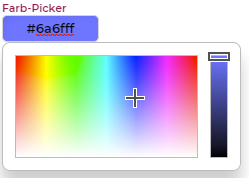
The resulting value is written to the element data either as a 24-bit integer or as a string (hexadecimal representation), depending on the "Color value as string" option.
Configuration options – "Color picker" editor section:
Option name | Effect |
|---|---|
Color value as string | Specifies whether the selected color is written to the element data as a 24-bit integer (disabled) or as a string in hexadecimal notation (enabled). |
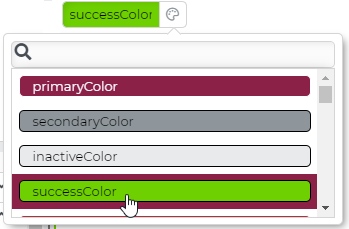
Supports style variables | Activates an additional palette that allows to select colors from the style variables (Styles). In this case, a palette icon is displayed next to the input field, which opens the variable selection when clicked.
The option "Color value as string" will be activated automatically, because the color value can also correspond to the name of a style color (see image). This has the advantage that regardless of the active style and value of the style variable, the currently valid value can always be used. Tip: The calculation function cssColor is able to convert a style color name into the corresponding color value. Likewise, the function resolve as hexadecimal color (Integration function) is available in _data mappings. |