Flags can be used in forms in the context of behavior and actions. These are freely nameable Boolean "flags" that have precisely two states: "set" or "not set" (default value).
The creation of a flag does not require any special actions or declarations. Flags are created by simply "referencing" them in the form design. The input field for flag names shows a dropdown list with all flag names that are already used in a form.
NOTE If the name of a flag is adjusted, all "references" within the form must be adjusted.
The state of a flag can only be influenced with the actions Set flag and Unset flag.
Tip: By using the behavior trigger Form data object changed (on form level), flags can be safely reset when new records are loaded into the form.
The Check flag behavior evaluates the current state of a given flag, returning "true" for "set" and "false" for "not set". Based on this evaluation, the state of the flag can also be included in further logical link type behavior.
Especially interesting is the possibility to use the state change of a certain flag as a Flag changed trigger for behavior, because this way the range of predefined triggers can be extended.
Example:
A button should switch a symbol (image/icon) back and forth when clicked.
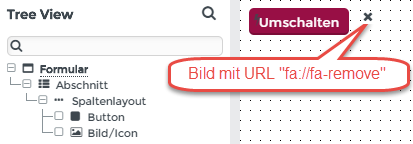 Image: Output form
By configuring a behavior for the "Toggle" button, which reacts to "Clicked", it is now possible to achieve a change of the image with the help of a fictional flag "CHECK":
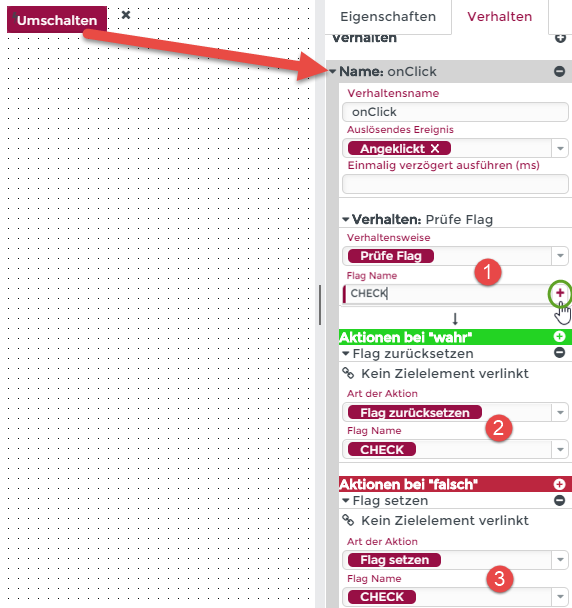 Image: At (1) – With the Enter key or via a click on the "+" (plus) symbol, a new flag can be defined.
Checking whether the flag "CHECK" (1) is set returns either "true" or "false". Accordingly, by resetting "CHECK" to "true" (2) and setting "CHECK" to "false" (3), the "CHECK" flag can be toggled on and off by repeatedly clicking the "Toggle" button.
Finally, a behavior can be defined at a central point (the form level is a good choice), which reacts to the change of the "CHECK" flag and executes corresponding actions to change the image resource:
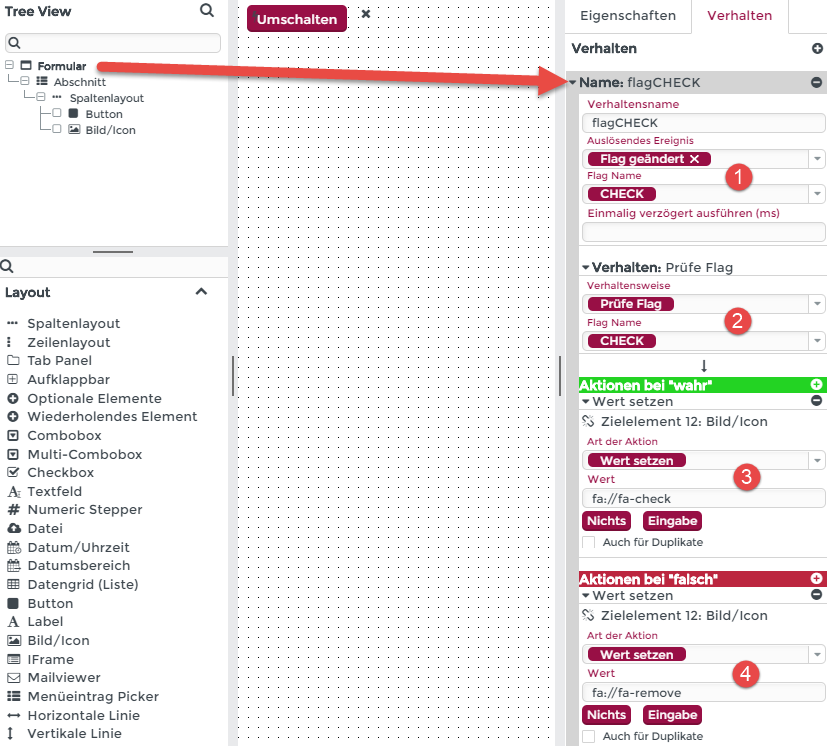
The configured form behavior "flagCheck" is triggered as soon as the "CHECK" flag has been changed. If the flag is set (checked at 2), the "check mark image" (fa://fa-check) is loaded, otherwise the "cross image" (fa://fa-remove) is loaded.
Executed
