When configuring profiles, so-called "mapping" (Phase 3) is of central importance for the function of the profiles, even though this step is basically optional and can therefore be skipped. The transfer of input data from a Source structure (left in image) to a specific Target structure (on the right but not yet created) defines more or less complex assignments, transformations and dependencies and can also include the lookup of data not present in the input data.
The Source structure and the Target structure follow the same construction principle, namely a tree structure that defines and clearly describes the strictly hierarchical relationships between "nodes" ("folder" symbol) and "fields" ("circle" symbol). Both element types are anchor points for further complex definitions and – the interrelationships between Source structure and Target structure that are decisive for the mapping.
In principle, the same data structure can be modeled or generated with this technique in many different ways. The construction can quickly become time-consuming with increasing complexity of the structures, if each element must be added and parameterized individually. Predefined Templates for structures "known" to the system, which can be included via the Menu at the bottom of the windows for the source and target structure using the context menu function Load template, simplify such efforts significantly.
The corresponding submenu contains the category Orchestration, which offers template structures for all data objects predefined by Lobster Data Platform/Orchestration.
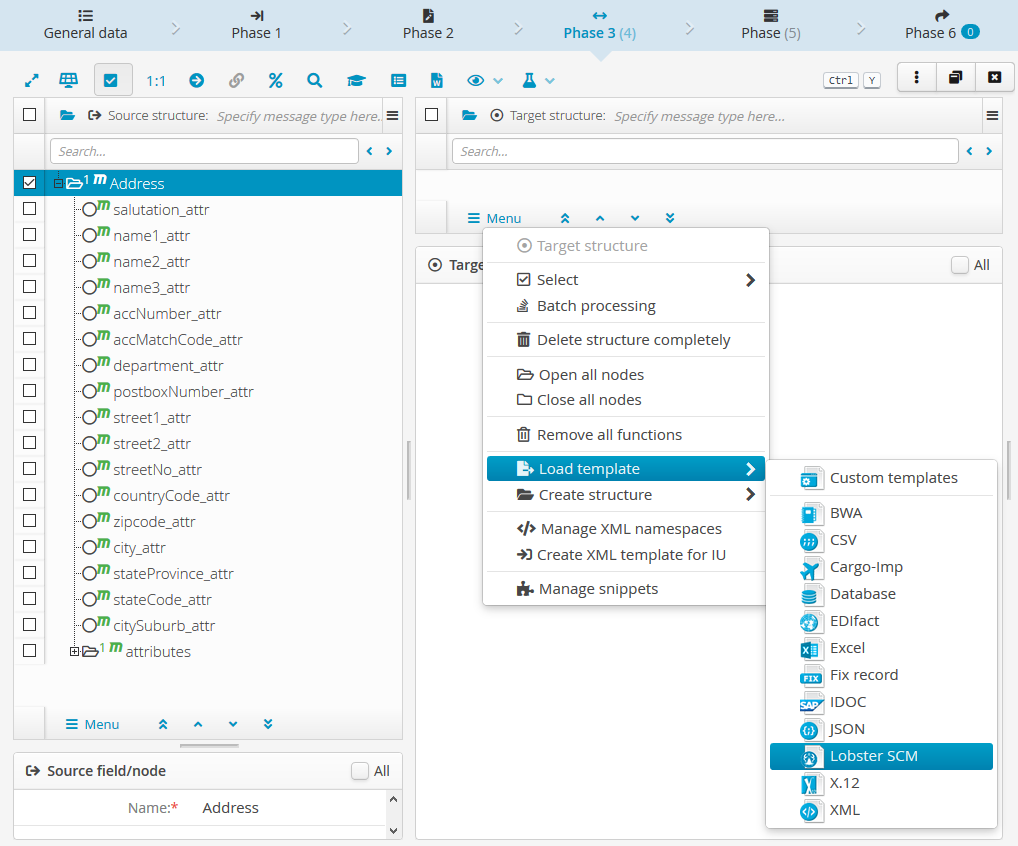
If you select the category Orchestration, the following dialog appears, which defines which template should be inserted how and where:
|
|
NOTE "Expanding" the typed attributes always affects several levels in templates for business objects, since the entities contained in them, such as positions, companies, products, addresses, etc. also contain | |
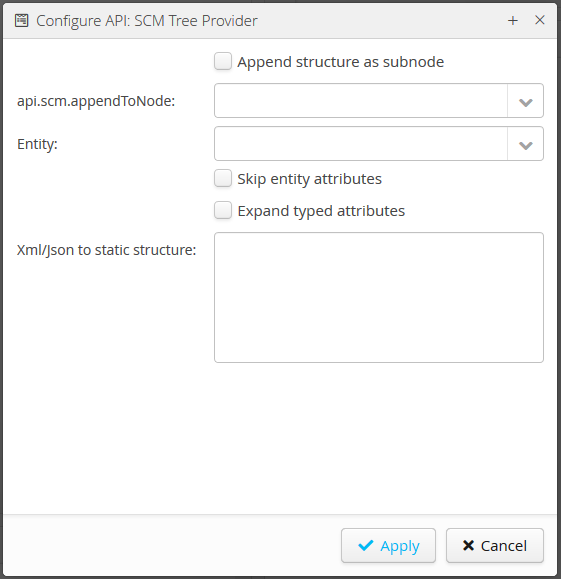
The input field Xml/Json to static structure appears only in the context of a Target structure. It concerns the separately documented functionality for Creating static target structures, which can be inserted as or within a Target structure in the same way as a template.
The Apply button .svg) immediately starts the insertion of a template structure with the settings entered. Since the generation of more extensive structures may require runtime, a progress bar appears until the action is completed.
immediately starts the insertion of a template structure with the settings entered. Since the generation of more extensive structures may require runtime, a progress bar appears until the action is completed.