The File validation template is a highly flexible and configurable framework designed to streamline the import and validation of data files with arbitrary or heterogeneous structures. It supports the adaptation of validation rules and behaviors based on organizational requirements, data standards, and quality expectations. This enables both technical and business users to ensure the integrity and consistency of data before it is processed or integrated into core systems.

Flowchart illustrating data upload, validation, and processing steps
Deployment and setup
The File validation template can be deployed through the system interface by navigating to Administration > Start from template. Once the installation is complete, it is accessible via Data Platform > Portals under the name Template File Validation. The setup process does not require manual backend configuration, allowing for a fast rollout and immediate use in test scenarios.
NOTE If the executing user does not hold this permission, the entire template installation is aborted.
Key components
The template is structured into three core interface areas, each serving a distinct purpose:
Upload validation
Includes the front-end UI elements required for file uploads and displays validation results to the end user. This is the main entry point for data submission.
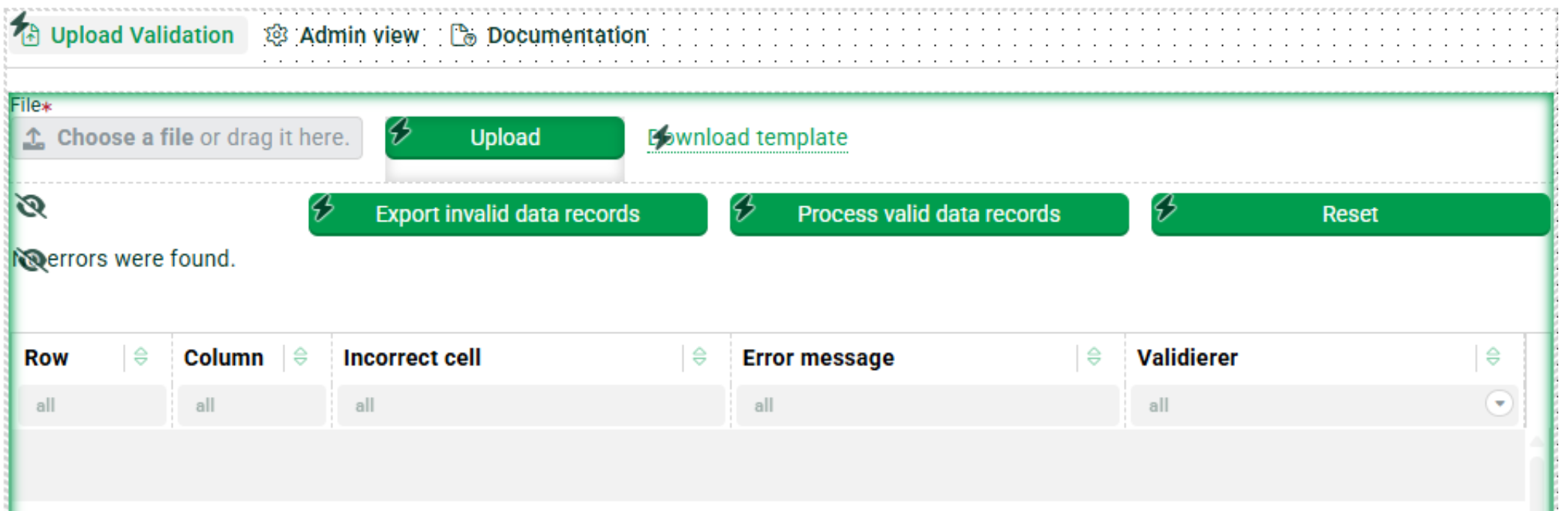
Interface showing file upload options and error messages for data records.
Admin view
Provides functionality for uploading and managing validator configurations, structural profiles, and behavior rules. This section is typically used by administrators or data stewards to define how incoming data should be handled.
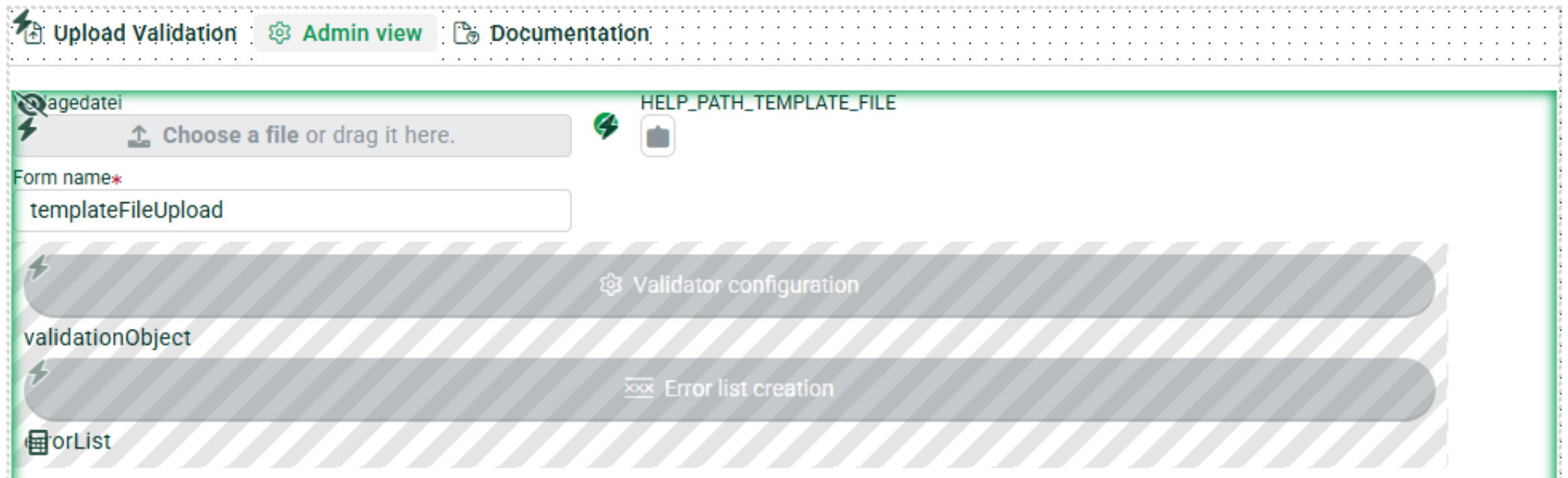
Admin view interface
The Documentation tab provides embedded usage instructions and configuration guidelines, making it easy for both new and experienced users to quickly understand the template and operate it successfully.
Configuration workflow
The template enables a modular and user-centric configuration approach:
Profile customization
Users define the expected source and target data structure, including data types, mandatory fields, and relational mappings. These profiles act as blueprints for the validation engine to interpret incoming data correctly.
Validation rules
Predefined example profiles such as CheckColumnType illustrate how to validate data types, field presence, or business rules. These validations can be extended or modified to suit data sets like product catalogs, customer data, or transactional records.
Behavior validation via portal logic
More advanced validations can be defined using portal behaviors, which use client-side workflows to enforce rules dynamically. For instance, a behavior named Check-Required-Fields inspects each record in the uploaded file and logs validation errors for missing values. These behaviors can be edited or extended to include loops, conditional logic, or custom error messages.
End-to-end example workflow
To illustrate practical usage, consider the following step-by-step process:
Template publishing
After configuration, the portal is published and assigned to a specific user group. This allows access control and contextual data validation specific to business roles.
Test file upload
A sample file is uploaded through the user interface. The system immediately processes the file and displays validation feedback. Errors such as missing fields, invalid data types, or out-of-range values are listed.
Data processing
Once validation is complete, the user can trigger the import of all valid records using the Process valid data records function. The validated data is then imported into the configured target object or data store, which must be set up in advance.
Verification
Post-import, users can navigate to the data view to confirm successful imports based on timestamps or record counts. This allows for a quick check of data quality and system integrity.
Benefits
- Highly customizable
- Adaptable to a wide range of data formats, schemas, and business domains. Suitable for structured and semi-structured data sources.
- Real-time validation feedback
- Provides instant insights into data quality issues, enabling users to take corrective actions before import.
- Seamless integration
- Fits into existing data management and portal environments without disrupting existing workflows.
- Behavior control and access management
- Supports custom behaviors and fine-grained user permissions to ensure data validation logic aligns with business roles.
- Low-code configurability
- Many aspects can be configured via UI or JSON-like profiles without in-depth coding knowledge, enabling rapid deployment and agile iteration.
- Reusable validation logic
- Once created, profiles and rules can be reused across multiple portals and departments, ensuring consistency across the organization.
Conclusion
The template provides a robust foundation for implementing standardized, reusable, and user-friendly data validation processes. It empowers organizations to shift data quality assurance to earlier stages in the data pipeline, reducing downstream errors, improving reporting accuracy, and ensuring compliance with internal and external data standards. Whether used by IT, data governance teams, or business stakeholders, this solution enhances the reliability and transparency of data handling operations.