The $var function makes it possible to read the content of a previously Set variable in forms (e.g. in another element's behavior).
Hint: Form flags are also variables.
Tooltip
Syntax: $var(varName)
Parameter
Description
varNameThe name of the variable.
Returns the value of the variable or null if it is not set or empty.
Syntax
$var(varName)
Parameter
Name | Description |
|---|---|
varName | The name of the variable. |
Return value
The value of the variable or null if it is not set or empty.
Example
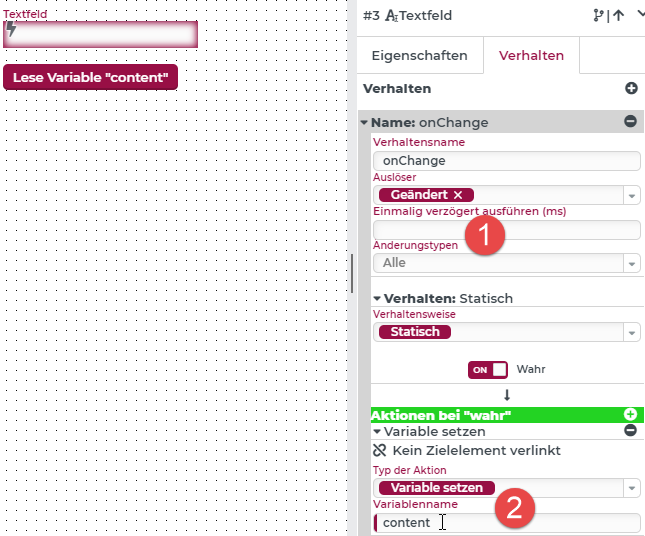
In the following example, in a behavior with every "Change" (1) the content of the text field is written to a variable named "content" (2).
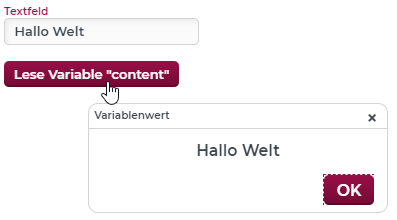
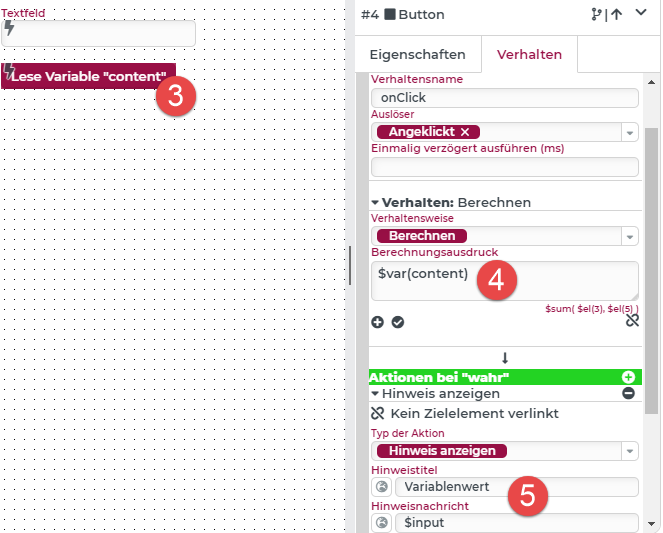
When you click on the Read variable... button (3), a Calculate behavior is executed (4), which reads the variable "content" and passes it to a Show alert action (5), which displays this value.
Result: