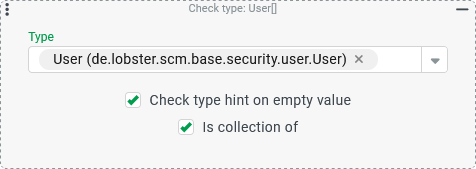
Rule types – Abstract
Purpose: This is considered 'passed' if the type of reference object (or, in the case of a fallback, a type hint according to the
entityClassvariable) corresponds to the parameterized check criteria ('Type' and/or 'Is collection of').Tooltip
Usage: The Check type verifies whether the reference object or (if the Check type hint on empty value option is checked) the
entityClassvariable is 'compatible' with the parameterization for Type and Is collection of as a fallback.Parameter:
The Type parameter uses a selection field to statically define the object type to which the accepted reference object or
entityClassmust correspond as a ‘type hint’.The Check type hint on empty value option controls whether the
entityClassshould be checked as a ‘type hint’ in the context of an overview without a selection. .The Is collection of option controls whether a list of objects of the type specified or unspecified by selection should be accepted as a reference object.
NOTE Parent types (e.g. 'Entity' or 'Interface > User') can also be selected for the Type parameter, which cover different specific entity types.
A Check type rule carries out a compare between the input object and a Type defined by single selection within the configuration of the rule.
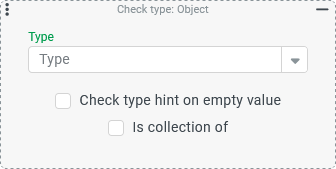
NOTE The same object can correspond to different types if there is a corresponding relationship between them in the class hierarchy.
Examples:
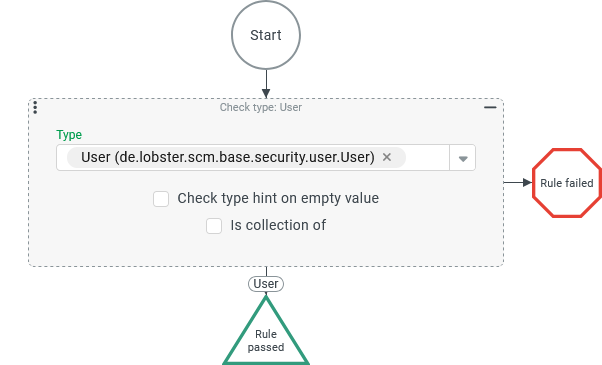
An object of the 'User' (see Users) type not only has a Check type for the specific 'User' (
User) Type, but also, for example, for the 'Interface > User' (IUser)Type, to which the Guest users also belong, as well as the parent 'Entity' (Entity) type for all entity types.A Check type on the 'Interface > User' (
IUser) Type accepts entities of the 'User' (User) and 'Guest User' (GuestUser) types, while a 'Company Account' (CompanyAccount), for example, does not pass this check.
If a Check type is used in a rule configuration, its parameterization (Type and Is collection of) generally influences the type note applicable in the context of the rule configuration and displayed, if applicable, with various effects for the downstream configuration (‘downwards’ in the visualization):
The screenshot on the right shows the rule configuration for an 'association criterion' (see Association criteria):
|
|
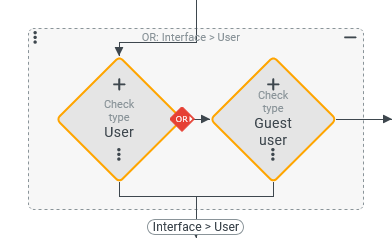
The screenshot on the right shows an OR junction with two instances of the Check type, which allows two alternative types – 'User' (
|
|
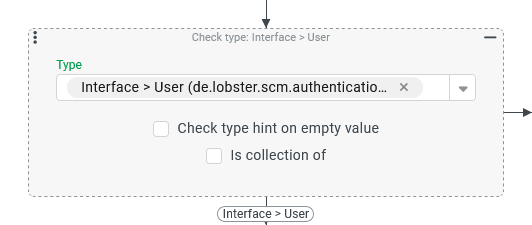
As shown in the screenshot on the right, the type 'Interface > User' ( IMPORTANT This configuration is only equivalent to the previous one if the OR junction (above) covers all types that the 'Interface type' (here: |
|
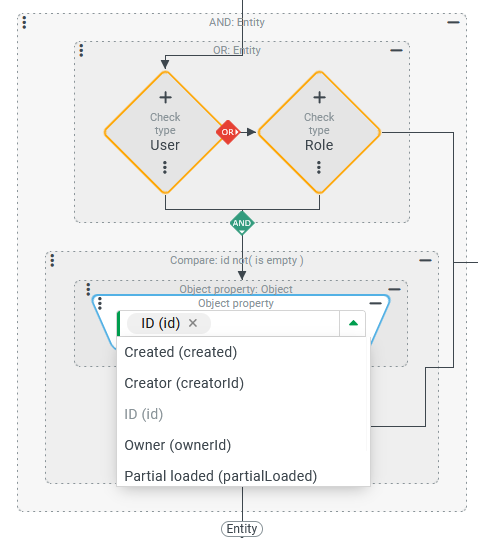
The screenshot on the right initially shows another OR junction with two instances of the Check type, which combines the 'User' (
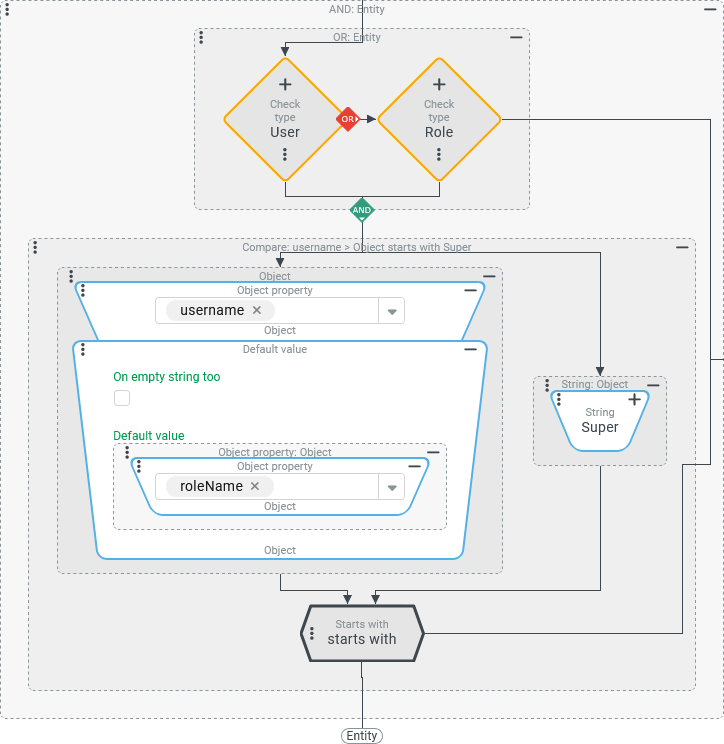
NOTE The Check type does not convert the reference object available at runtime into the checked type (here: 'Entity'). At runtime, there is therefore always a reference object with its specific type (e.g. 'user' or 'role') and all fields. Even a Check type on 'Entity' ( NOTE In order to be able to select fields that the 'Entity' type does not contain via dropdown, another instance of the Check type could be temporarily inserted below the OR link, in which the relevant type (here: 'User' or 'Role') is then selected. After the field selection for both types, this additional Check type can be removed again. In the screenshot on the right, the Entity property rule has been configured so that either the 'username' ( The ‘role’ is brought into play via the Default value resolver if the NOTE As can be seen in the screenshot, the Combobox elements in the Object property resolver only display the selected internal field name ( |
|
| |
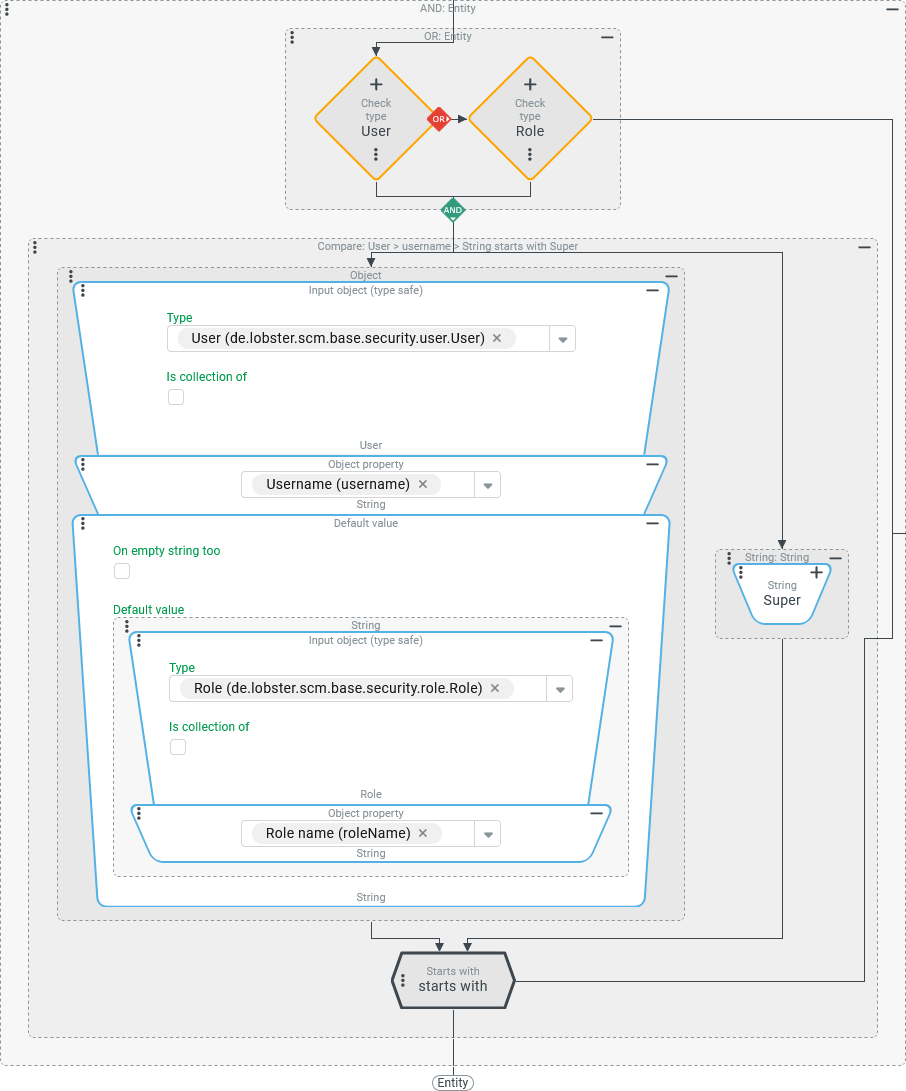
The screenshot on the right shows how the configuration from the previous example can be made cleaner, more transparent and even more robust with two instances of the Input object (type safe) resolver:
|
|
Configuration
Two options can be set for the check type:
The Check type hint on empty value option is intended to enable an indirect check type in the event that no object has been passed but the call context contains references to a specific object type.
With the Is collection of option, a list of objects can be subjected to a type check instead of a single object.
Depending on the selection for the two options, the following variants can be distinguished for the configuration of a check:
Selection 'Type' | 'Check type hint...' option | 'Is collection of' option | Test condition for 'Rule passed' |
|---|---|---|---|
<Type selection>(required) |
|
| The object passed corresponds to the type <Type selection>. The selection of a type is required. |
<Type selection>(optional) |
|
| The passed object is a list that does not contain any object that does not correspond to the selected Type. The selection of a Type is optional. Without a selection, entries of any Type are accepted. NOTE The test condition sounds a little complicated, but was formulated in this way with the following special cases in mind:
|
<Type selection>(required) |
|
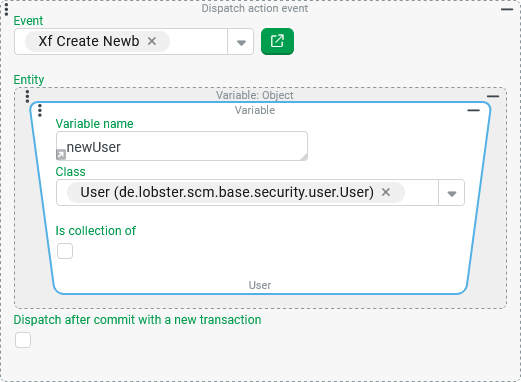
| The passed object corresponds to the Type <Type selection> OR no object was transferred BUT the context (e.g. an overview) refers to the object type. As a Type hint, the Example in the context of an overview for Users: NOTE If a Custom action event is triggered by an event action (Dispatch action event), then, unlike other variables, the Example:
|
<Type selection>(optional) |
|
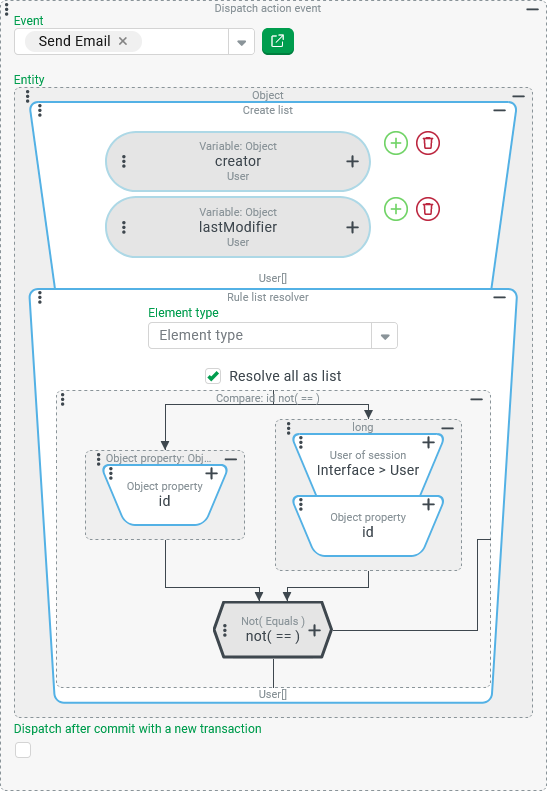
| The transferred object is a list that does not contain an object that does not correspond to the <Type selection> type OR no object was transferred BUT the context provides clues for the transfer of a list. NOTE The 'Check type hint on empty value' explicitly does not refer to the <Type selection>. Without a specific object, it is therefore only possible to determine unspecifically whether the Example:
|
.svg)
.svg)