Value resolver – Abstract
Purpose: Creates a new instance, i.e. a "volatile" data object, for a specific Type statically selected in the configuration, with the possibility of assigning properties to it.
Tooltip
Usage: The Create instance resolver is needed whenever a required data object with properties is to be created.
Parameter: The Type parameter defines the class to be instantiated as a static selection. Classes can be searched and selected or entered as free text. Properties with name and value can be added depending on the created instance.
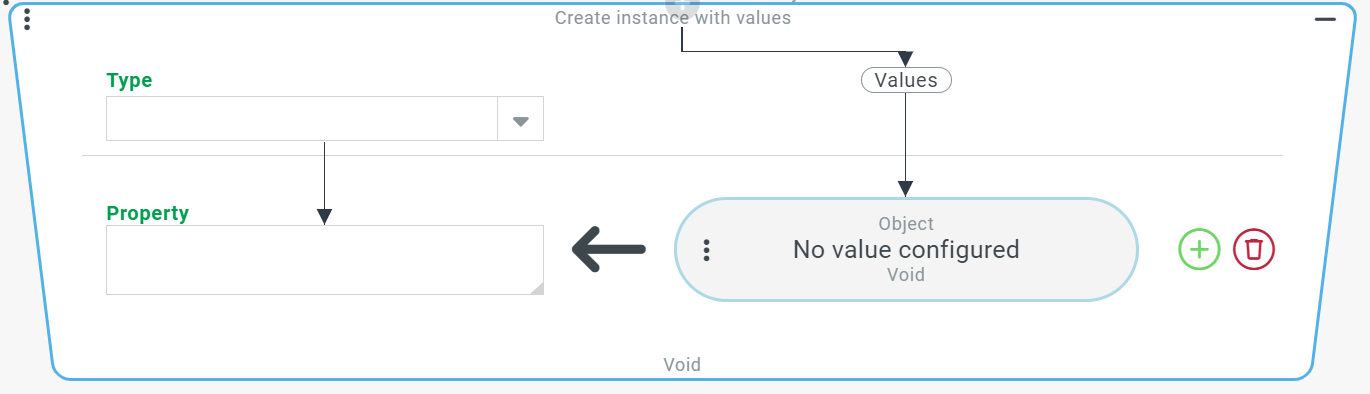
The Create instance with values resolver creates a new instance, i.e. a "volatile" data object, for the specific Type statically selected in the configuration. If the creation of the data object is successful, it will be returned. If properties exist for the created instance, new values can be added. The Property (left side) and Values (right side) can be determined per row. Depending on the type of the input value, a dropdown menu is offered for the properties and offers specific selection options, which usually result directly or indirectly from the data model of this type. Likewise, depending on the selected property, a value resolver is offered for the value, offering specific choices that result from the type of property.
Configuration
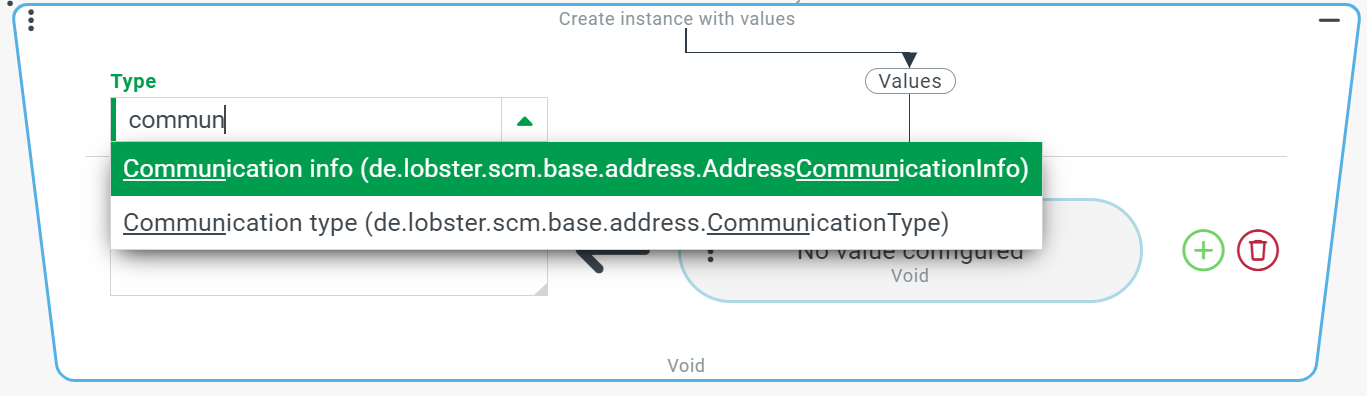
For the Type parameter, a selection field allows a static single selection for the class to be instantiated. As can be seen in the screenshot, the search considers the internal name in addition to the applicable localization for the locale of session, if any. Upper and lower case are ignored. |
|
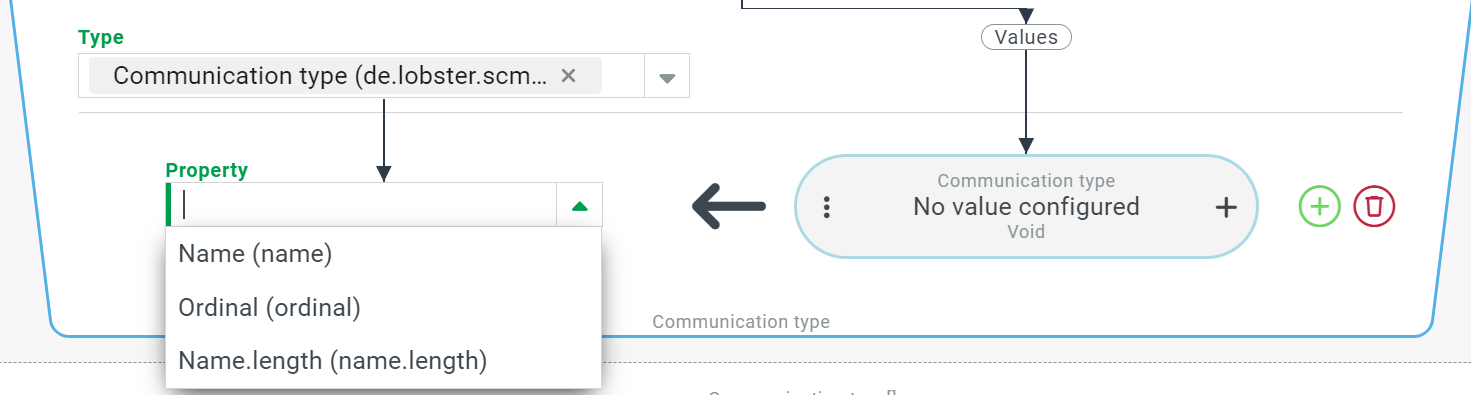
For the Property parameter, a selection field allows a static single selection for the properties of the class to be instantiated. |
|
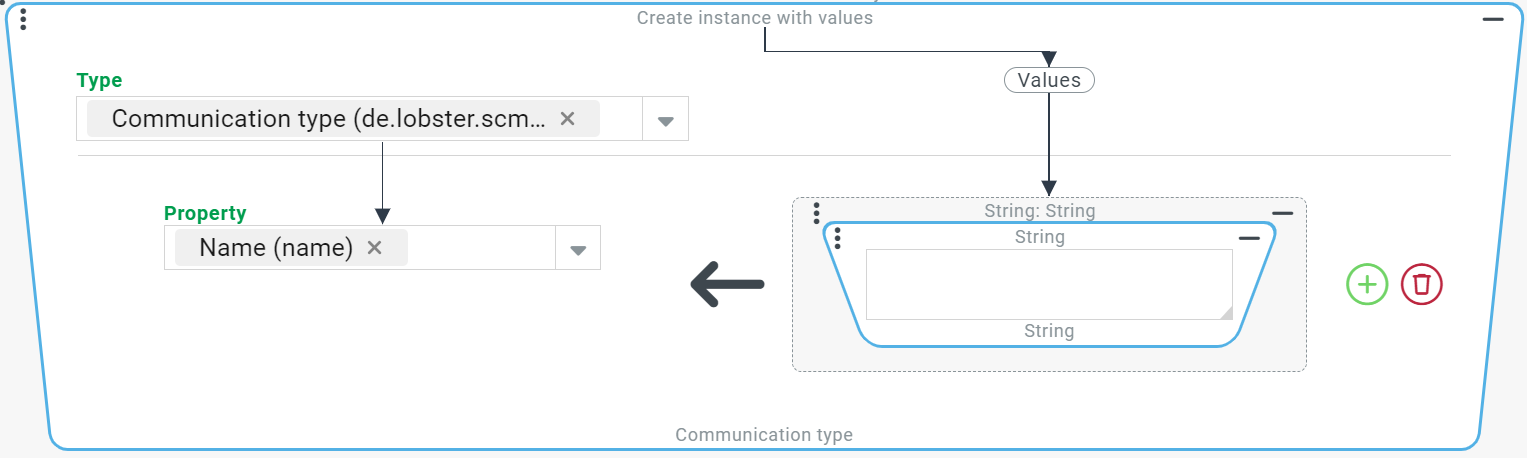
Depending on the type of property, the value resolver returns a simple value (e.g. the |
|
Further properties can be selected and a value can be assigned via the corresponding value resolver. |
|

Example
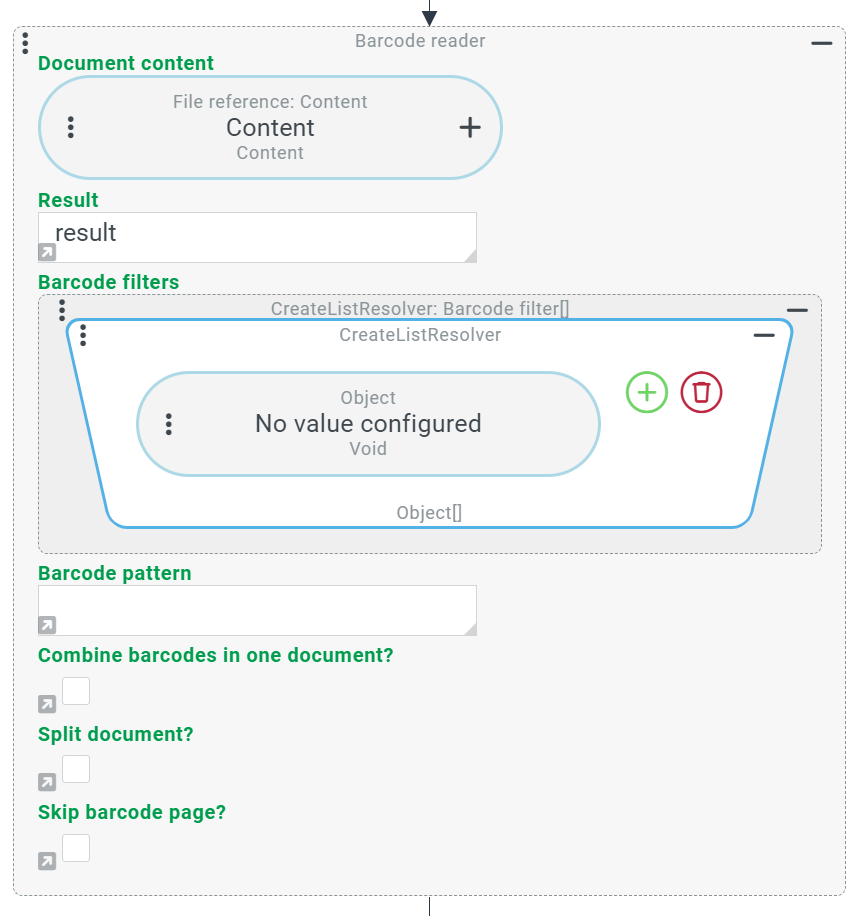
An event handling should recognize barcodes from a PDF file with the help of the barcode reader. Only certain barcodes are to be recognized, this is set via the barcode filter. The barcode filter expects a list with instances of barcode filters. These instances can be created via the Create instance with values – resolver.
Configuration:
The barcode reader is selected as the event action, a file reference with a file path of a PDF file with barcodes is entered as the Document content. For the Result parameter, the variable name "result" is set. In the Barcode filters parameter, the "Create list" resolver is set (see also Barcode reader). |
|
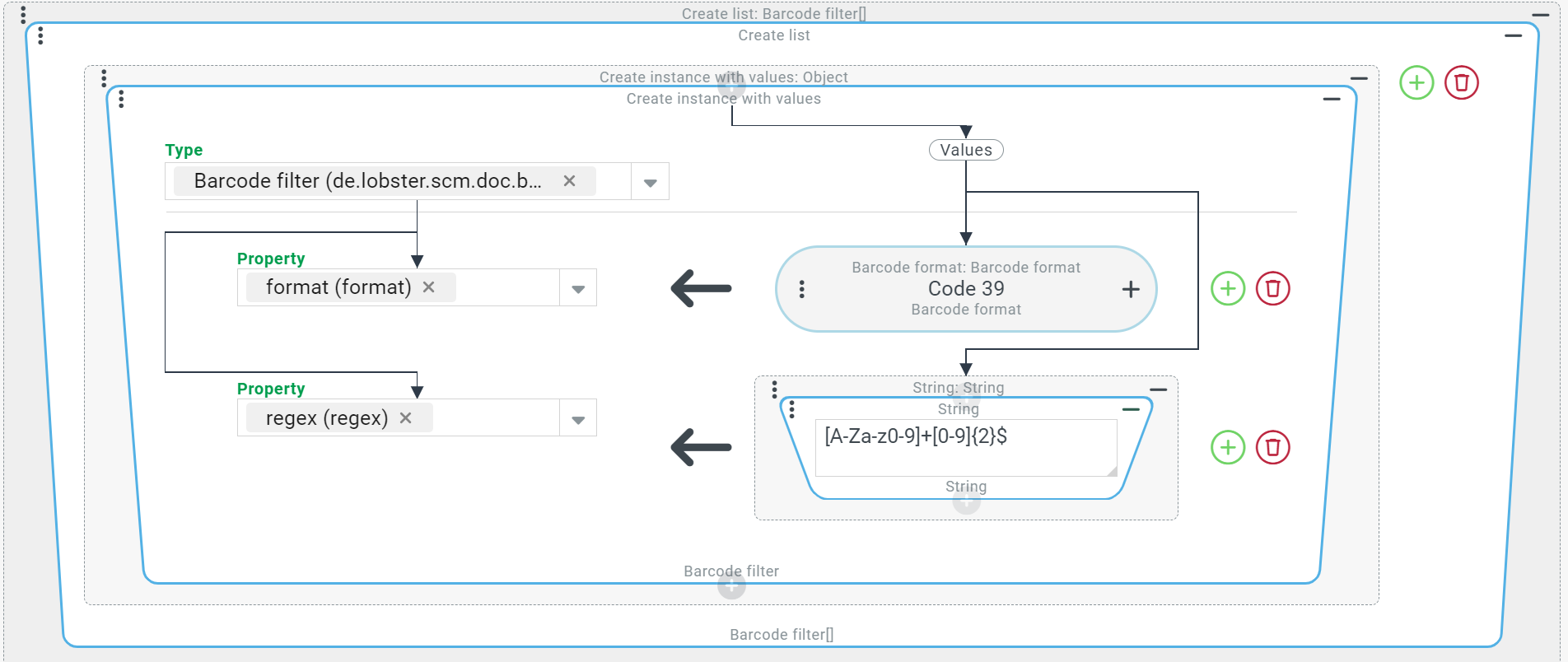
For the first list entry the "Create instance with values" resolver is selected. "Barcode filter" is selected as Type. The property "format" is assigned a barcode format and the property "regex" is assigned a string (see also Barcode reader). |
|
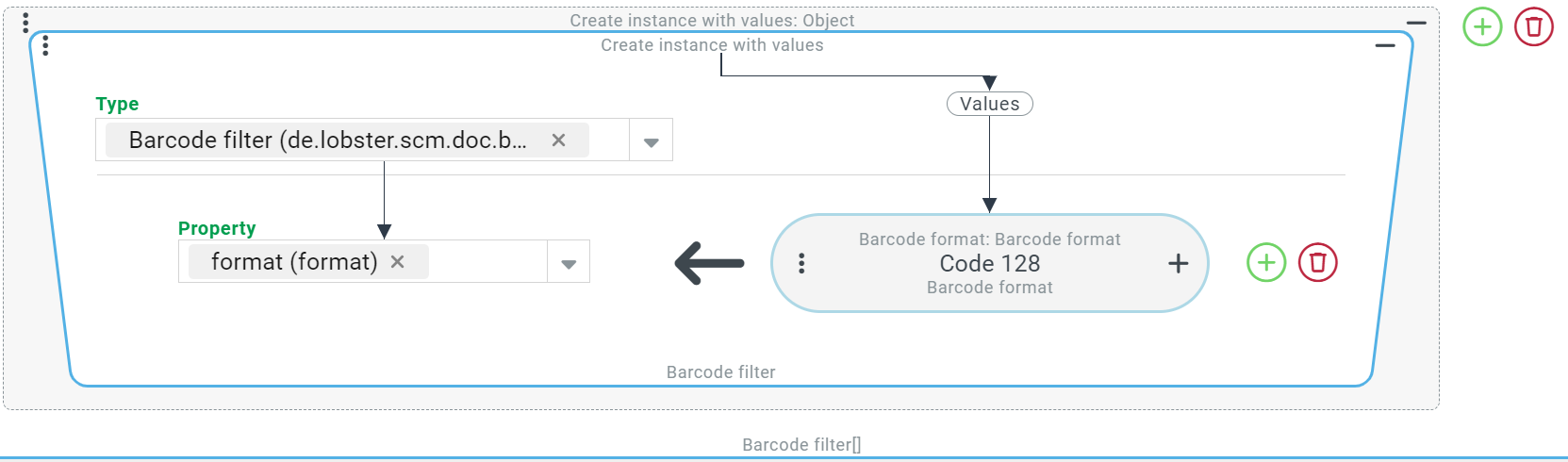
Similar to the first list entry, a Create instance with values – resolver is added with a Property "format". |
|
→ As in the example of the Barcode reader, this results in only these barcodes being recognized when the barcodes are read according to the filters.