Value resolver – Abstract
Purpose: Creates a new instance, i.e. a "volatile" data object, for the specific Type statically selected in the configuration.
Tooltip
Usage: The Create instance value resolver is needed whenever a required data object does not yet exist in a context and cannot be implicitly created by other functionality (e.g. a List item value resolver). If the return value is not
$null, the value resolver returns a volatile data object for the type specified statically in the configuration.Parameter: The single Type parameter defines the class to be instanced as a static selection. Classes can be searched and selected or entered as free text.
NOTE The return value is
$nullif no Type is specified or the specified Type is non-specific (e.g. "entity") or unknown in Lobster Data Platform/Orchestration.WARNING If a class for static or dynamic enumeration values is selected as Type, an error (
Failed to create Instance) occurs at runtime.
See also: Create instance with values, Copy instance
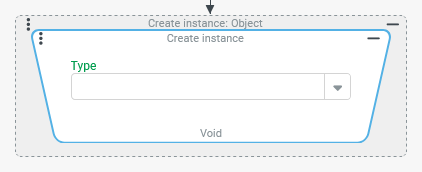
The Create instance value resolver creates a new instance, i.e. a "volatile" data object, for the specific Type statically selected in the configuration.
The input value is ignored.
If the creation of the data object is successful, it will be returned.
If the creation fails, "no value" ($null) is returned in the following cases:
No Type was specified.
The selected Type is non-specific, e.g. the overarching class for all entities: "Entity". (
de.lobster.scm.entity.Entity).The selected Type is not known in the context of the Lobster Data Platform/Orchestration installation, because it concerns a module that is not installed.
The selected Type is not known in the context of the Lobster Data Platform/Orchestration installation because an incorrect class name was entered as free text instead of a selection (e.g.
cutsom.myTypoinstead ofcustom.myType).
CAUTION If a class for static or dynamic enumeration values (e.g. Salutation/de.lobster.scm.base.address.Salutation) is selected as the Type, an error (Failed to create Instance) occurs at runtime.
NOTE
If a separate entity type is selected as the Type, then creating the instance for a new entity is equivalent to clicking "New" in an interactive context (see Input forms or Custom overviews) and not to creating it by clicking "Save". However, the "New" event (see Common action event) is not triggered.
In Event handling, a volatile entity can be marked for saving when the transaction is completed using the Execute with and Save changes later event actions. If required, the Fill primary key event action can also be executed in advance to obtain an ID for the entity from the server.
A Client Workflow can create a volatile entity, e.g. to assign its data to a form element or embedded form via Populate element data. Even then, the volatile entity is persisted only if it is explicitly saved afterwards.
Configuration
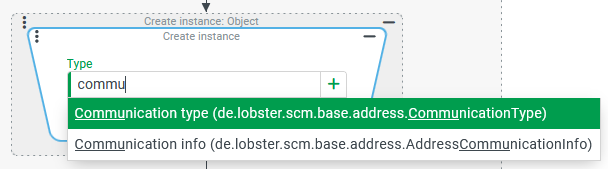
For the single Type parameter, a selection field allows a static single selection for the class to be instantiated.
As can be seen in the screenshot, the search function takes into account the internal name in addition to the applicable localization for the language of the session, if any. Upper and lower case letters are ignored.
The [+] symbol indicates that class names not selectable in the dropdown can also be entered as free text.
Examples
Create and initialize a data object of the "Date range with time" type
Within an event handling, a variable (enroute) specifies the expected transport time of a shipment as "Date range with time" in the time zone that is selected as "Default time zone" (defaultTimeZone) in the ordering party"s company account.
The estimated transport time is given by two variables, which define the estimated time of departure (ETD) and the estimated time of arrival (ETA) of the transport as "Date with time" (with any time zone).
Since a "Date range with time" is not a simple value, but a "complex" data object with several fields ("Time zone"/timeZone, "From"/start and "To"/end), an instance must be created as a target for the necessary value assignments.
The enroute variable is primarily intended to enable further calculations within the transaction. However, its value could also be assigned as a value to a date attribute of the shipment (e.g. "Estimated transport time"/ENROUTE_ESTIMATE).
Configuration:
As all three fields of the "Date range with time" are to receive assignments, the Set values event action is used as shown on the right to use the created instance as the Target host for all assignments.
|
|
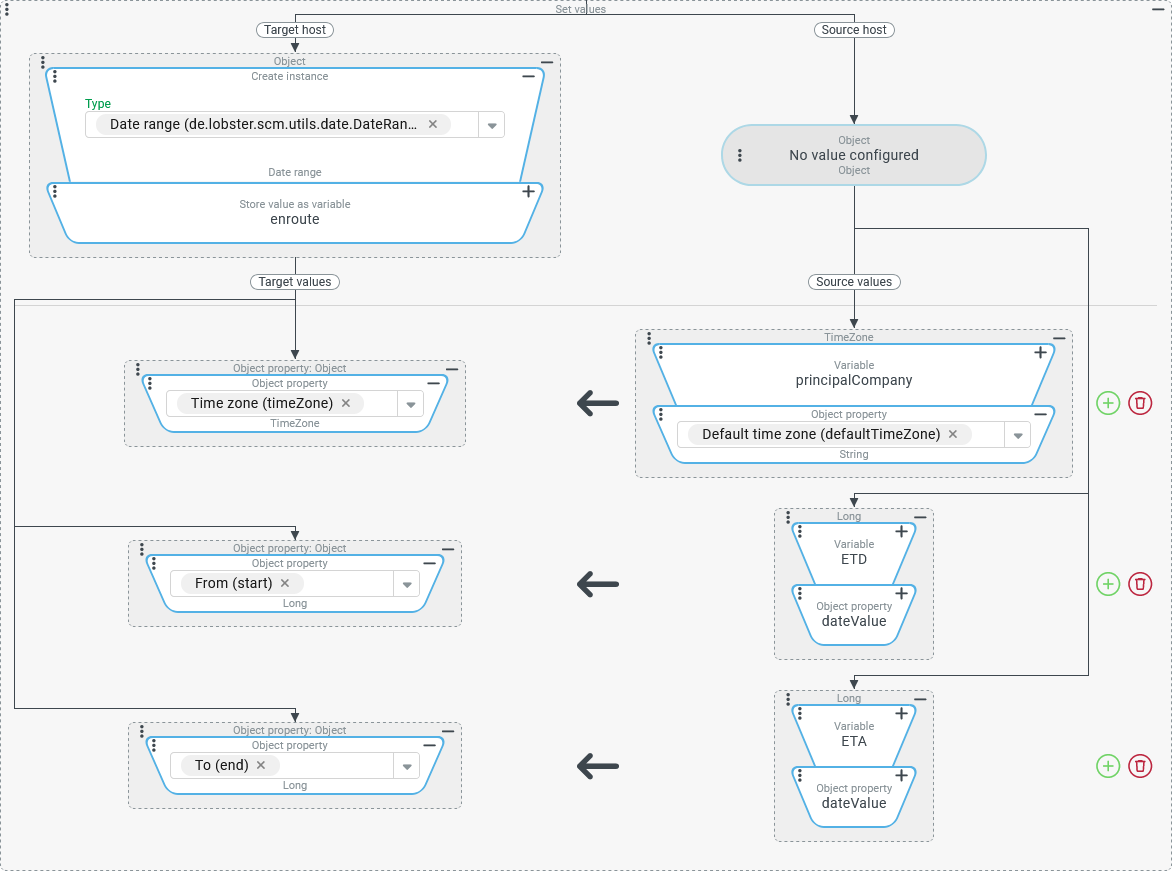
Create a "Set" type and fill it with values
Administrators should be able to run an automated "health check" for Users accounts under their responsibility, which checks a catalog of criteria for these Users and, if necessary, points out a qualitative "action required" in the management of the accounts.
Each "action required" is identified by a key text. Each key text should only be listed once in the message. References to the affected accounts are not part of the requirement.
Runtime example:

Configuration:
An event handling, which can be triggered via a Custom action event (
|
|
| |
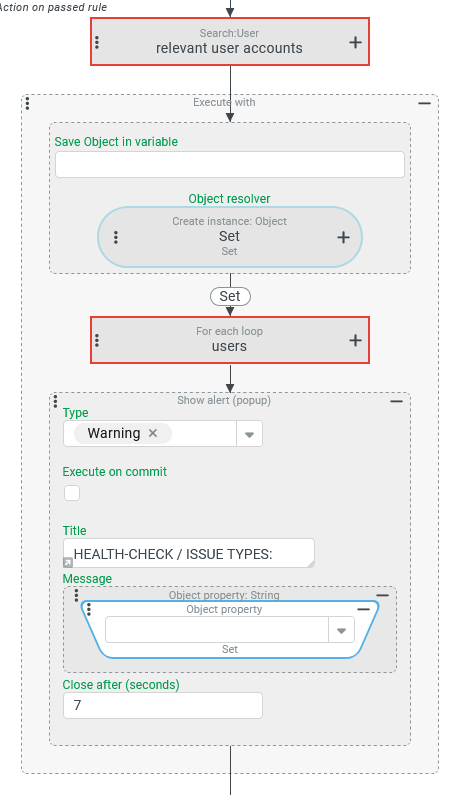
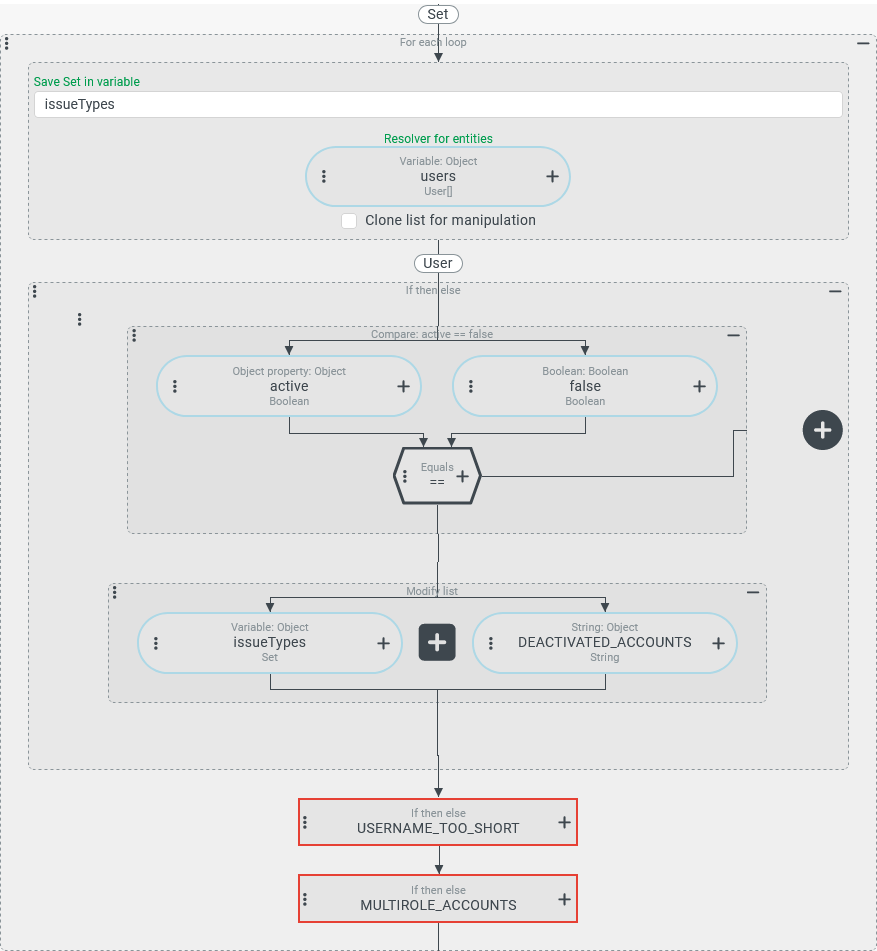
Create, initialize and save a new entity
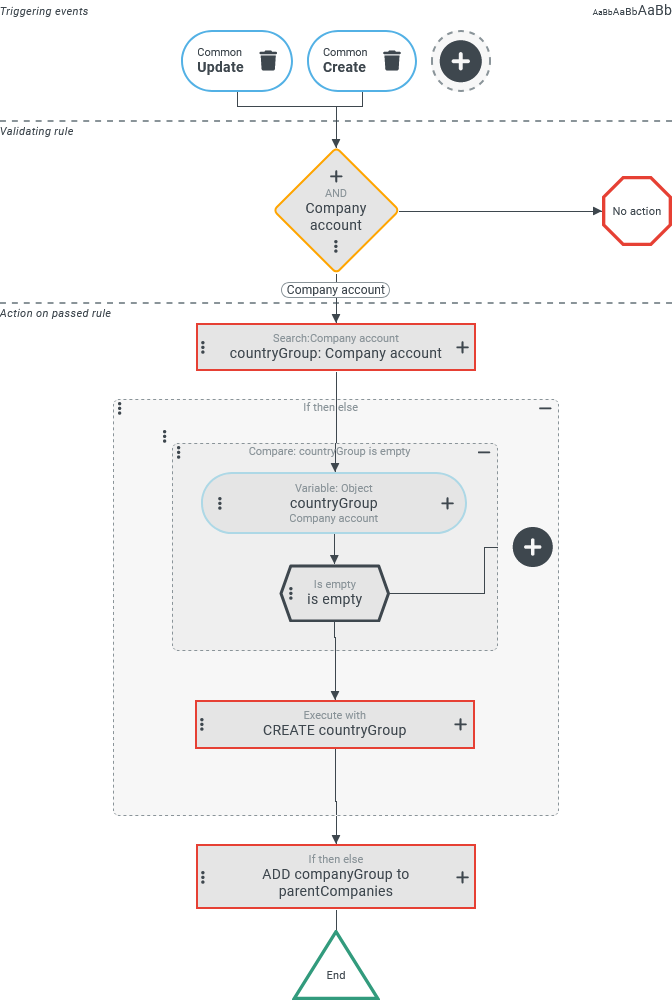
Within the company hierarchy, Companies/Clients that relate to a specific Company type (e.g. "logistics center") should be assigned to a specific "Group" (see Company meta type) depending on the selection for the "Country" (address.countryCode) address field.
For each Country that appears for the first time in the address of a relevant company, a new "Group" – i.e. a company account with the Company meta type "Group" (
GROUP) – will be opened automatically.Each company should be linked to the "Group" that has been set up for the Country specified in the address via an assignment in the "Parent companies" (
parentCompanies) field.
Configuration:
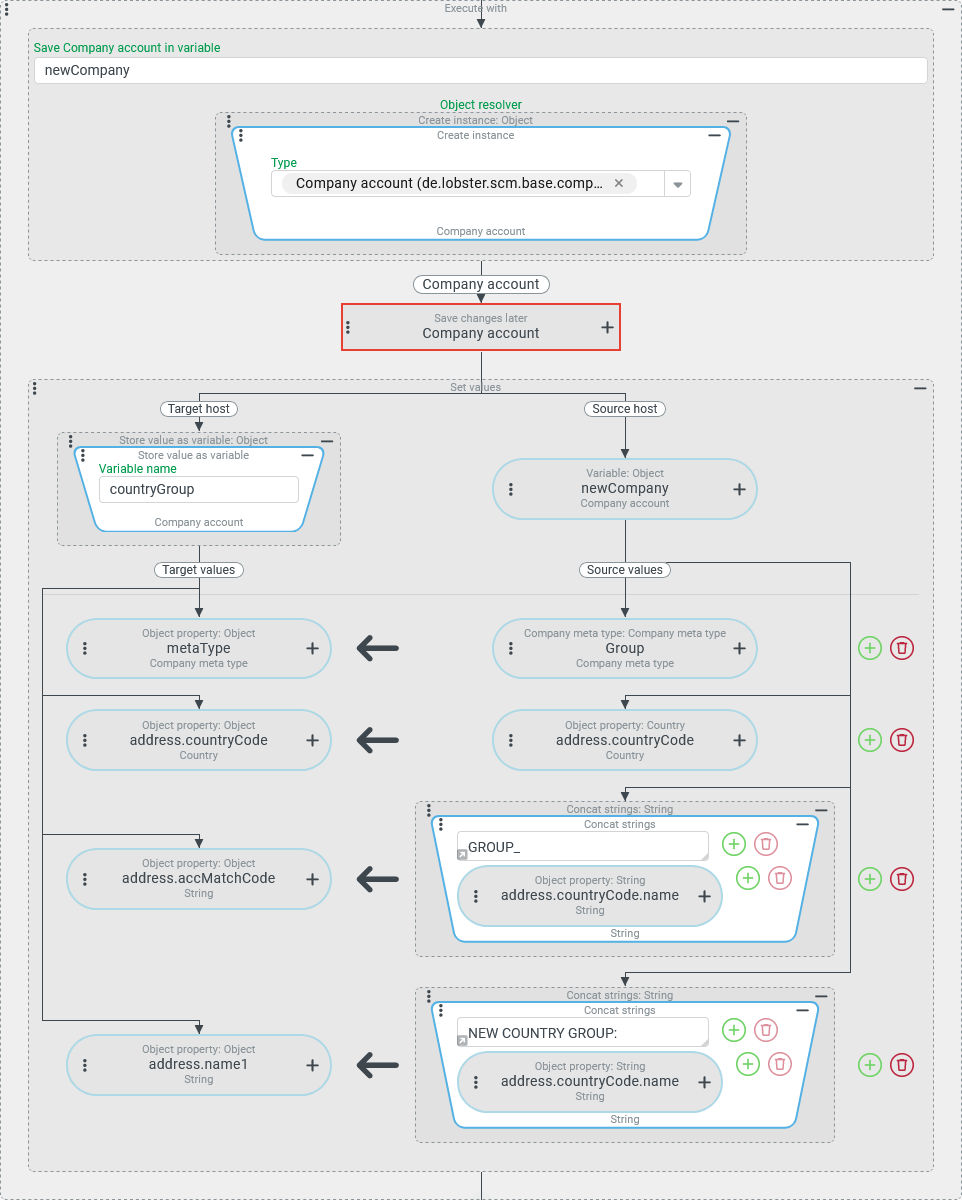
The screenshot on the right shows the configuration for event handling that reacts to the Triggering events "Change" and "Create" (see Common action event). The Validating rule is an AND junction of a series of rules (including Check type, Company type rule, Role rule), which will not be discussed in detail here. These rules are intended to ensure that the actions defined below are only executed if there is "something to do" with regard to the group assignment for the changed or created company. The Actions on passed rule will also only be presented here in a broad overview, as the Create instance event action only affects an optional process step:
|
|
For the context of the Execute with shown on the right, the external reference object (the company account for the "logistics center") is written to the In the Object resolver, the Create instance resolver with the Type "Company account" (
|
|
Runtime example: If a company account is created for the first time for a "logistics center" with reference to the Country "Italy" ( | |