See also: Long, Floating number
Resolver – Abstract
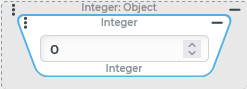
Purpose: Returns a statically defined integer that is output as an
Integervalue.Tooltip
Usage: The resolver supplies the parameterized numerical value as an
Integervalue. The input value is ignored.Parameter: The only parameter is an input field that accepts the input of digits. The integrated stepper generates
Integernumbers with an offset of ±1 to the output value.NOTE The value range for an
Integeris limited to 32-bit (-2.147.483.648bis2.147.483.647). The Long resolver offers a larger value range.
IMPORTANT All resolvers for Static values ignore the input value. Within a resolver chain (see Chained resolver) this prevents the processing of all preceding resolvers (if any).
The Integer resolver defines a static "integer" with the Integer type (value range -2.147.483.648 to 2.147.483.647) in the context of a value configuration.
NOTE The Long resolver covers a larger range of values for static integers.
The Integer resolver is not automatically suggested. If the context of a value configuration explicitly refers to the Integer data type, the Floating number resolver is offered instead, which automatically provides integers either as an Integer or Double depending on the value range.
Configuration
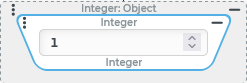 ◄±1|↕►
 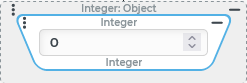 ◄±1|↕►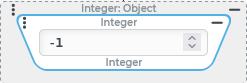
The value in the input field can be changed either by direct input, pasting from the clipboard, or via the stepper functionality.
After each change to the string present in the input field, an immediate attempt is made to validate it as an integer.
If the validation fails, the value 0 is assigned immediately.
For negative values, the minus sign is only accepted in the first line item.
When trying to enter the minus sign in front of the default value 0, it disappears immediately because the validated value is 0 (and not -0).
Only digits are effectively accepted in the context of a direct input, except for the following special cases:
The minus sign can be inserted subsequently at the first line item if a value other than 0 is present.
Example:
123→-123
Within an existing sequence of digits, one of the characters interpreted as decimal separators (comma or period) can be entered subsequently. This immediately eliminates the subsequent digits which are thereby defined as decimals.
Example:
12345→123,45→123
Within an existing sequence of digits, the character
eorEcan be inserted as an indicator for the exponential notation. Then the digits following so far are interpreted as immediately as a power of ten.Example:
126→12e6→12000000
The stepper functionality allows incremental changes of an existing value in steps of ±1.
The existing value can be increased/decreased step by step by clicking on the up/down buttons on the right side of the text field.
As long as the input field has the focus, the cursor keys (up/down) or, if necessary, the mouse wheel will achieve the same effect.
NOTE If the integer validated after a change exceeds the range of values for the Integer encoded by 32-bits, then the input is replaced by the Integer value encoded by the last 32-bits of the integer entered. The most significant ("first") of the 32-bits encodes the sign (1 = "negative").
Example | Operation | Integer | Binary value | Comment |
|---|---|---|---|---|
Example 1 | Output value (upper limit of the value range). |
|
| The binary value appears "increased by 1" as expected. However, the first of the 32 relevant bits in the The stepper "overruns" from the maximum value to the minimum value. |
└─► Increase by 1 with the stepper. |
|
| ||
Example 2 | Paste the millisecond |
|
| The "most significant" bits from the In the remaining bit sequence, the first three bits for the specific input value are not set. The resulting integer is therefore randomly positive and is well below the upper limit for the |
|
|
Example
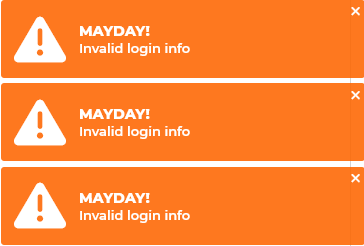
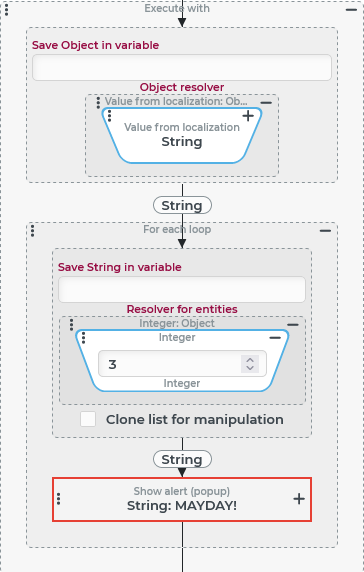
In order to emphasize the urgency of a warning message stored in localization, it should be displayed to the user in triplicate, similar to emergency messages in radio transmissions.
Configuration:
The configuration shown on the right shows the implementation of an Execute with event action, for triple notification:
Runtime example:
|
|