Value resolver – Abstract
Purpose: Searches for a localization for a given Bundle/Resource combination and returns it or (as fallback) the Default value.
Tooltip
Usage: The return value is determined by the Localization and, if necessary, the Company specific localization based on the selected parameters.The input value is only relevant as a reference object for value resolvers that are used to define parameters.
Parameter: The text parameters (Bundle, Resource, Default value, and Parameter) can be determined by direct input or by value resolvers.
The Bundle and Resource parameters identify the localization entry you are looking for.
The Default value is returned if no localization is found for the Bundle/Resource combination.
Texts for a Parameter replace placeholders (with index number: {0}, {1}, {2}, ...) in the applicable localization or the Default value.
Depending on the Static option, the Locale for localization can be selected either statically (via a selection field in the configuration) or via value resolvers (at runtime).
IMPORTANT The Locale selection and the Static option are not supported on the client side. Localizations there always affect the Current locale.
NOTE On the server side, the localization for the Current locale is performed if no Locale is selected.
In the server context (e.g. Event handling) | In the client context (e.g. Client Workflow) |
|---|---|
|
NOTE The selection of a Locale is not supported on the client side. The Current locale determines the localization in the client without any alternative. |
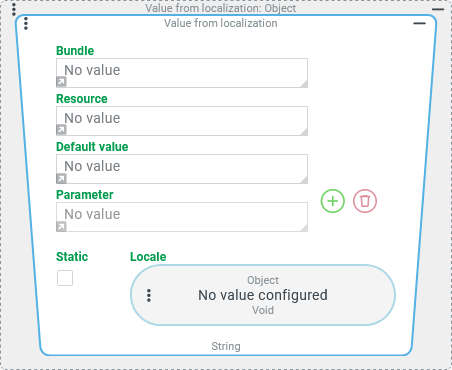
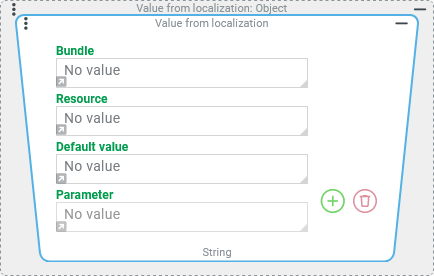
The Value from localization resolver searches for a localization for a given Bundle/Resource combination in the given Locale and returns it or (as a fallback) the Default value.
If the localization or the default value assigned instead contains references to ( {0}, {1}, ...) parameters, the return values of the value resolvers configured for these Parameters will be used – if available.
No specific input value is expected. However, the input value of the value resolver serves as a reference object for value resolvers configured within.
Configuration
NOTE The values of all text parameters of the value resolver can be defined either by direct input (by default) or via value resolvers. Clicking on the small gray arrow at the bottom left of the text field for direct input switches to the value resolver configuration.
Parameter | Description | Examples |
|---|---|---|
Bundle | The text entered here or determined at runtime must match the bundle name of a localization entry exactly (incl. upper/lower case) for the entry to be assigned. |
... for an entry that is applied as an error message.
... for an entry involving the Documents class
... for values of a custom dynamic enumeration. |
Resource | The text entered here or determined at runtime must match the Resource name of a localization entry exactly (incl. upper/lower case) so that the entry is assigned. |
... for the name of the class identified per Bundle.
... for the value "Northeast" in the Bundle of a custom dynamic enumeration |
Default value | This value is returned if no localization is assigned for the Bundle and Resource combination. | It is good practice to enter the Resource value here (possibly even Bundle/Resource), so that in the absence of any localization it is recognizable from the return value which was unsuccessfully searched for. |
Parameter | By clicking on the Clicking the NOTE Depending on the content of the Parameter, it may be useful or necessary to generate their values again via the Value from localization value resolver. | The default localization for the localization entry (Bundle/Resource):
|
Static (Optional) and Locale (Value resolver or selection) IMPORTANT These parameters are only available in server-side use of the value resolver (e.g. in an event handler). Client-side (e.g. in a Client Workflow) only the Current locale is available for localizations. | If the Static option is unchecked (default), then the localization text is looked up in the Locale that specifies the value resolver configuration for the Locale parameter at runtime. The return value must be of the Locale (
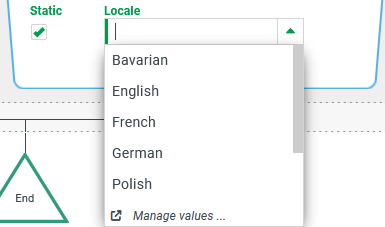
If the Static option is checked, then instead of the value resolver configuration for the Locale parameter, a selection box appears that can be used to make a static selection for the Locale.
The fallback for the Locale, regardless of the method used to define it, is the Current locale, which is the language with which the current session is logged in. |
|
|
.svg) symbol, entries can optionally be added to the Parameter list, the value of which is determined statically by direct input or via the optionally configurable value resolvers at runtime. Both localization entries and the Default value can refer to the values of such parameters via placeholders (
symbol, entries can optionally be added to the Parameter list, the value of which is determined statically by direct input or via the optionally configurable value resolvers at runtime. Both localization entries and the Default value can refer to the values of such parameters via placeholders (.svg) symbol removes an existing entry from the list.
symbol removes an existing entry from the list.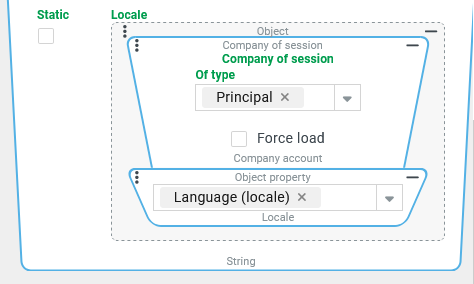
Examples
Simple example: Locating a message (Current locale)
At the beginning of a session, a user logging in with one of several specially privileged roles should be alerted to the role in use by a pop-up notification (of the "Info" type).
If a localization (for the Current locale) exists for the name of the role used, it should be displayed. Otherwise the internal role name (roleName) should appear.
Runtime example:

This warning message should appear at the beginning of a session when a user logs in with the role "Document administrator" (internally:
DocAdmin).
Configuration:
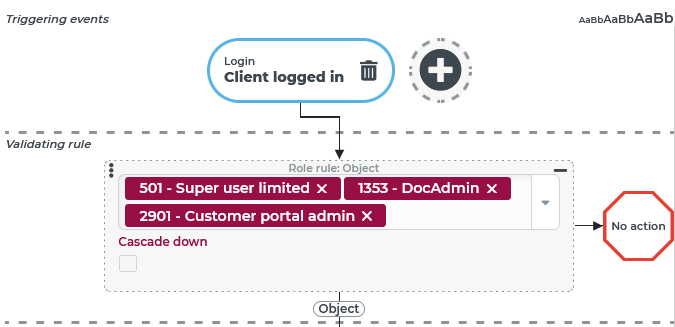
An event handler that reacts to the "Client logged in" event (see Login (Events)) checks in the Validating rule whether the login concerns one of the "specially privileged roles". As can be seen in the screenshot, the relevant Roles can literally be "handpicked" in a Role rule by multiple selection. NOTE The multiple selection label shows the internal role names ( |
|
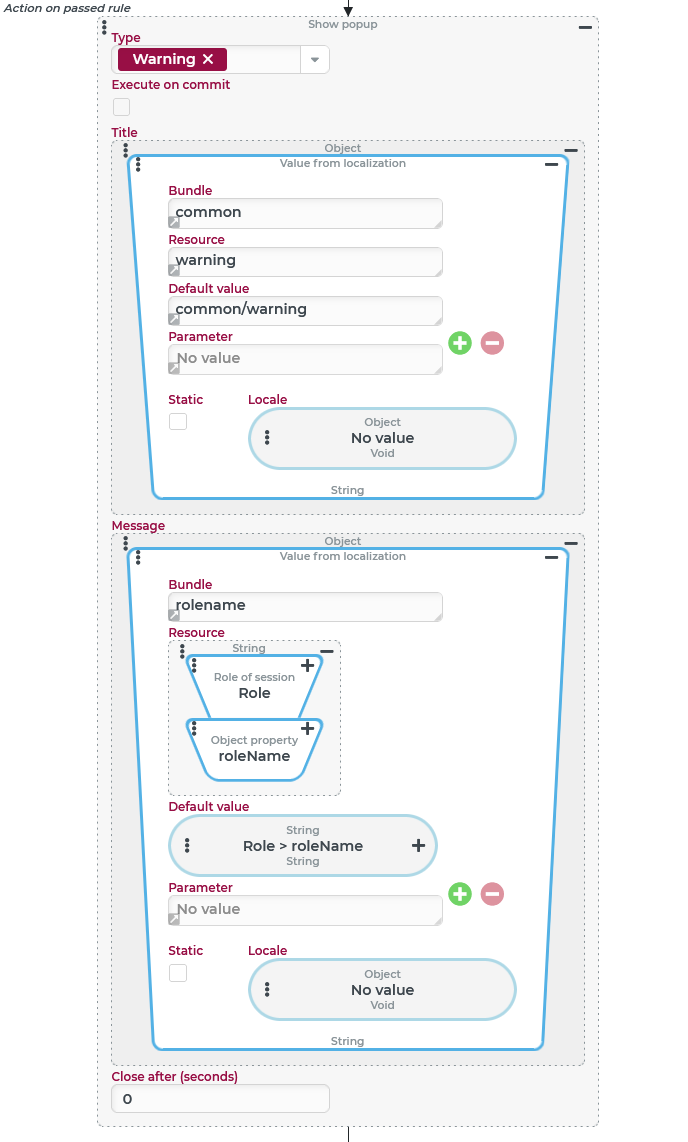
The only Action on passed rule will need to be configured as a Show alert (Popup) event action:
NOTE For the Close after (seconds) parameter, the value 0 is specified here so that the warning message remains displayed "indefinitely" (or until the user closes it). However, it remains visible even if a Fast switch to another (possibly less privileged) role is executed for which no new warning appears. |
|
More complex example: Localize e-mail in the recipient's language
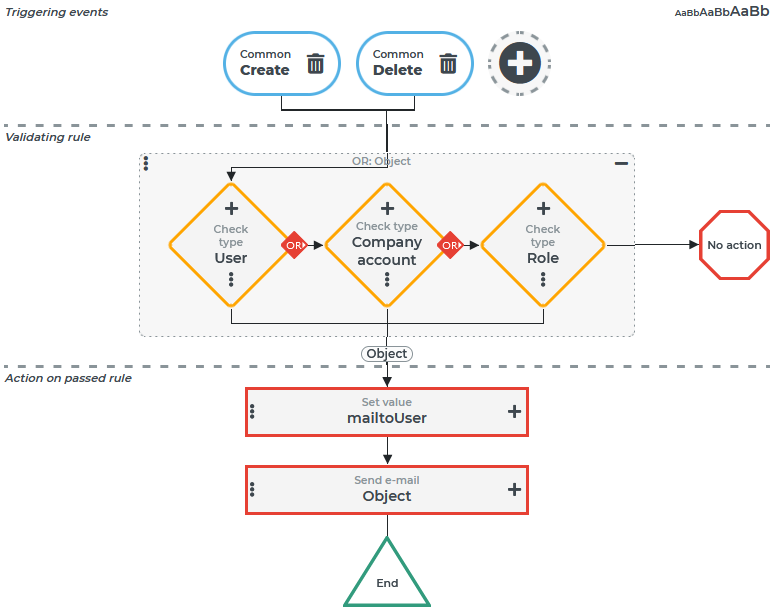
If entities of particularly "sensitive" types (here: user account, company account or role) are created or deleted in Lobster Data Platform/Orchestration, a notification to the responsible administrator should be triggered automatically via e-mail.
The notification should be localized in the language that this user uses to log in to Lobster Data Platform/Orchestration.
For the purpose of this example, we will only refer to the "subject" of the e-mail.
Runtime example:
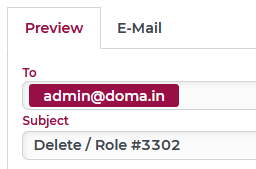
The screenshot on the right shows in the Preview for E-mails the Subject that is triggered when deleting a role with the internal ID #3302. The following components are relevant for a localization in the Subject:
|
|
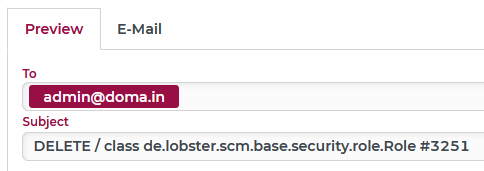
For comparison, the screenshot on the right shows an example of a message that was output without localization.
|
|
Configuration:
For e-mail notifications, event handling is configured as shown on the right:
NOTE Only the localization for the "Subject" of the e-mail is detailed below. |
|
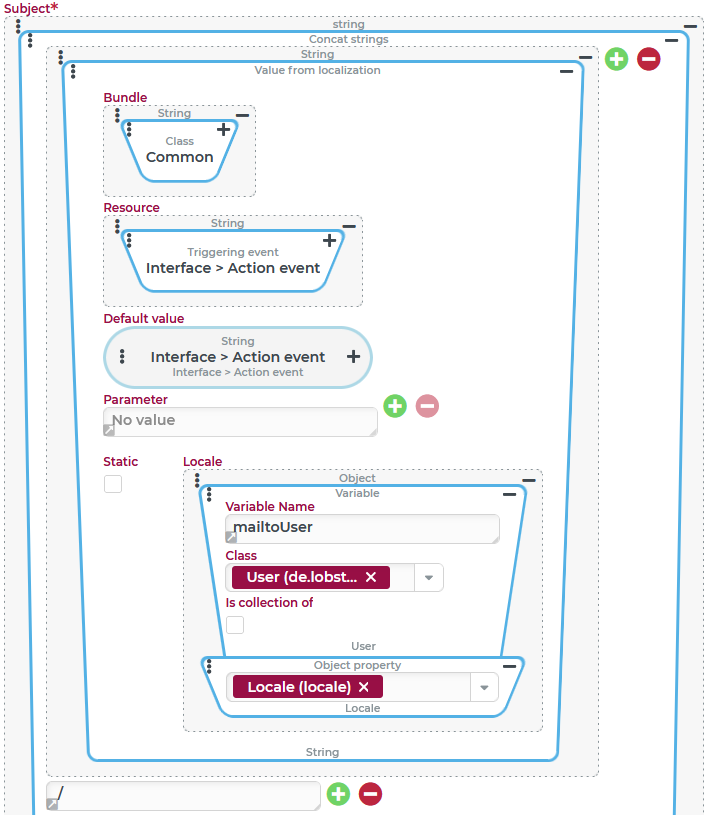
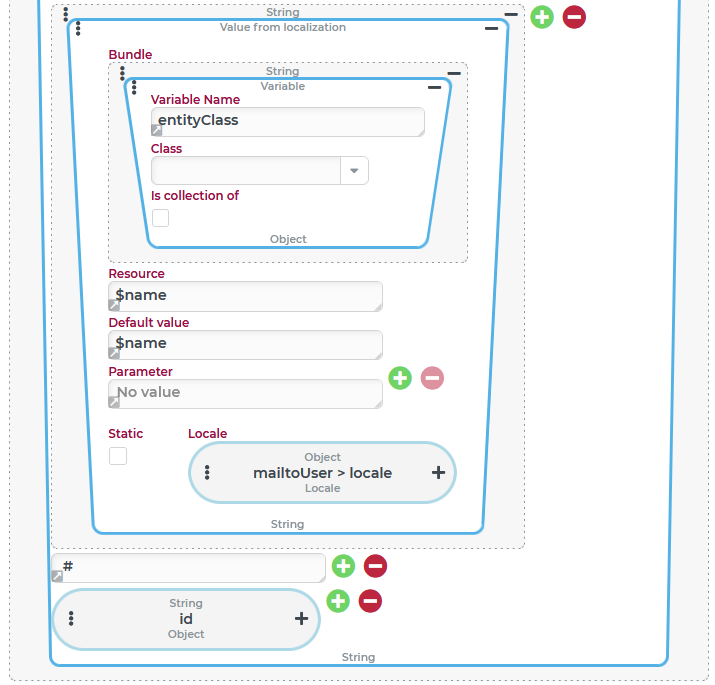
The text for the Subject within the E-mail event action is built up step-by-step here using a Concat strings value resolver:
|
|
|
|
Alternative configuration:
So far, the Subject for the e-mail via Concat strings is constructed according to the following scheme:
@EVENT@ / @ENTITYCLASS@ # @ID@ However, the same result can be achieved by the following configuration, which uses the Value from localization value resolver instead of concatenation to include the variable substrings in a predefined text as parameters:
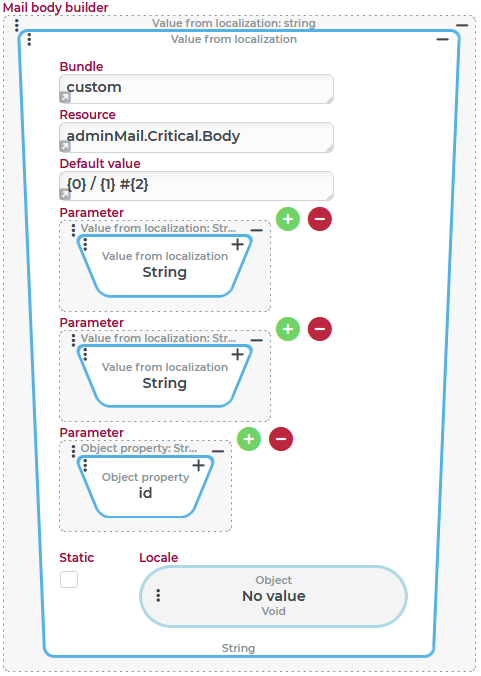
{0} / {1} #{2}The following configuration demonstrates this alternative for the Mail body builder parameter of the E-mail event action:
Instead of the Concat strings value resolver, another instance of the Value from localization value resolver is set up in the configuration shown on the right:
|
|
Runtime example: As a screenshot of the e-mail preview proves, this configuration provides the same text for the "mail body" as the one shown above for the Subject. The "concat strings" per Default value is even clearer and more flexible, especially if the order of the placeholders for parameters is changed later or the same parameter is "quoted" several times. |
|
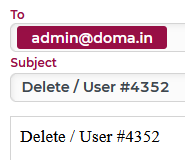
NOTE If the mail body is supposed to render the information summarized in the subject in a concise and structured way, it is recommended to create a separate localization entry value that uses the parameters.
Server suggestion:
Bundle | Name | Locale | Localization |
|---|---|---|---|
|
|
|
|
|
|
As the example demonstrates, it is also possible that localization in different languages "quotes" the parameters in different sequence due to sentence order.
Once this localization entry is created, its Bundle/Resource combination can be added to the Value from localization value resolver for the Mail body builder.
IMPORTANT So far, no Locale has been assigned for the outer Value from localization value resolver. To ensure that the parameterized "text module" is used in the appropriate locale, the definition for the language from one of the parameters must be added here (locale field from the mailtoUser variable).