Whether you're documenting, auditing, migrating, or troubleshooting profiles, you need a structured overview. Reports provide you with exactly that information.
Requirements
You have access to the profile overview.
You know the profile for which you want to generate a profile-specific report.
To perform a cross-client profile search, you need the necessary permissions and an administrator role.
Create report
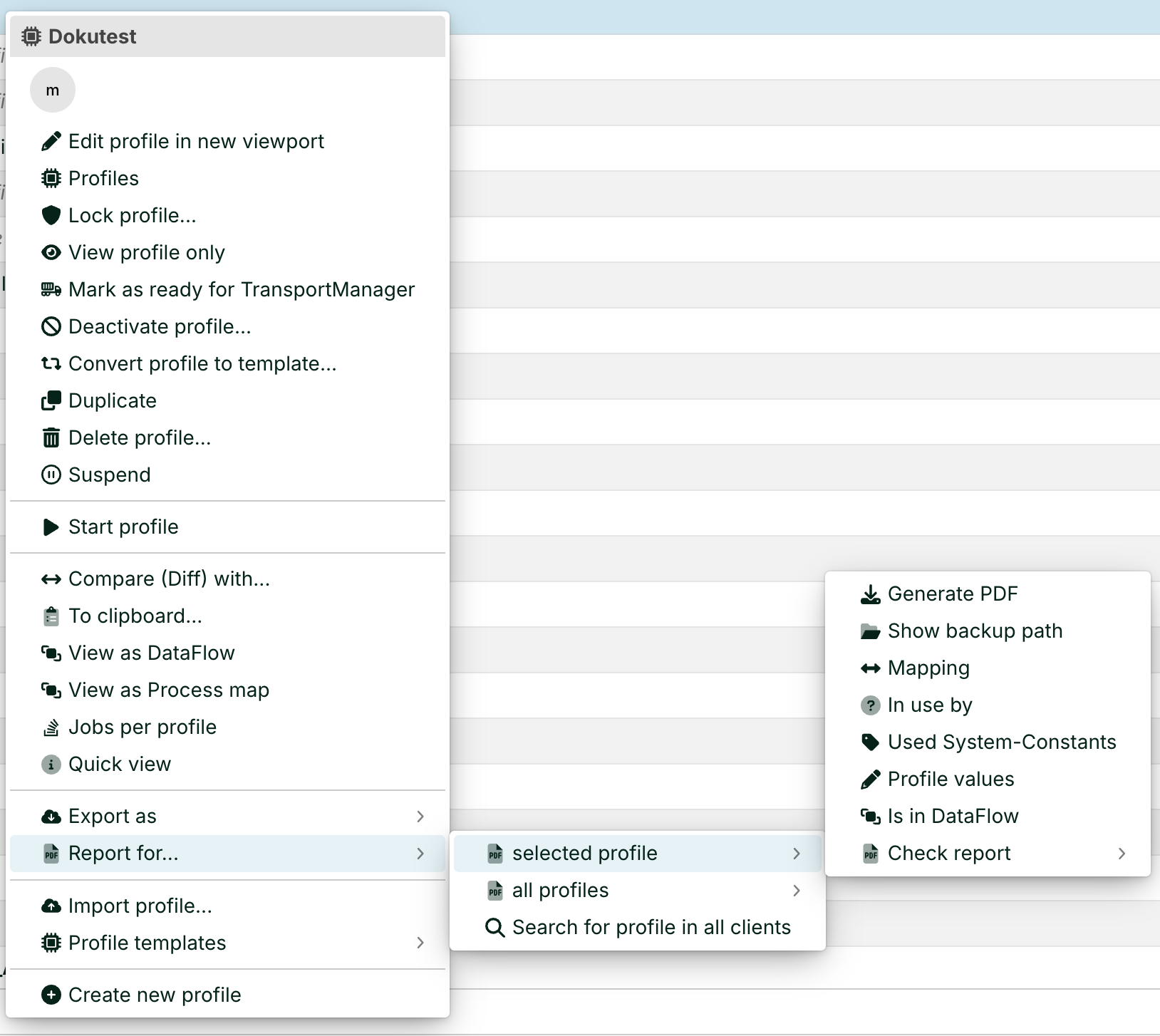
You can generate reports using the context menu in the profile overview. The output varies depending on the entry: PDF file, XML file, or dialog box.
NOTE
On smaller screens (such as a laptop), you'll need to scroll down in the context menu to see the Report for… option.
Click Home > Profiles.
Select a profile with a single click.
Right-click on the selected profile.
Select Report for… from the context menu.
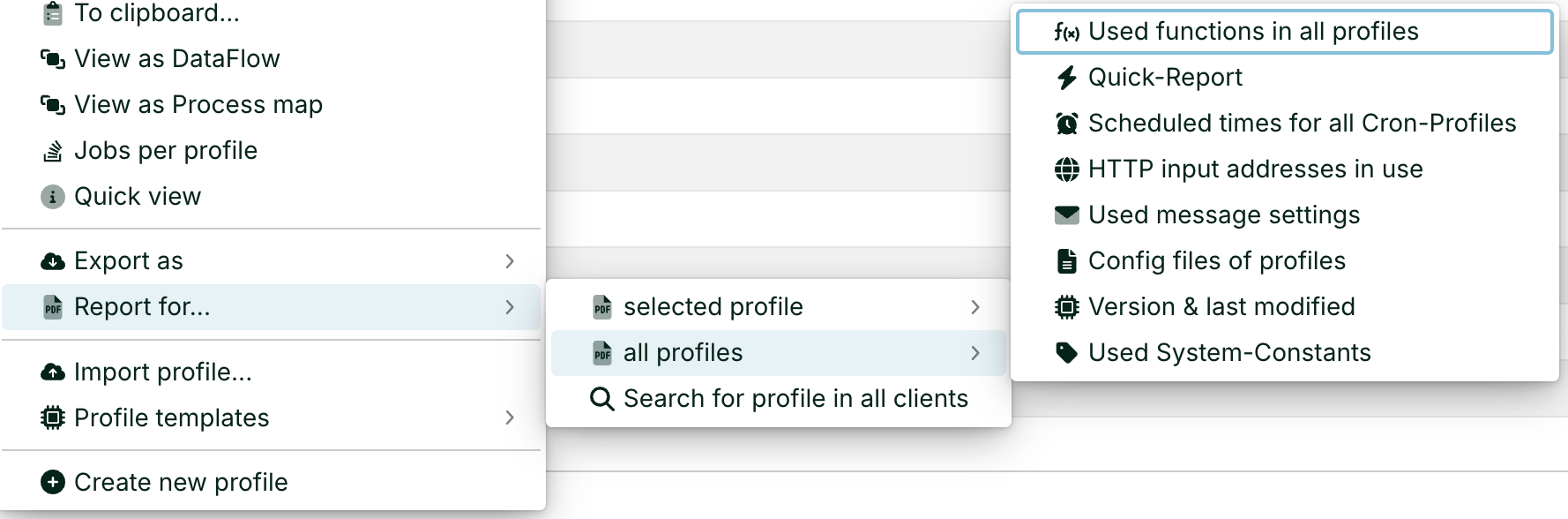
Select the expanded arrow: selected profile or all profiles.
Select the relevant report from the submenu.
For reports covering all profiles, any selected profile serves as the trigger context. The evaluation then covers the entire profile set.
Result
The Lobster Data Platform provides the result in various formats: PDF, XML, or dialog, depending on the entry.
Overview of available reports
The reports are divided into two groups.
Report for… selected profile
These reports apply specifically to the selected profile. The order in the table corresponds to the order of the commands in the submenu.
Report | Purpose | Use case |
|---|---|---|
Generate PDF | Generates complete PDF documentation for the profile. Includes basic data, input agent, phases, mapping logic, and response paths. | Comprehensive profile archiving. Forwarding to specialist departments or clients. |
Show backup path | Opens a dialog box showing the path where this profile's backup files are stored. | File inspection directly on the server. |
Mapping | Generates a PDF overview of the profile's mapping logic. | Documentation and knowledge sharing within the team. |
In use by | Checks whether the selected profile is referenced from another profile. | Impact analysis prior to deletion or deactivation. |
Used System-Constants | Lists all system constants used in the selected profile. | Migration between environments. |
Profile values | Opens a dialog box displaying profile-wide number ranges and fixed values. Entries there can be viewed, modified, or deleted. | Check or correct profile-specific values. |
Is in DataFlow | Shows which data flow entries the profile is integrated into. | Architectural overview of profile chains. |
Check report (with/without warnings) | Checks the profile for configuration errors. Optionally with or without warnings. | Quality control prior to commissioning. |
Report for… all profiles
These reports analyze the entire set of profiles. The order in the table corresponds to the order in the submenu.
Report | Purpose | Use case |
|---|---|---|
Used functions in all profiles | Summarizes the use of all functions across all profiles. This includes inactive profiles. A list of invalid functions appears at the end. It lists custom functions and macros that are not installed on the system. | Audit of custom code. System migration. |
Quick-Report | Generates an XML file containing brief descriptions of all profiles and their key properties. | Configuration snapshot. Version comparison. For the scheduled version, see the cron class |
Scheduled times for all Cron-Profiles | Lists the scheduled start times for all time-controlled profiles. | Load planning. Identifying scheduling conflicts. |
HTTP input addresses in use | Lists all HTTP endpoints that are received by profiles. | Reverse proxy and firewall documentation. |
Used message settings | Lists all message queue configurations for all profiles. | Audit of inter-profile communication. |
Config files of profiles | Lists the configuration files for all profiles. | Overview of external dependencies. |
Version & last modified | Displays the version number and last modified date for each profile. | Change management. Version control. |
Used System-Constants | Lists all system constants that are used in at least one profile. | The global equivalent of the profile-specific report. |
Cross-client profile search
The entry Search for profile in all clients in the Report for… submenu is not a report function. It searches for a profile across all clients in your installation. You need administrator permissions to do this.
Related topics
Profiles (context menu)
QuickReport (cron class)
Info (Main settings)