IMPORTANT
To change/create your own custom type definitions, a basic knowledge of relational databases is required. Training on the subject is recommended.
Custom type definitions relate directly or indirectly to the definition of custom data structures for persistable data objects.
If Custom type definitions are saved, it must be determined whether changes to existing database structures are required.
As the check can be time-consuming, an informative 'progress indicator' appears during this verification.
If changes are required, these are listed in a dialog window after the check has been completed and submitted for confirmation.
The user can only confirm or reject the listed changes as a whole.
CAUTION Changes to columns in the table that have already been filled may require existing content to be deleted.Changes to the database should only be confirmed if it is ensured that there is no access by other users or an Import interface until the changes have been finalized.
Depending on the specific situation, it may be helpful to communicate Maintenance of the system to other users.
The Custom type definitions menu item opens an overview that summarizes Custom type definitions of different types:
Further information
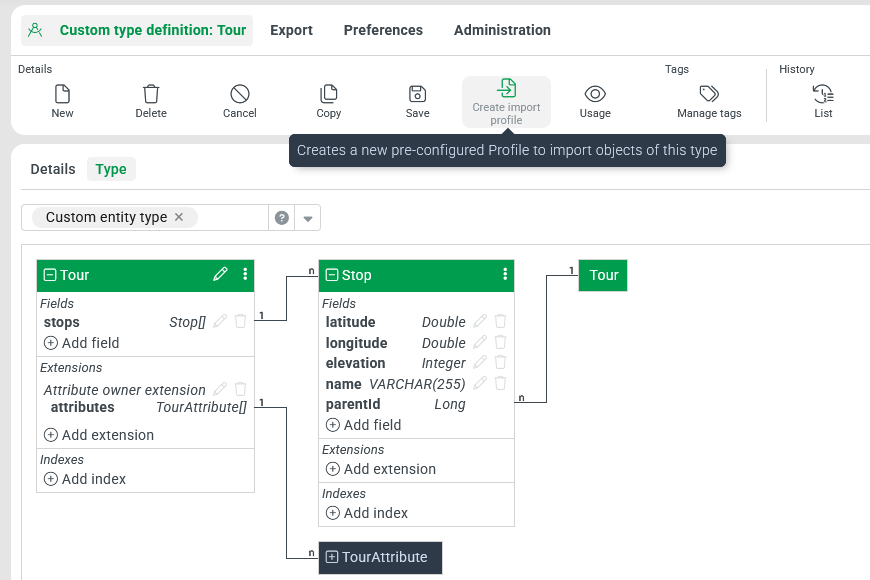
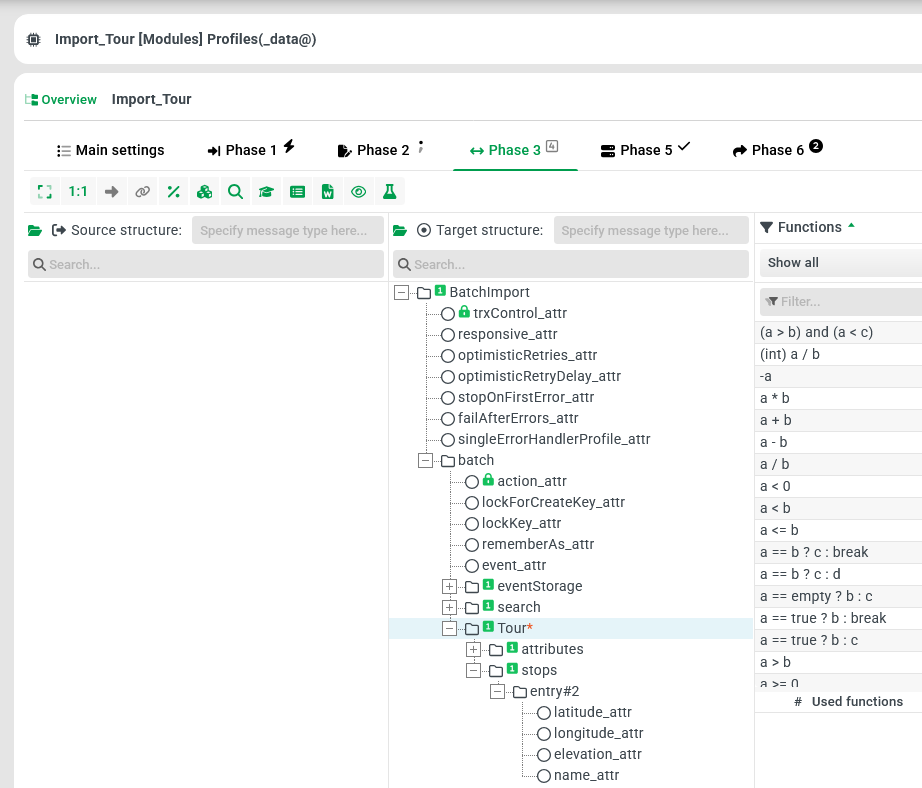
Create import profile
| The Create import profile ribbon button essentially aims to facilitate the Import of data for suitable Custom type definitions.
|
Type definition 'Tour' |
|
Automatically created profile |
|

Cyclical definitions
Cycles can be defined conditionally. These can arise very quickly, e.g. with custom attributes. These are structurally permitted, but no cycles are permitted in the data. e.g. Shipment1 → CustomAttribute → Shipment1 is not permitted, whereas Shipment1 → CustomAttribute → Shipment2 is permitted.
Cyclical references to the same entity are only possible if the 'Reference only' option is activated.