Here you will find the job logs of all processes that have run.
Standard job overview
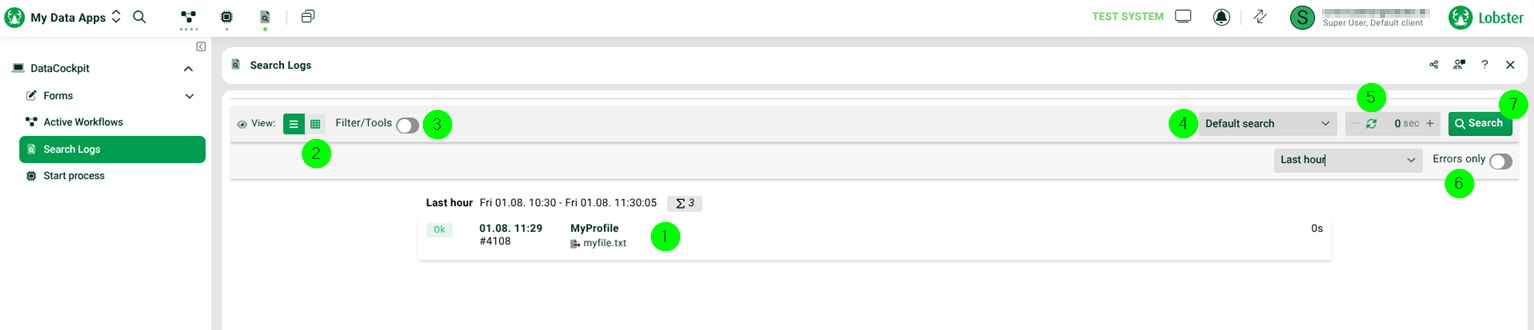
(1) Window below: Click here for the log view of a process job (see following section).
(2) View: Extended view options.

In this view, all columns of the log entries are displayed, as you are otherwise familiar with from the Control Center. For details on custom columns Display 1-3, see function “set display column()”.
(3) Filter/Tools: Here you can perform further filtering and sorting and download the displayed logs as a CSV file.
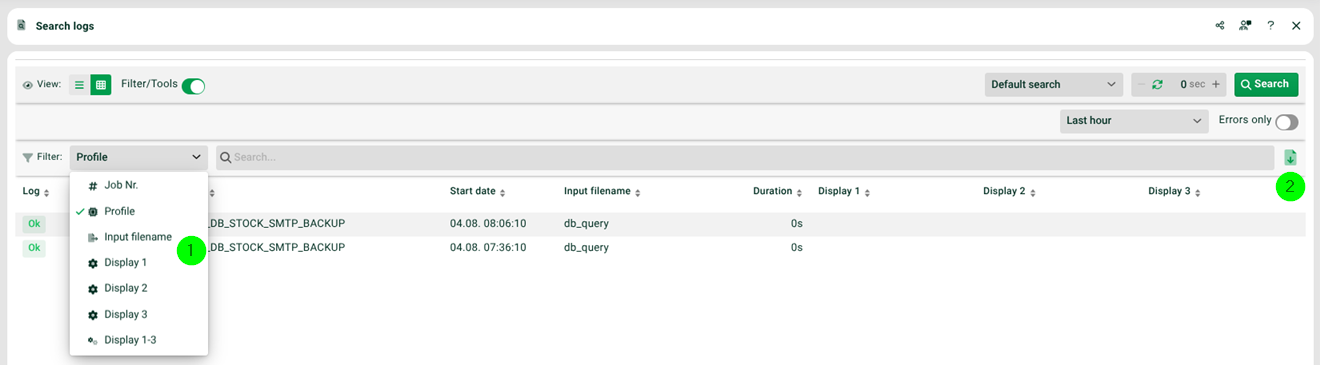
(3.1) Filter: Here you can filter with values of certain columns of the log entries, as you are otherwise familiar with from the Control Center. For details on custom columns Display 1-3, see function “set display column()”.
(3.2) Download icon on top right: Downloads all displayed log entries as a CSV file.
(4) Default search: You can switch to extended search dialogues.
Extended search
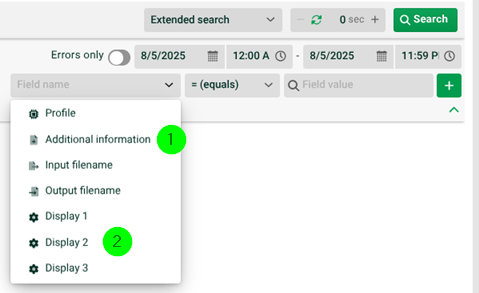
(4.1) Add. information: Log t ext that has been produced in the process with function “log info()”.
(4.2) Display 1, Display 2, Display 3: For details on custom columns Display 1-3, see function “set display column()”.
Job number

Search log entries via the job number.
Chained jobs

A search is done for jobs that were created as a result of the selected job (specified job number) (e.g. if the profile of the job started another profile via Message and thus created a subsequent job).
(5) Automatic refresh for values greater than 0.
(6) Only errors: If the switch is set, only error jobs are displayed.
(7) Search: Triggers the log search manually. Is only active if the value 0 is set in (5).
Log view
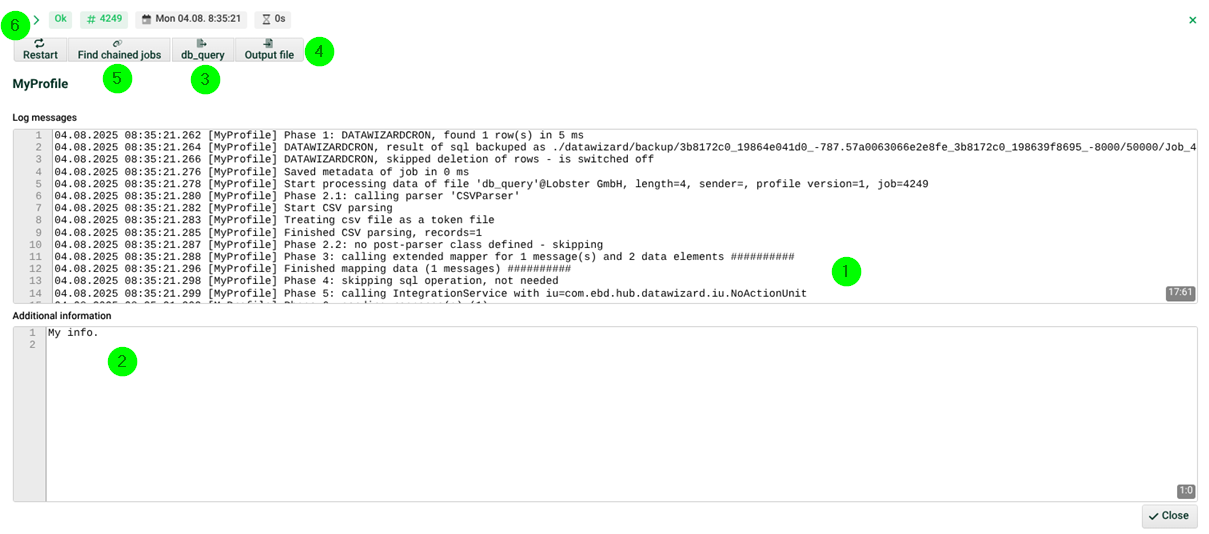
(1) Log messages: The log messages of the process job.
(2) Additional information: If function “log info()” was used in the form profile, this information is displayed here in an additional area. Further areas appear if the custom columns Display 1-3 have been used, see function “set display column()”.
(3) Button with name of input file: View/edit or download the input file.
(4) Output file: View/edit or download the output file.
(5) Find chained jobs: Searches for jobs that were created as a result of the selected job (e.g. if the profile of the job started another profile via “Message” and thus created a subsequent job).
(6) Restart: The process is restarted with the existing input file (3). This creates a new job in whose log is noted which original job was restarted.