Here you can specify system constants to be transferred to the target system. NOTE See also section Guidelines for creating profiles in the test system for transporting to the productive system. NOTE Changes made in the meantime are not updated in the list. You can force an update to the latest versions using the context menu (Refresh entries).
Settings
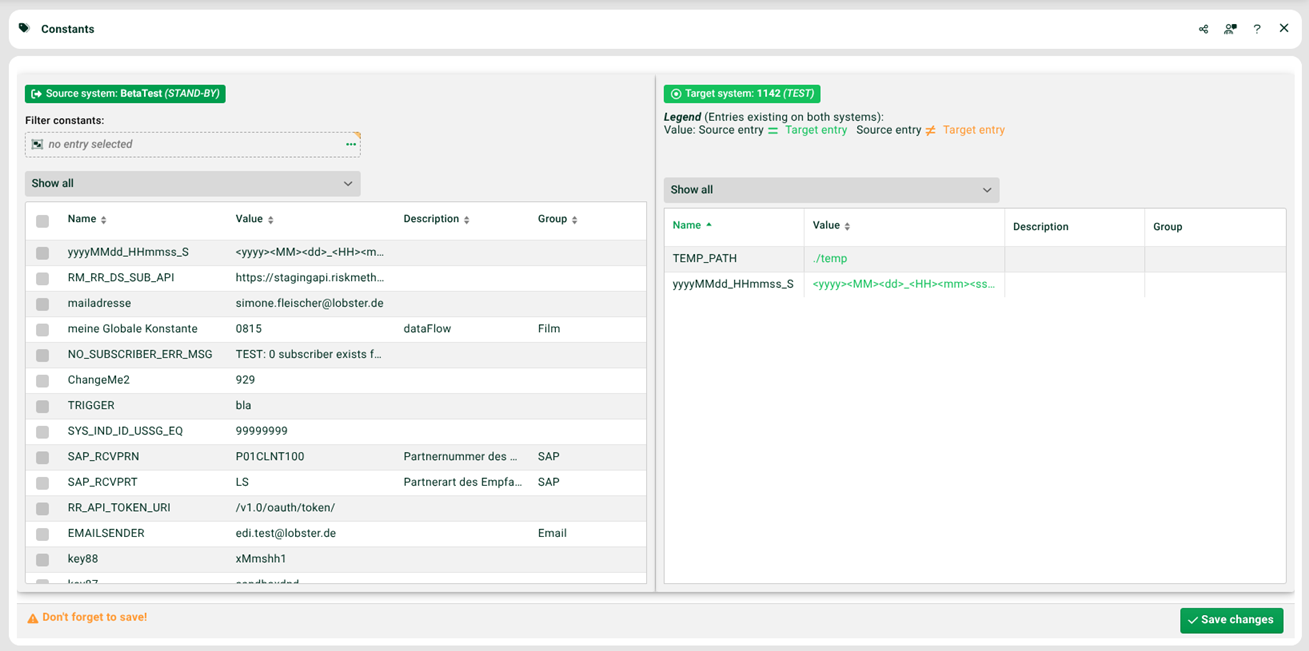
(1) Window left: Select the system constants to be transferred.
(2) Window left, context menu, Add to target system: Transfers the selected system constants and replaces those with the same name.
(3) Window left, context menu, Add only missing entries to target system: Transfers only the selected system constants that do not exist on the target system.
(4) Save changes: the adding in (2) and (3) only takes effect when you save here.
(5) Filter constants: Here a Data Flow entry can be used as a filter. Only the system constants used in this entry will be shown.