Here you can specify Workflow definitions to be transferred to the target system. NOTE Changes made in the meantime are not updated in the list. You can force an update to the latest versions using the context menu (Refresh entries).
Settings
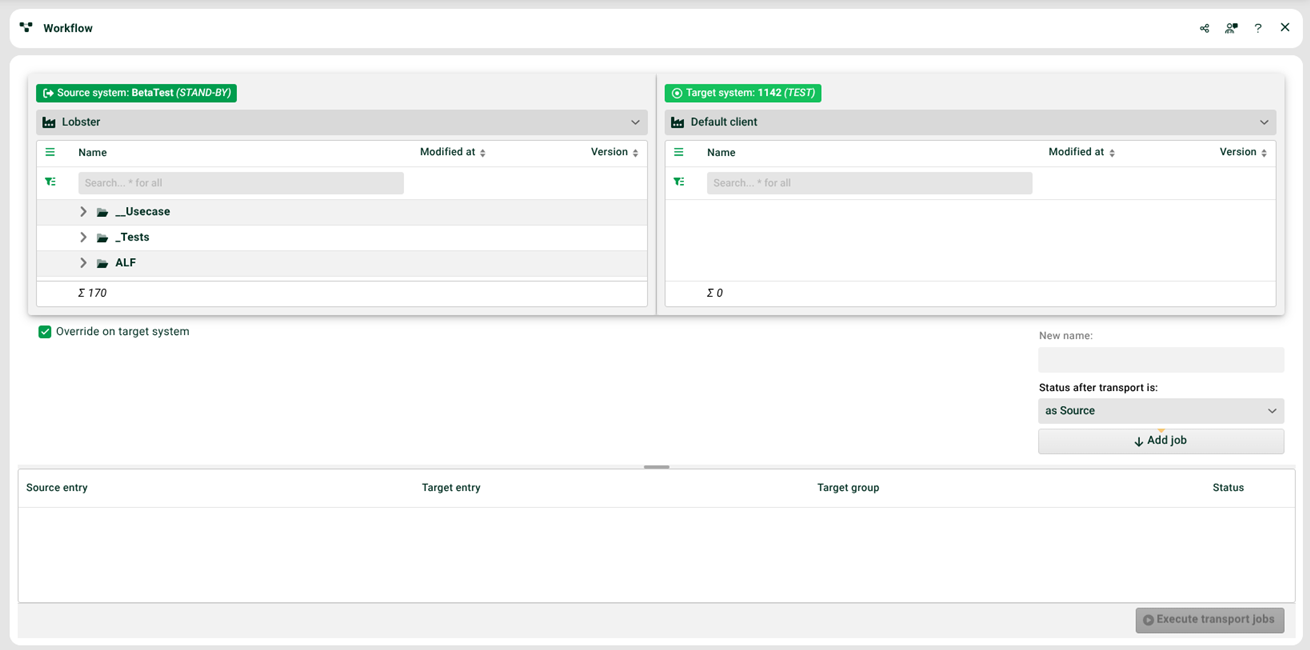
(1) Window left and (2) window right: You first have to select a client for both systems.
(3) Window left: Select workflow definitions to be transferred.
(4) Window right: Select target group or workflow definition if it is to be replaced (5).
(5) Overwrite on target system: If the workflow definition is to be replaced.
(6) New name: A new name for the target workflow definition can be assigned here.
(7) Add job: Click here to create the job.
(8) Execute transport jobs: Click here to execute the job. See also (9).
(9) Window below: Alternatively to (8), a Schedule can be created via the context menu (Create scheduled task for this list).