See also: Sum packaging (Manifest), Sum packaging (Shipment), Type of packaging
Event action – Abstract
Purpose: Totals the number of packages for one or all packaging types in an order from the line items of all levels and writes the total(s) to the packaging total attributes in the order header.
Tooltip
Usage: The event action must be executed with an order as the reference object. The calculation takes into account either a specific Type of packaging (see Type parameter) or all packaging types that occur in the order.
Parameter: The optional Type parameter restricts the evaluation to a specific Type of packaging. By default (without a selection) the packaging sum attributes are updated for all packaging types found in the order.
Output: Updated or newly added packaging total attributes in the order header.
WARNING If the calculation is performed across the board for all packaging types (without selection for Type), then existing values in packaging sum attributes for packaging types that do not (no longer) occur in the order are not automatically deleted.
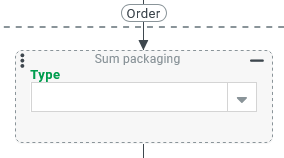
The event action Sum packaging (Order) totals the quantities for a specific Type of packaging (or all) in the items of a purchase order that exists as a reference object.
The value in the 'Number of packages' (numberOfPackages) field and not the 'Aggregate number of packages' (aggregateNumberOfPackages) field is crucial for the imputation on the level of the respective line item.
CAUTION If the 'Aggregated number of packages' is calculated for a Line item type, e.g. with the event action Calculate aggregate number of packages (Order), in order to cascade the number of packages in sub-items in a multi-level line item hierarchy, this leads to inconsistencies in the calculation of packaging totals for each Type of packaging that occurs in these sub-items.
The total number per Type of packaging over all order items is written to the corresponding packaging summary attribute in the order header (see Input forms for orders).
NOTE There are corresponding event actions for Manifests (Sum packaging (Manifest)) and Shipments (Sum packaging (Shipment)). In configurations, the 'matching' event action must always be used for the reference object in question. To avoid confusion, no error message occurs at runtime. In this case, the calculation does not return a result.
Configuration
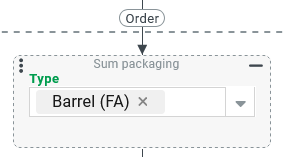
The event action Sum packaging (Order) expects a purchase order as a reference object (see Orders). In the context of a different object type, the event action has no effect without an error occurring at runtime.
The optional Type parameter can be used to limit the evaluation to a specific Type of packaging.
If no Type is specified, each Type of packaging that appears in the line items of the order are added up.
IMPORTANT If no Type is specified, the action updates only the summary attributes of the packaging types that are currently in use. If in previous calculations summary values were calculated for types that currently no longer occur in any of the order items, then these values are retained unchanged. They must be explicitly reset or deleted if necessary.
Example
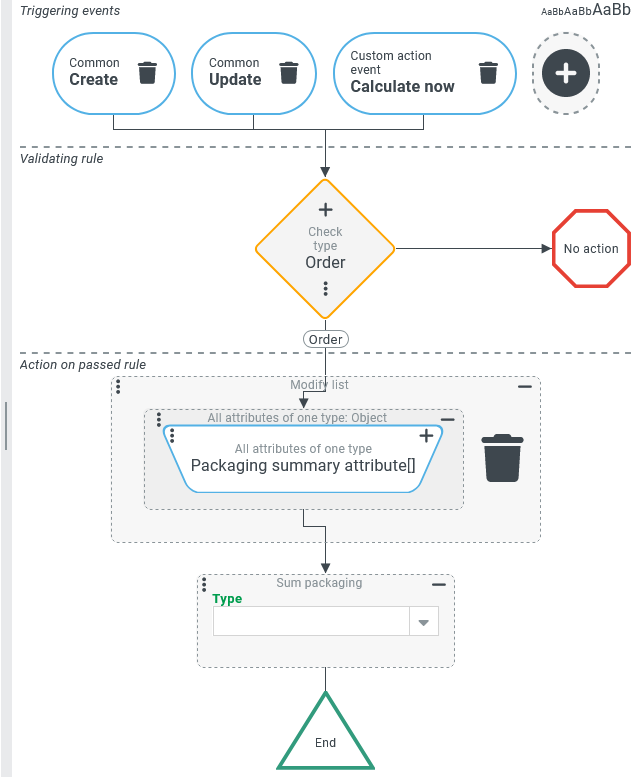
In an input form for Orders, it should be possible to update the packaging summary attributes for each Type of packaging by clicking on a Button (via a Custom action event). The same calculation should be triggered automatically when the order is saved.
Configuration:
The Actions on passed rule are configured as shown on the right:
|
|
Runtime example:
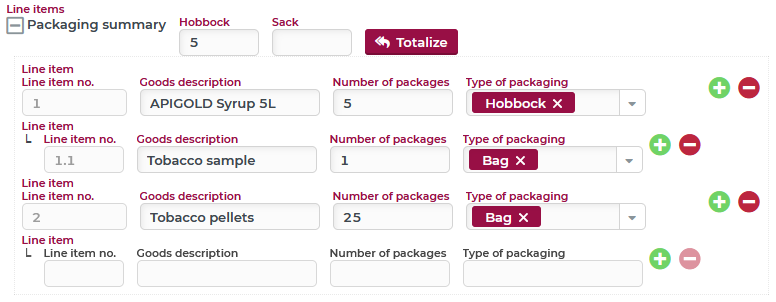
The following example shows an input form for Orders in which the 'Packaging summary attribute' per Type of packaging (configured here: Hobbock and Sack) appear in the header level of the purchase order.
In the Line items section there are several items with sub-items, if necessary, for which a Number of packages in connection with the Type of packaging can be specified.
NOTE For the sub-items, in the example, the convention is that the Number of packages field indicates the absolute number of packages of the packaging type in question and not the number of packages within each package in the higher level. Specifically, for Line item no. 1.1, this means that exactly 1 (sack) 'Tobacco sample' is delivered together with the 5 hobbocks from the parent item, and not, for example, 1 bag with each hobbock.
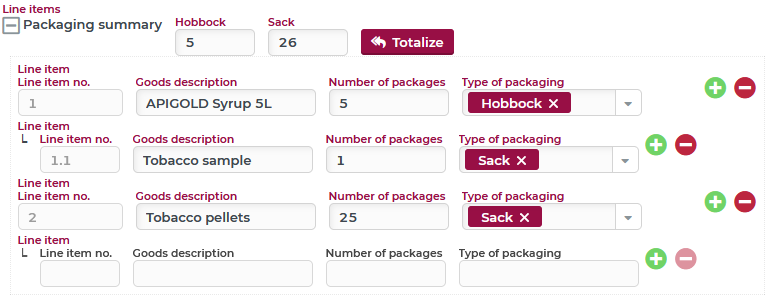
In the image, the packaging totals have already been calculated by clicking the Totalize Button. After a change for the Type of packaging of Line item no. 1.1 and 2 from 'Sack' to 'Bag' the order is saved. This results in the following image:
NOTE
Since no packaging summary attribute is configured for the 'Bag' Type of packaging in the header, the summary value does not appear in the data input form. It is nevertheless saved in the data object of the order.
For the Type of packaging 'Sack', no value appears since this Type of packaging does not appear in any of the items anymore and because the event handling (see above) deletes all packaging summary attributes before calculation.
Without explicitly resetting (deleting) all packaging summary attributes in event handling, the value 26 would still appear in the Sack field.