Updating the Bridge certificate on the Lobster Data Platform
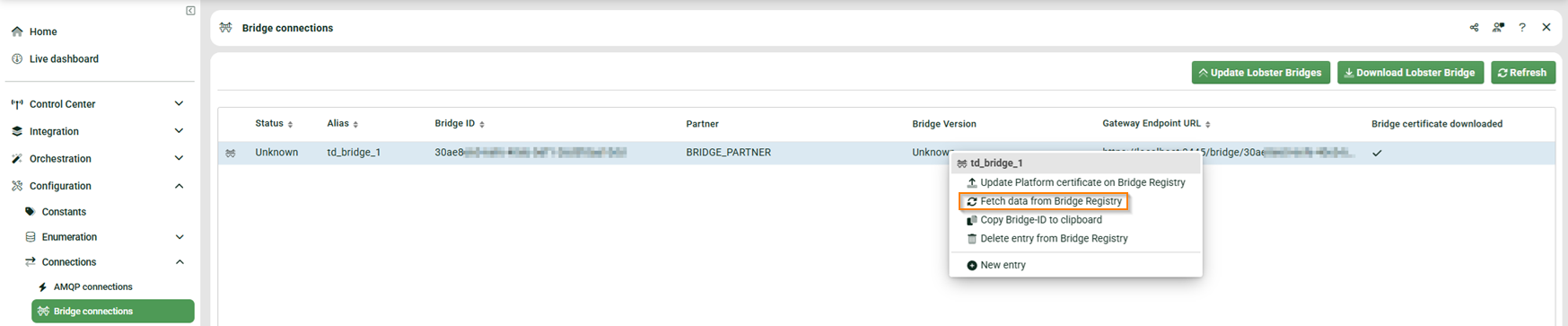
After successfully completing the Lobster Bridge Installer, update the Bridge certificate in the Bridge connection. Navigate to Configuration > Connections > Bridge connections.
Open the context menu of the entry. Select Fetch data from Bridge Registry to retrieve the Bridge certificate from the Bridge Registry.
Accessing the Bridge GUI from the Lobster Data Platform
When a Bridge has successfully created a tunnel, you can access the Bridge GUI directly from the Lobster Data Platform.
IMPORTANT
The Bridge communicates exclusively over HTTPS. It also contacts the LDP via HTTPS. Configure HTTPS on the LDP before using this feature. For more information: Add an HTTPS listener.
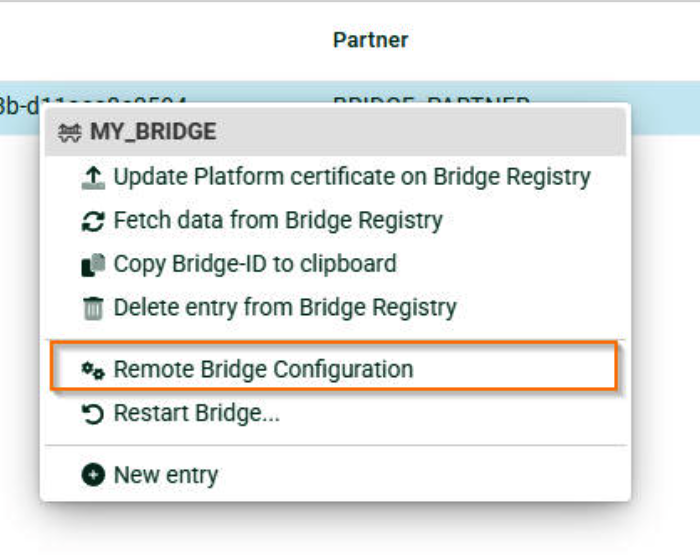
Open the context menu of the entry. Select Remote Bridge Configuration to open the Bridge GUI in the browser.