This guide describes how to configure your system to receive e-invoices from trading partners through the Peppol network via the Lobster Peppol Access Point service.
Overview
When a trading partner sends an e-invoice to your Peppol Participant ID, the Peppol network routes it to the Lobster Peppol Access Point. The Access Point then delivers the invoice to your configured HTTP endpoint as a POST request containing the raw UBL XML document.
Invoices are delivered in their original format as received from the Peppol network. No format conversion or transformation is applied, preserving the original structure and compliance of the document.
Requirements
An HTTP or HTTPS endpoint capable of accepting
POSTrequests withapplication/xmlcontent (for example,https://yourdomain.com/invoice/receive).Authentication credentials (username and password) for your endpoint, to be shared with the Lobster Customer Success team during onboarding.
A registered Peppol Participant ID for your organization.
Onboarding required
Your receiving endpoint URL and its authentication credentials must be registered in the Lobster E-Invoicing portal. Share these details with your Customer Success Manager or designated technical contact during the onboarding process.
How it works
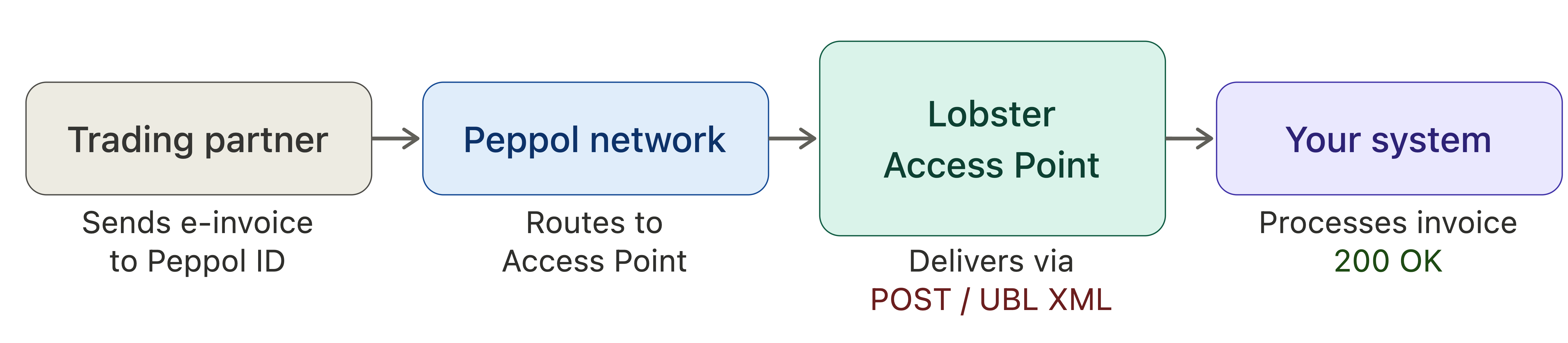
A trading partner sends an e-invoice to your Peppol Participant ID.
The Peppol network routes the invoice to the Lobster Peppol Access Point.
The Access Point delivers the invoice to your configured endpoint as a
POSTrequest with the UBL XML in the request body.Your system processes the invoice and responds with
200 OK.
Your receiving endpoint
Property | Value |
|---|---|
Method |
|
Content-Type (incoming) |
|
URL |