Projection – Abstract
Purpose: Enables the chaining of Projections and Joins to provide a specific return value.
Tooltip
Usage: The Chained projection allows you to string together Projections and Joins to provide a specific return value that can be used in an output column or a constraint, for example.
Parameter:
The Name optionally defines the title of an output column (if relevant). By default, the name or join alias applicable to the last element of the chain is used.
Projections and Joins can be strung together within the chain, whereby the return value of the preliminary stage is used as the reference object for configurations.
Note: A Collection projection cannot be used within the chain, but a Chained projection can provide values for a Collection projection.
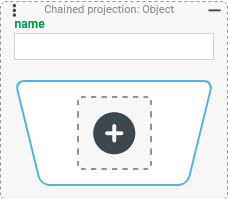
The Chained projection enables the chaining of Projections and Joins in order to provide a specific return value.
Similar to the chaining of value resolvers (see Chained resolver), the chained elements pass on the respective return value to the subsequent level as a reference object (e.g. for Projections defined there).
Within the chain, all Projections can be used, except for the Collection projection and the Chained projection itself.
However, the Chained projection can certainly be used within a Collection projection to "bundle" multi-value return values from the chain as a list value.
In addition, all types of Joins can be linked in order to include "external" content in the context of the chain.
NOTE If multiple Chained projection instances are used within the same search that contain similar Joins, these are not created redundantly in the database query. Instead, a shared join is accessed multiple times even if each Chained projection uses a different name for the "Join alias". However, redundant joins are used if a Chained projection contains a join whose configuration is identical to an explicit configuration in the "Joins" enumeration of the search.
Configuration
Parameter | Type | Description |
|---|---|---|
Name |
| The optional Name parameter can be used to assign an (alias) name to the projection.
|
Chain | Elements and/or Joins) | The chain is always initially empty (see screenshot above), which causes an error ( Clicking on the large For elements of an existing chain, a small To remove elements from an existing chain, the "Remove value" functions in the context menu can be used. The context menu also offers the usual "operators" for the clipboard ("Cut", "Copy" and after copying or cutting also "Paste") of Lobster Data Platform/Orchestration, which can be applied to individual elements of the chain. Regardless of the number of elements in the chain, the last element of the chain defines the return value. |
| ||
.svg) icon opens a context menu that offers all
icon opens a context menu that offers all 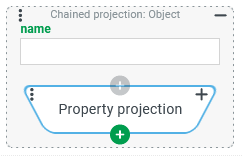
Examples
Simple example: Adding the "owner" account of an entity
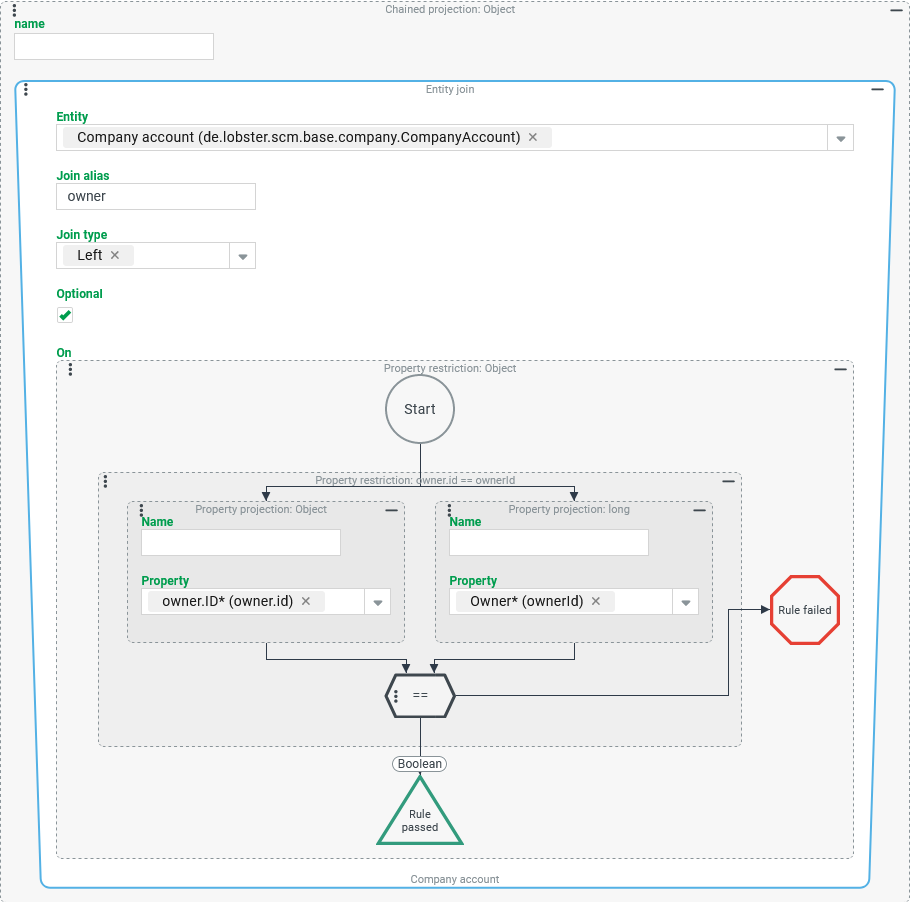
In a tuple search for any entity type, the complete company account for its "owner" is output as the complex value of a column.
Configuration:
The screenshot on the right shows a Chained projection that contains a Entity join as the only element with the following parameterization:
NOTE As the type hint at the bottom indicates, the Entity join returns a "Company account" (if available), which also applies to the Chained projection as a whole due to the lack of a successor element. |
|
Variant:
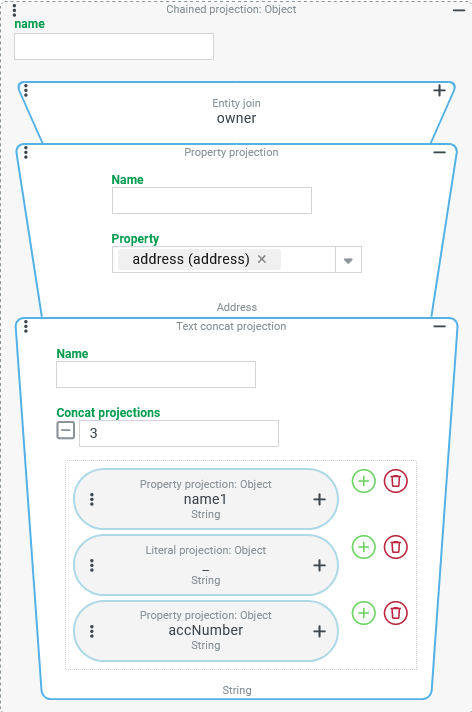
Based on the previous use case, the tuple column should now only identify the "owner" as a chained string with selected address characteristics instead of the entire account.
Specifically, the fields "Name" (name1) and "Account number" (accNumber) should appear separated by an underscore (_).
Configuration:
Starting from the Entity join (
The Chained projection now provides text in total. |
|
More complex use case: Identifying the "owner of the owner"
Based on the previous example, a further tuple column is to be added, which identifies the owner of the owner company of the entity in the context of the search via its address characteristics according to the "variant" scheme.
Configuration:
The Chained projection shown in the screenshot on the right can be created from a copy of the projection described above as "variant" with the following changes:
|
|
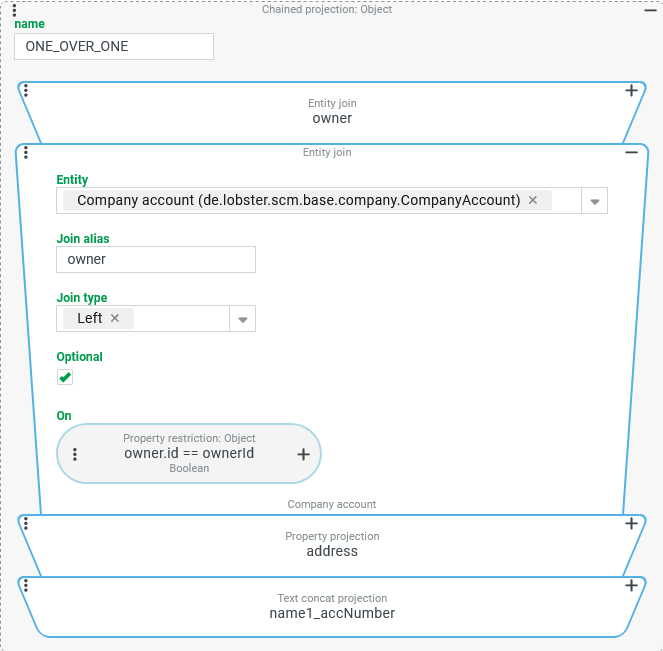
Expansion:
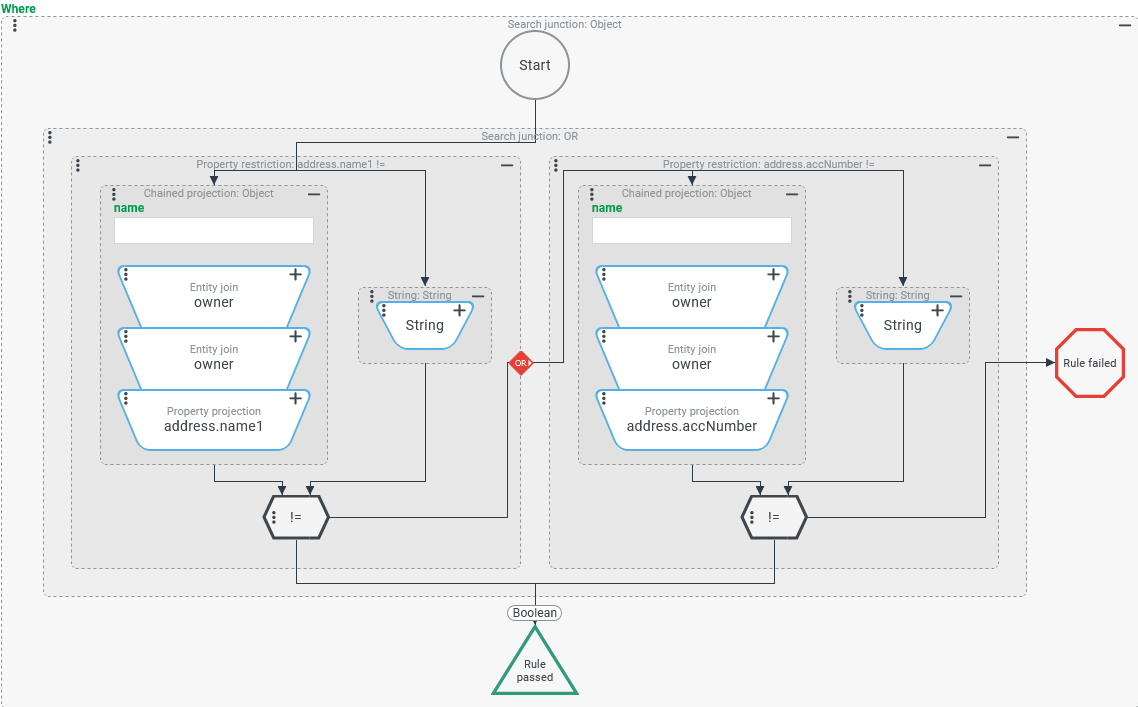
The search should now contain a Where condition that ensures that at least one of the address characteristics linked in the ONE_OVER_ONE projection is filled.
Configuration:
NOTE
In the data query, a separate join is not generated for each Entity join instance. This would be "company account" joins only for the
ONE_OVER_ONEcolumn and the associated "Where" condition.Specifically, a
LEFT OUTER JOINused several times is implemented for each "company account" level and another one is used to access the associated address.By copying, pasting and adapting, the required variants can be "produced" quite easily once a Chained projection with the two joins has been set up.
Of course, you could also create the two "company account" joins "centrally" and address each use via two general "Join alias" names (e.g.
owner,ownersOwner). In terms of runtime performance, however, this offers no significant advantage unless both methods are used simultaneously. If only one central definition is created for each "company account" join, the risk of individual adjustments being made to originally identical join configurations is avoided. This could increase the number of joins generated in the database query.