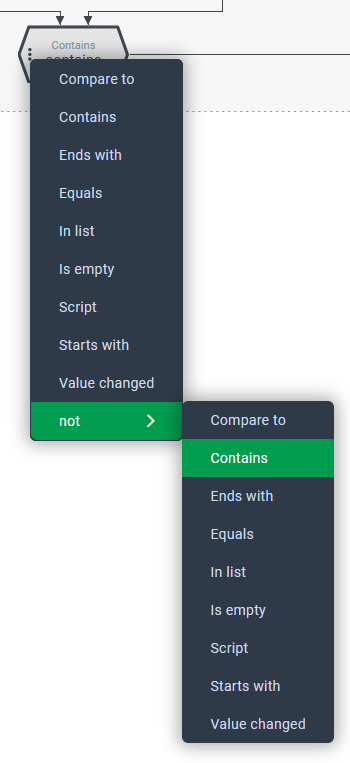
 ►Selection results: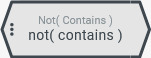
Unlike all other compare types, the not (Matcher) can only be used in conjunction with one of the others.
Therefore it appears in the context menu for compare type selection as a category (selected in the screenshot) where the other compare types are selectable.
If a compare type is selected from the 'not' submenu, then it is selected in conjunction with the not (Matcher). This reverses the evaluation logic of the selected comparison.
CAUTION
From the 'not' submenu it is always possible to select a compare type that differs from the current one. However, any value configurations made for the Compare value will be lost. When changing from Contains to 'not (Contains)' as shown in the screenshot, the value configuration for the Compare value remains unchanged.
The relationship between the selected compare type and the not (Matcher) becomes clear in the following excerpt from the XML structure:
Object field rule with not(Contains) compare type:
<?xml version="1.0" encoding="UTF-8"?>
<core:EntityPropertyRule xmlns:core="CORESYSTEM">
   ...
   <core:NotMatcher>
      <core:ContainsMatcher/>
   </core:NotMatcher>
  ...
</core:EntityPropertyRule>
If in an Entity property rule the not (Matcher) is already used in connection with another compare type, it can be 'deselected' by selecting the same Matchers from the main level of the context menu.
CAUTION
It is essential to select the same Matchers that is already used in the existing 'negated' configuration when deselecting. Otherwise the possibly existing value configuration for the Compare value will be lost.