Event action – Abstract
Purpose: Attempts to add the tracking state just added to a manifest as well as to the Shipments included as manifest items.
Tooltip
Usage: The event action must be executed in the context of a manifest that has just been assigned a tracking state. Only in connection with a triggering event from the Tracking state (Events) category is it clear which tracking status is to be 'propagated' to the items contained as manifest line items. For the tracking state entries that are added to shipments, the Comment parameter can be used to optionally assign a uniform value for the comment field. The Safe propagation option can be set if the tracking state should be mapped to as many of the relevant shipments as possible.
Parameter:
Setting the Safe propagation option suppresses the error/rollback that occurs without the option if adding the tracking state for a shipment is not allowed.
The Comment parameter optionally defines a text value to be assigned to the comment field in the work state entries for shipments.
Output:
Additional tracking state entries and, if necessary, change of current tracking states for shipments included in the manifest (as far as adding is allowed).
OR: Error/rollback of the transaction as well as for the tracking state change of the manifest (if adding is not allowed for at least one shipment AND the Safe propagation option is not selected).
NOTE The event action ignores access restrictions for the shipments included in the manifest and their tracking state entries.
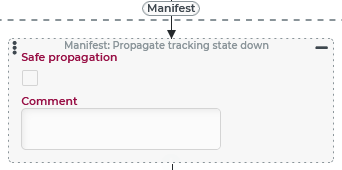
The event action Propagate tracking state down is used to add the tracking state just added to a business transaction object of the 'Manifest' type (see Manifests) as well as to the Shipments contained as manifest items. A static text can be assigned to the Comment (comment) field for the tracking status entries of Shipments.
IMPORTANT 'Propagation' works only within an event handling triggered by a 'tracking state event' (see Tracking state (Events)) with a manifest as the reference object:
Adding tracking state (triggered before Tracking state workflows are evaluated when a tracking state entry is to be added to a reference object).
Added tracking state (triggered when a tracking state entry is allowed to be added to a reference object based on the applicable Tracking state workflows, if applicable).
Both events provide the tracking state entry to be added via the trackingStatusEntry variable. The Propagate tracking state down event action expects a tracking state entry object defining the propagated Tracking state as the value of this variable.
The Safe propagation option can be set if the tracking state just added should be applied to as many Shipments as possible.
This option is not selected by default. Then an error with rollback occurs if the tracking state just added is not allowed to be applied to at least one of the shipments included in the manifest due to restrictions from applicable Tracking state workflows.
CAUTION As far as the event action Propagate tracking state down has read or write access to Shipments or their working state entries in the course of propagation, this is done without any consideration of permissions or access restrictions.
Configuration
The event action can only be used meaningfully with a manifest (see Manifests) as the reference object. Tracking state propagation works as intended only with a tracking state event (see Tracking state (Events)).
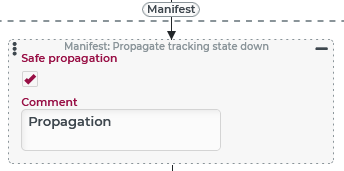
The Safe propagation option defines the behavior in case propagation of the tracking state just added fails due to restrictions from applicable Tracking state workflows for at least one of the relevant Shipments:
If the option is deselected (default), the transaction as a whole will be rolled back with an error message and no tracking state entry will be added to the manifest or any shipment contained in it.
If the option is selected, then any shipment to which the tracking state entry may not be added will be skipped without comment.
The Comment parameter allows direct input of a static text that appears in the course of propagation to the 'comment' field in each tracking state entry object added to a shipment.
NOTE Other fields of the tracking state entry object cannot be set by configuration in the course of the propagation to the Shipments.
Example
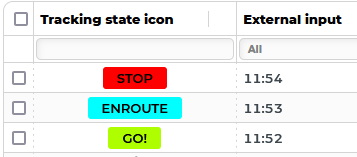
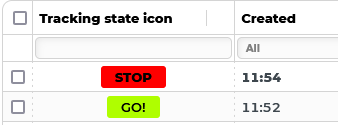
If certain Tracking state ('GO!' and 'STOP') have been added to a manifest, they will also be added to the contained shipments. If the Tracking state in question can not be added to a shipment because the applicable tracking state transformation prohibits it, the shipment is skipped.
|
|
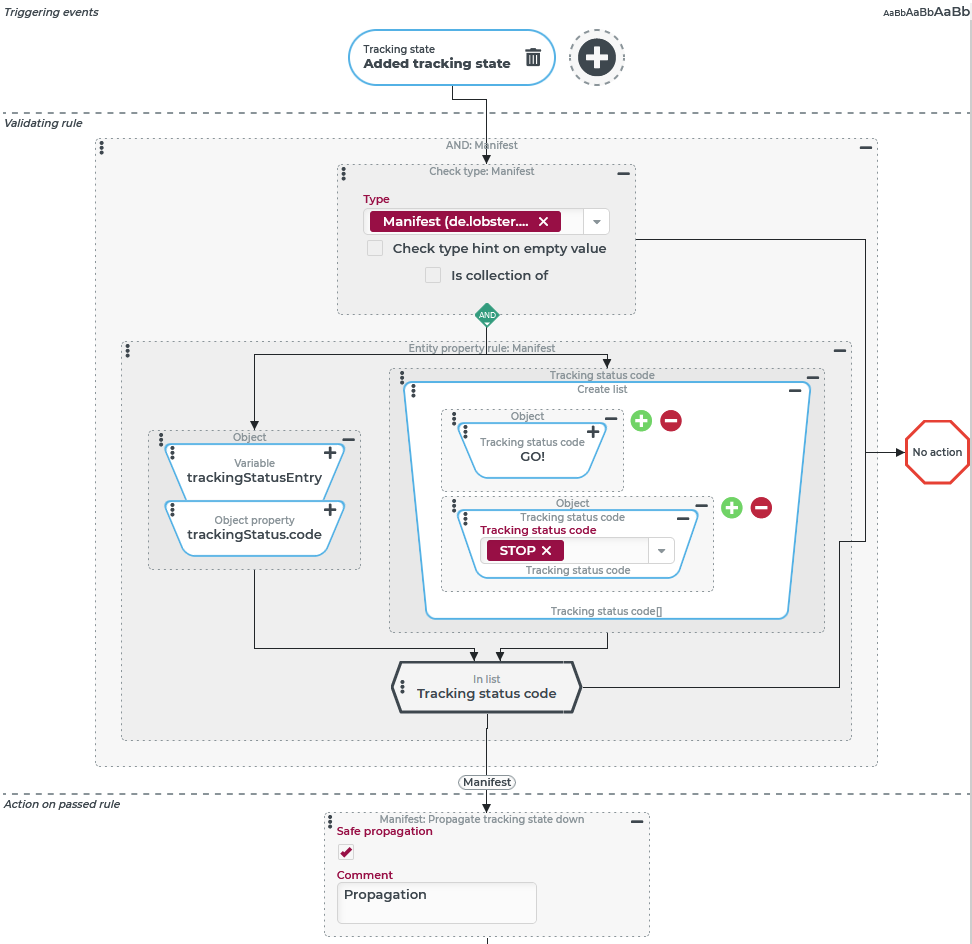
Runtime example:
The following example is intended to illustrate that only the tracking state codes explicitly listed in the configuration are propagated to the shipment(s).
Tracking state history of the manifest: | Tracking state history of a contained shipment: |
|---|---|
|
|