Modifying the template to fit your requirements
The WebEDI Template demonstrates the capabilities of the Lobster Data Platform within the described example case. Use it as a foundation to implement your own WebEDI processes, and change or extend the implementation as needed.
The most important configuration items are described below.
Custom type definitions
Extend Orders/Shipments with additional attributes and types
Adapt package definitions to match your real packaging
Configure the supplier tolerance sheet with percentage or absolute thresholds and date windows
Use the basic definitions as a framework and adapt or extend them as required
You have configured the custom type definitions to reflect your business requirements.
Profiles
The template includes profiles for both directions: receiving orders and sending order confirmations and ASNs.
TEMPLATE_webEDI_Import_Order
Use this profile to receive and import orders
Replace the source structure (ORDERS_D23A) with your custom order format
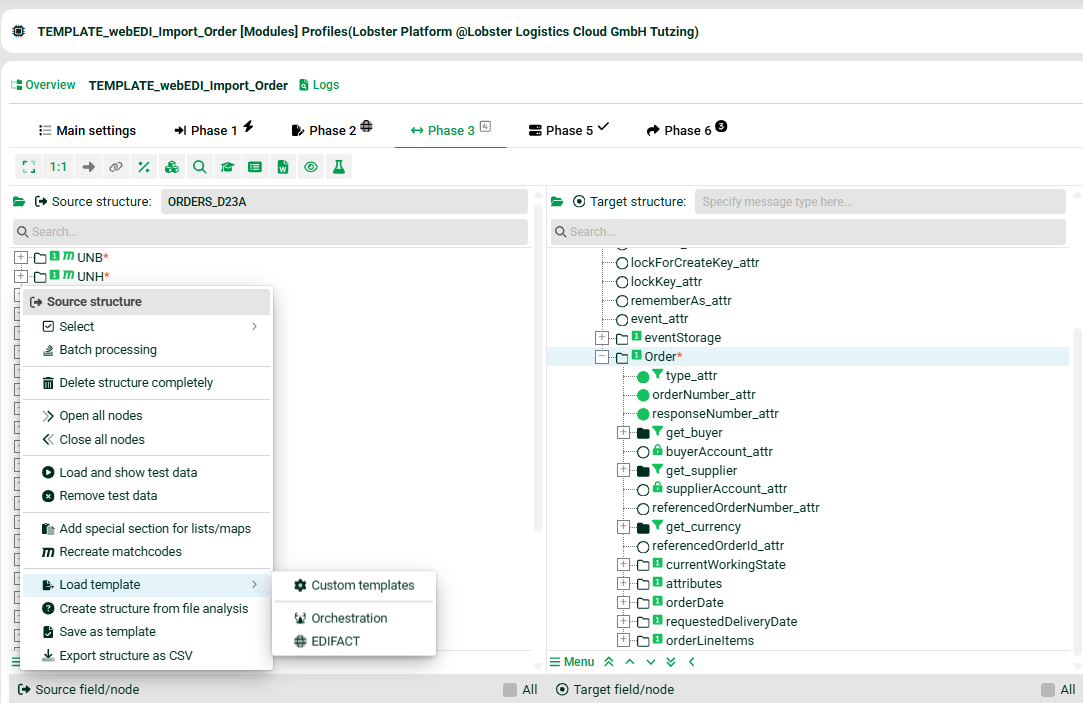
Map your format to the pre-filled order format
Replace the static values for
buyerAccount_attrandsupplierAccount_attr
TEMPLATE_webEDI_Export_OrderConfirmation
Use this profile to send order confirmations
Replace the target structure (ORDRSP_D23A) with your custom format
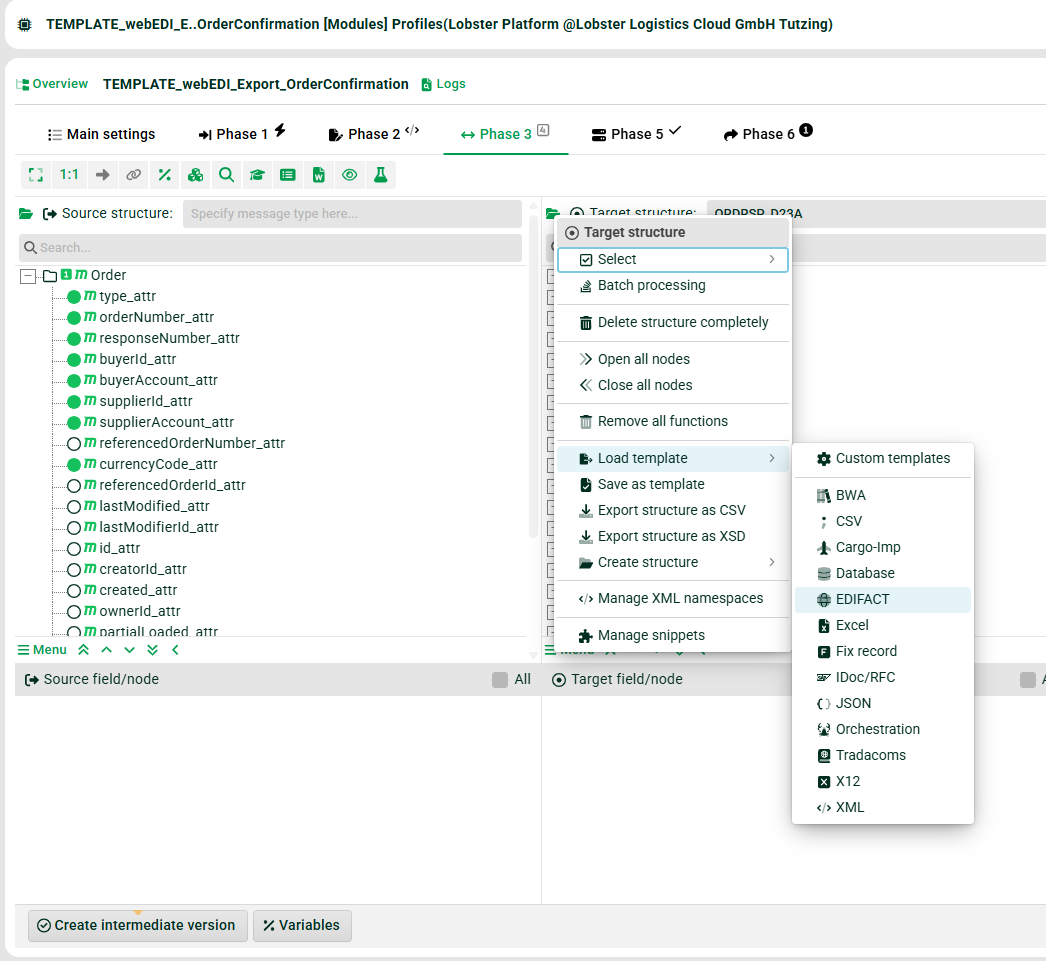
Map the pre-filled order confirmation format to your custom format
TEMPLATE_webEDI_Export_ASN
Use this profile to send ASNs
Replace the target structure (DESADV_D23A) with your custom format
Map the pre-filled ASN format to your custom format
Refer to the generic guideline and adjust to your customer-specific EDI guideline, including segments, qualifiers, and formats
You have configured the inbound and outbound profiles to match your order, order confirmation, and ASN formats.
Event handling for validation
The template validates confirmed quantities and confirmed delivery dates against supplier-specific tolerances. To extend validation to additional fields, follow the steps below.
Extend the
SupplierToleranceSheetentity, theOrderentity, and the input forms webEDI: TolerancesDefault and webEDI: OrderConfirmation with any additional fields you require.The validation runs in the event handler webEDI: validate order confirmation.
Extend the fallback values in the Set dummy tolerances if search result is empty block to include the new fields.
Extend the Validation based on supplier tolerances block to validate the new fields.
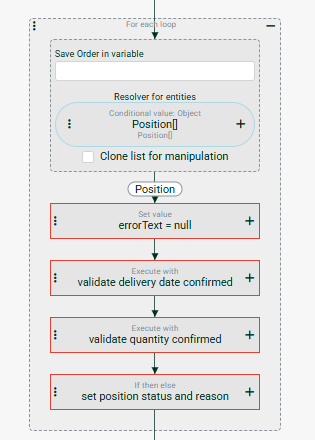
You have extended the validation logic to cover your additional tolerance fields and business rules.