Settings
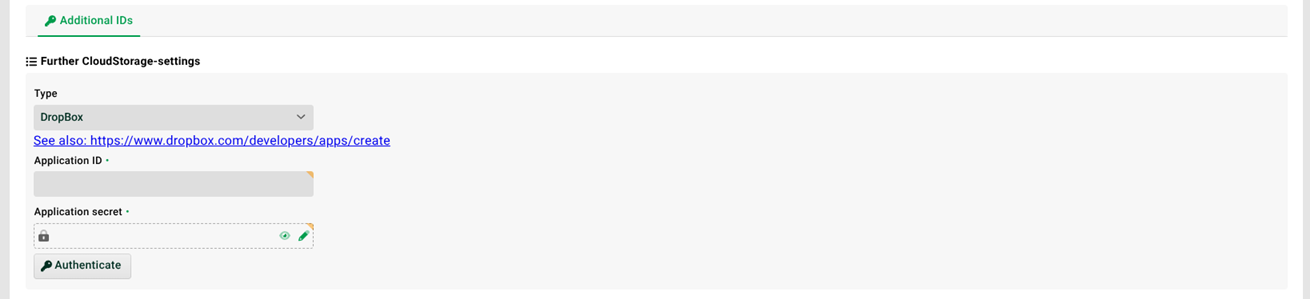
(1) Additional IDs: See section Additional IDs (central).
(2) Type: Here you select one of the supported cloud storage providers.
(3) Application ID, Application secret: The access data for your provider. See also the change application secret of CS channel(). NOTE Some providers may have additional fields. The values for these are described in the documentation of the respective provider.
(4) Authenticate: There is another OAuth2 dialogue for the types "DropBox", "Google drive" and "MS 365 OneDrive/Sharepoint". See the OAuth 2.0 (Client) section.
(5) Legacy connection: This switch is always inactive for new channels and needs no attention. If the channel was created before version 4.6, this switch is active to indicate this (limited functionality).
General notes on cloud storage providers
Current details are always to be taken from the corresponding instruction pages of the provider!
IMPORTANT Lobster Integration's input agent "CloudStorage" and Response "CloudStorage" address each provider's (such as Amazon AWS, Google Cloud Platform, Microsoft Azure, etc.) REST API via HTTPS and are designed to connect from your local Lobster Integration (on your system) to your cloud provider. In contrast, if Lobster Integration is installed on the cloud, for example on Amazon AWS, we recommend connecting Lobster Integration to Amazon S3 (Amazon Simple Storage Service) via a mount point rather than using the REST API. How to create such a mount point is described in the documentation of the respective provider.