See also: Object to server xml
Value resolver – Abstract
Purpose: Attempts to parse a string passed as input value as XML and interpret it as server XML format to return an object.
Tooltip
Usage:The value resolver returns the generated object if successful.
NOTE If no value (
$null) is present as input value, no value ($null) is returned.
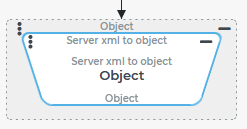
The Server xml to object resolver parses a string passed as input value as XML and interprets it as server XML format (see Server data encoder) to return an object.
The following cases are differentiated:
Input value (abstract) | Input value (specific examples) | Return value | Error |
|---|---|---|---|
No value ( | No value ($null) | No value ( | n/a |
A string that does not define a well-formed XML. | Empty character string ("")
| n/a |
|
A string that results in a well-formed XML that refers to a |
| n/a |
|
A string that results in a well-formed XML that refers to a NOTE Content not provided for in the server-side applied schema is ignored!1 |
| No value ( | n/a |
| Data object with a | n/a | |
A string that results in a well-formed XML that refers to a NOTE Content not provided for in the server-side applied schema is ignored! |
| 123( | n/a |
| Entity of the "Order" type ( see Orders | n/a |
Configuration
The value resolver does not use any parameters.
The string to be parsed by the server as XML for a data object is expected as the input value.
Examples
Create search object as input value for a "view"
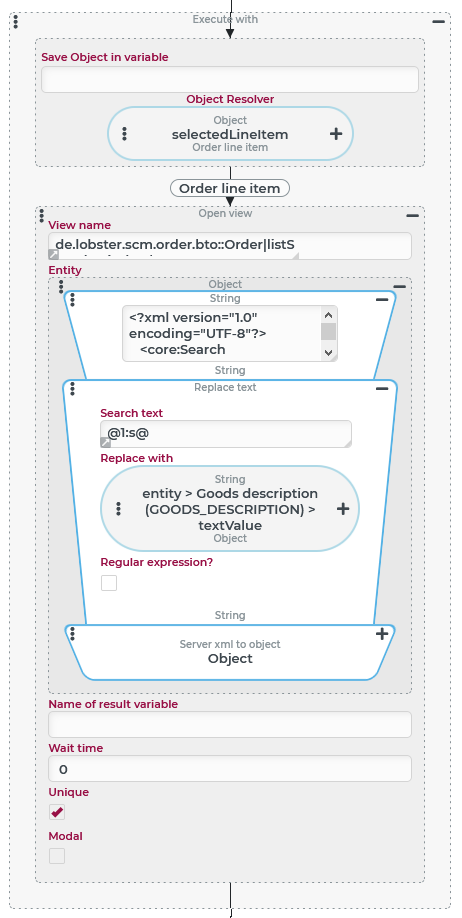
In conjunction with the Open view (Action) and the Search builder, the Server xml to object value resolver can be useful to generate an object of the "search" (search) type as an input value for an overview.
The procedure is described in detail in the Open view (Action) example. Therefore, only the purpose and use of the Server xml to object value resolver will be briefly discussed here:
As the screenshot shows, an Open view (Action) event action is executed in the context of a specific order item ( The event action opens an overview for Orders, in which all orders appear, which have at least one order item, whose value for the text attribute "Goods description" ( This condition can be formulated and tested quite easily in a Search in the Search builder for a specific "product description". Instead of a specific "product description", a unique text marker (in the example " From the Search builder, the XML definition for the search (incl. parameters) can be copied to the clipboard in order to paste it – as shown in the screenshot – as static text (see Static values) in order to be able to process it further:
NOTE The example for Open view (Action) describes further details that must be observed for a successful implementation according to this schema. |
|
Manipulate XML data of an entity via "string processing"
The following example shows how the Server xml to object value resolver can be used in conjunction with the Object to server xml value resolver to manipulate the data of an entity – here of the "Order" type (see Orders) – in such a way that the manipulated data define a new entity – here of the "Shipment" type (see Shipments). Here, all characteristics of the "Order" are transferred to the "Shipment", which is supported by the XML schema for Shipments.
Runtime example:
A shipment is created from an order with the following information about the companies and positions involved "at the push of a button" – more precisely, by triggering a Custom action event via the ribbon button – which reflects the characteristics of the order that can be mapped to shipments:
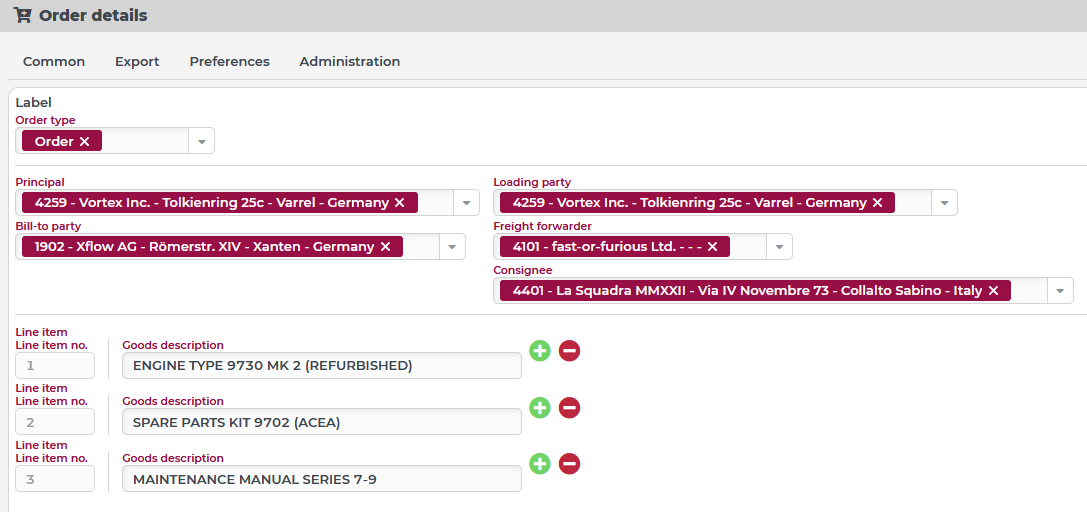
For demonstration purposes, the created shipment is reproduced here in a similarly structured input form:
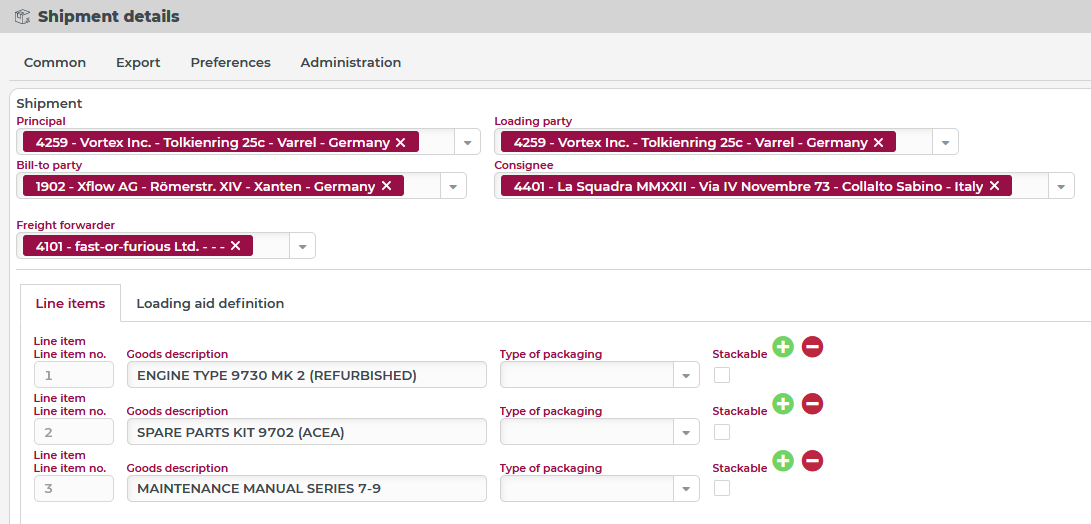
The "Order type" (
orderType) field is not provided in the schema for Shipments. It is omitted in the data of the created shipment.The involved companies and line items are transferred completely. For the shipment line items, the form provides additional fields, which of course remain empty.
CAUTION Converting one entity type to another by manipulating XML data should not be mistaken as "good practice". It is generally not a recommended methodology for data manipulation and is used here only as a demonstration example of the use of the Server xml to object value resolver. A Lobster_data profile (with mappings between the associated Orchestration templates) or event handling with a specific sequence of value assignments will certainly solve the systematic data transformation between two entity types in a more robust, flexible, and maintainable way than the following configuration. Only because the data models or schemas of Orders and Shipments are largely compatible, is the path of a "text processing" at the level of the server XMLs viable at all. The described "text processing" does not claim to cover every conceivable "data situation" for an order.
Configuration:
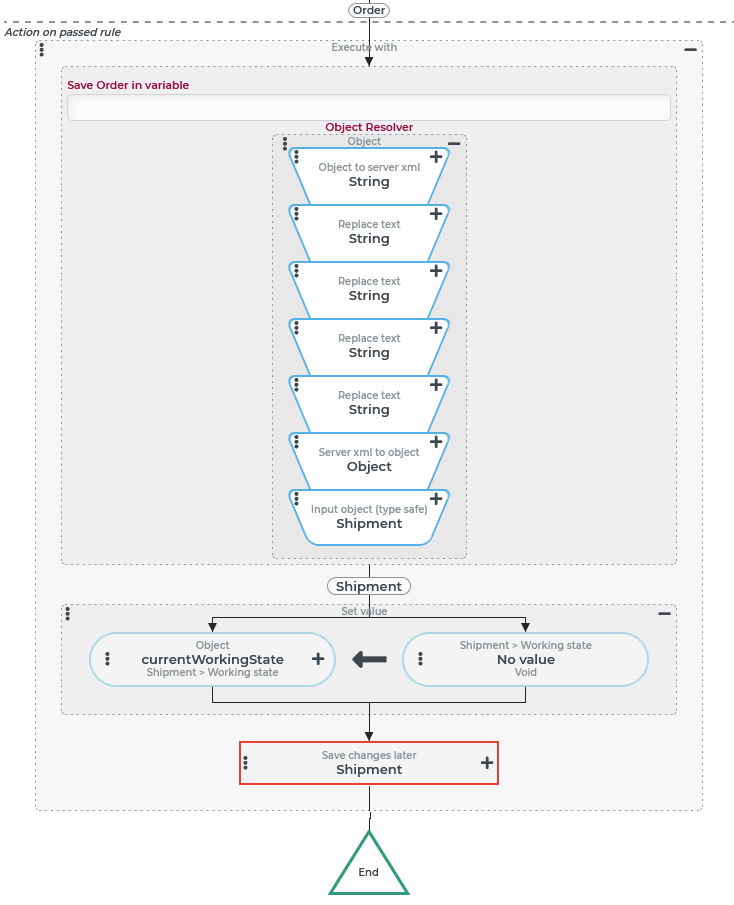
The event handling, whose event actions are shown on the right, is triggered in the context of an order via a Custom action event (per ribbon button). A Check type in the "Validating rule" (not shown in the image) ensures that an order is present as an input value. The conversion from purchase order to shipment takes place in the header of an Execute with event action, in the context of which the shipment created is considered a different reference object. A concatenation of value resolvers performs the following steps:
The action block defines the following actions in the context of the new program:
NOTE Removing the | |
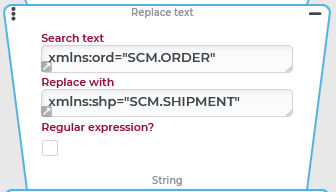
The namespace attribute | |
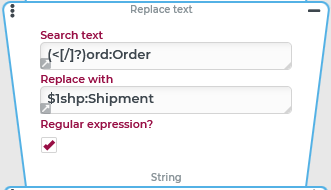
At all places where the XML of the order refers to the namespace The regular expression for the replacement applies to opening and closing tags in the XML:
The Search text ( | |
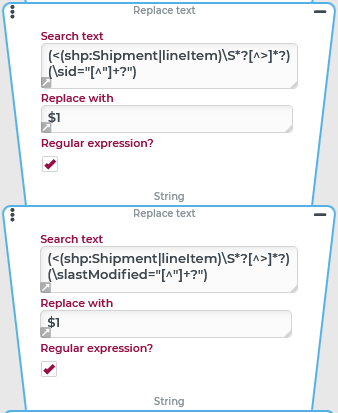
Removing the entity attributes ( The regular expression is structured according to the same diagram:
Only the first group ( NOTE The entity attributes ( |