Settings
Note: As a prerequisite, a DuckDB database connection with the alias “duckdb” must be available.
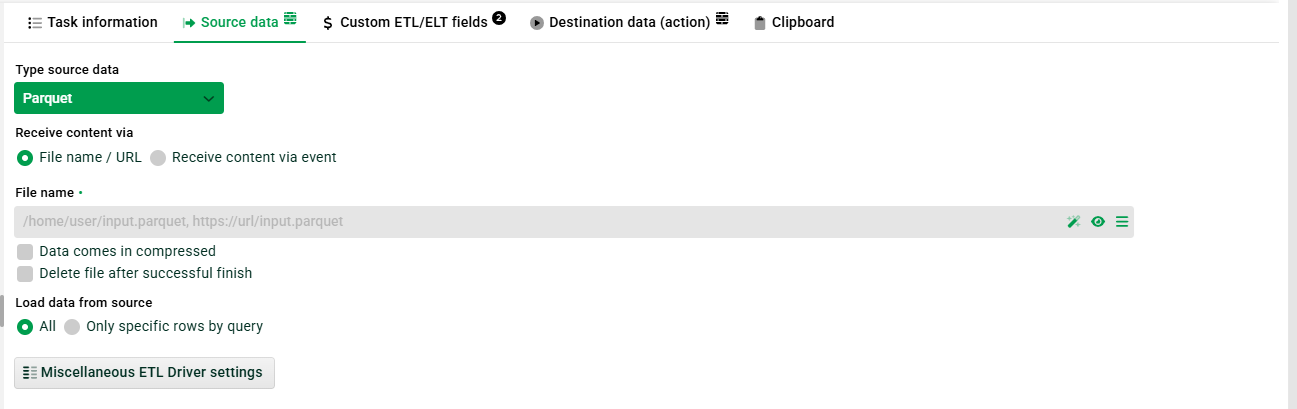
(1) Receive content via file name/URL: Specify the Parquet file by path or URL. Example: ./transfer/parquet/in/input.parquet or https://<URL>/input.parquet
(2) Data comes in compressed: Set this checkbox if your Parquet file is compressed.
(3) Delete file after successful finish: Set this checkbox if you want your Parquet file to be deleted after successful processing.
(4) Load data from source: Here, either all data can be read or specific rows defined by Parquet SQL. See https://duckdb.org/docs/stable/sql/statements/select. Note: Path specifications in SQL statements may only contain ETL/ELT system variables. Other variables cannot be resolved. Example: SELECT * FROM '@TEST_PATH@/sales_2026.parquet'
(5) Miscellaneous ETL driver settings: This is an expert setting (Scriptella) and can be ignored.