Pathfinder is the AI helper on the Lobster Data Platform. The chatbot uses the product documentation as its knowledge base. Pathfinder helps you with the following tasks:
Answer general questions in the chatbot
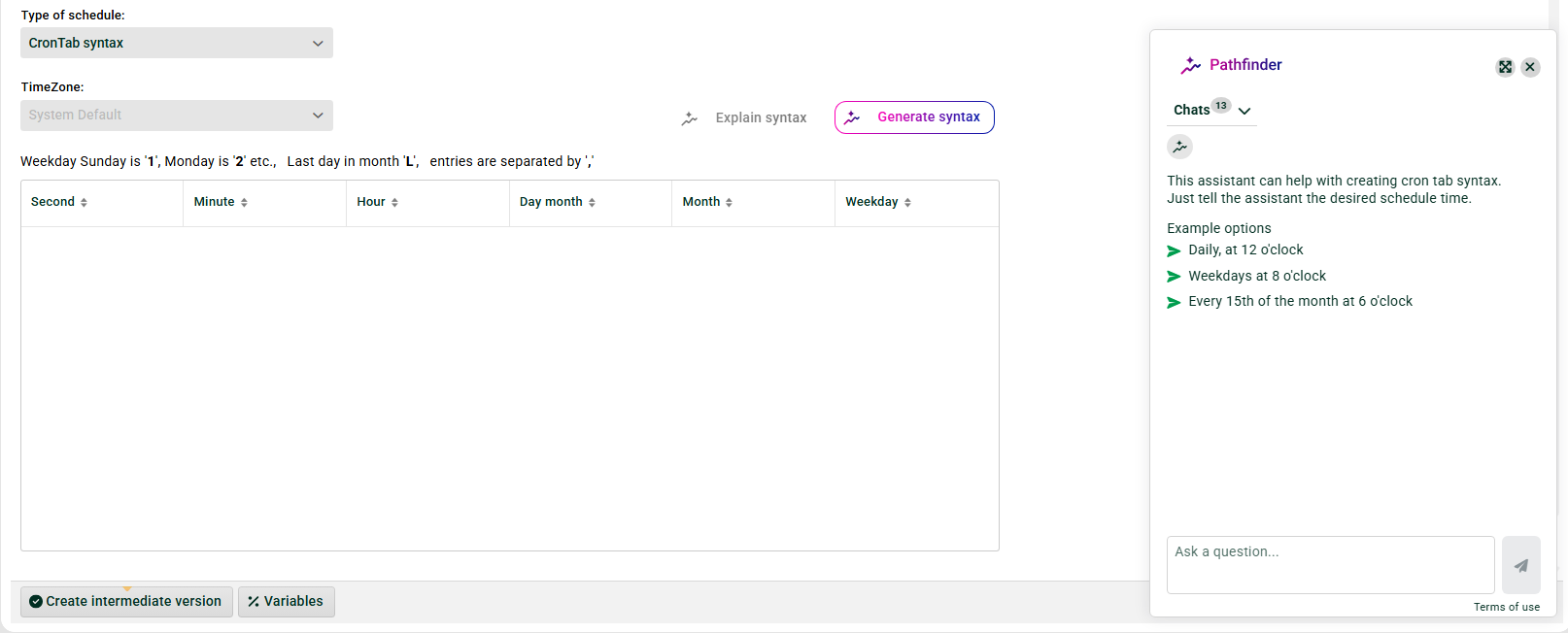
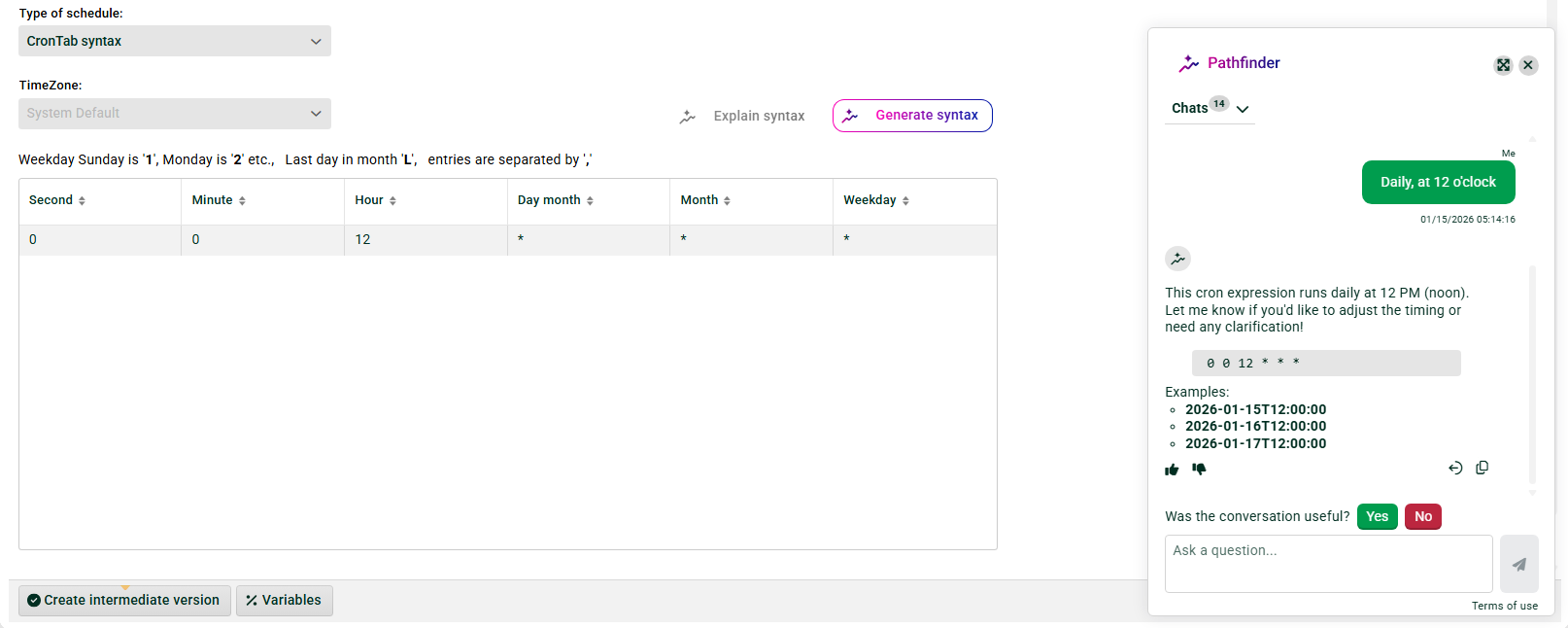
Create and explain cron expressions
Generate SQL queries
Generate and explain regular expressions (regex)
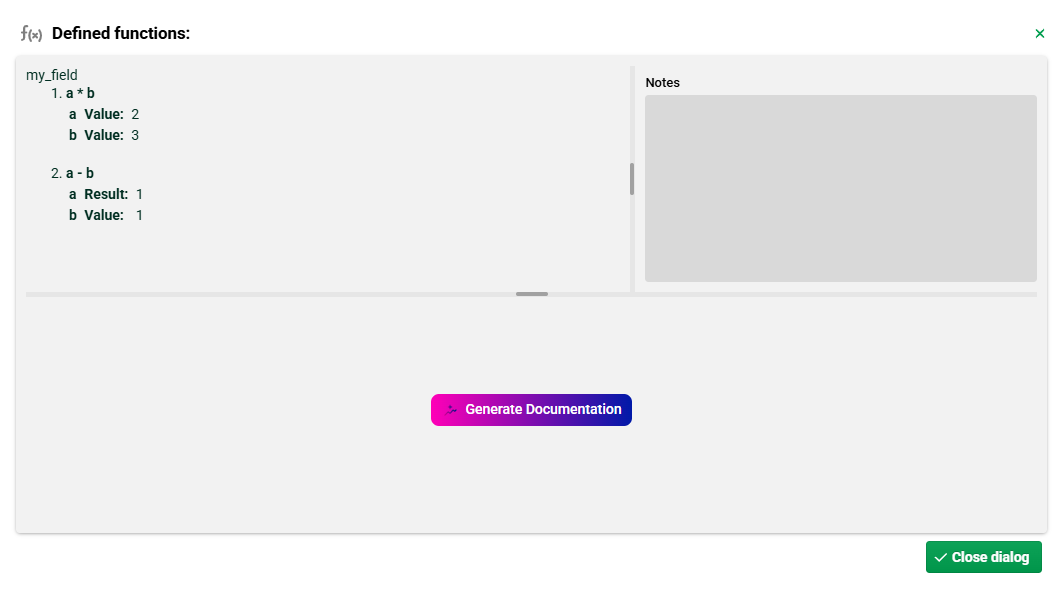
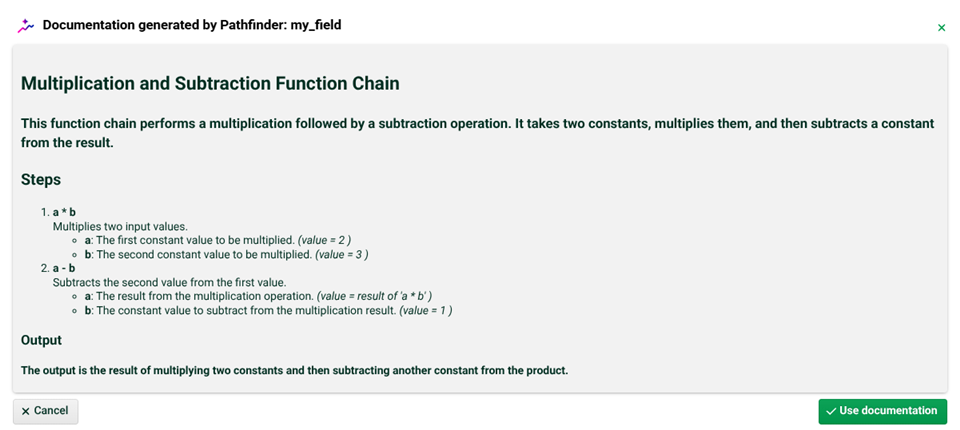
Document function chains
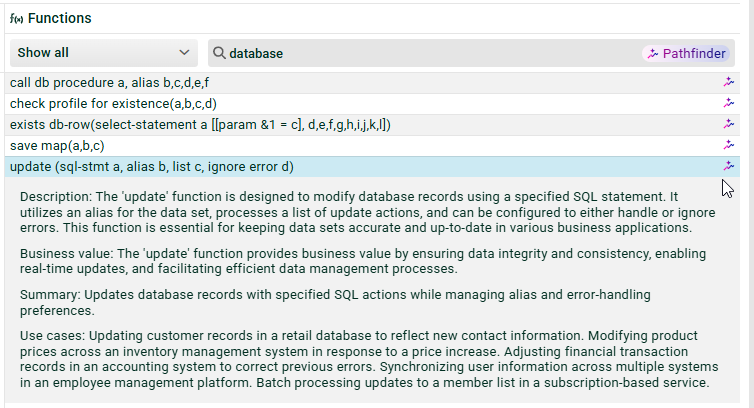
Search and summarize functions
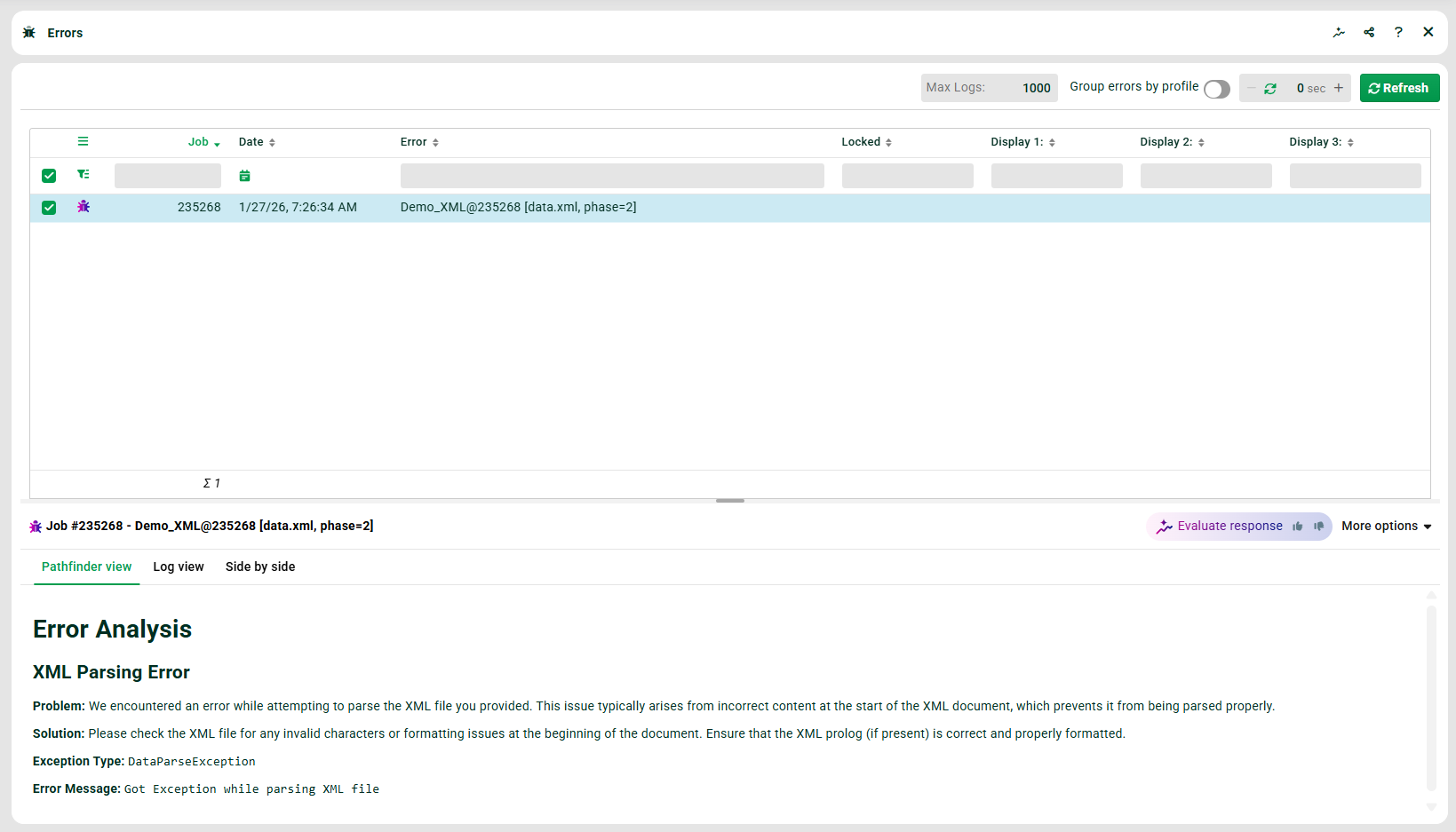
Explain error messages
See also the page Pathfinder – Security and privacy FAQ.
NOTE Enabling or disabling Pathfinder
Administrators enable or disable Pathfinder for their organization. Pathfinder is only visible with an active API client and a valid AI license. Without these prerequisites, Pathfinder does not appear in the interface.
General chatbot
The chatbot answers questions about all topics on the Lobster Data Platform. When you open it, Pathfinder greets you with a short introduction. Pathfinder suggests three example questions.
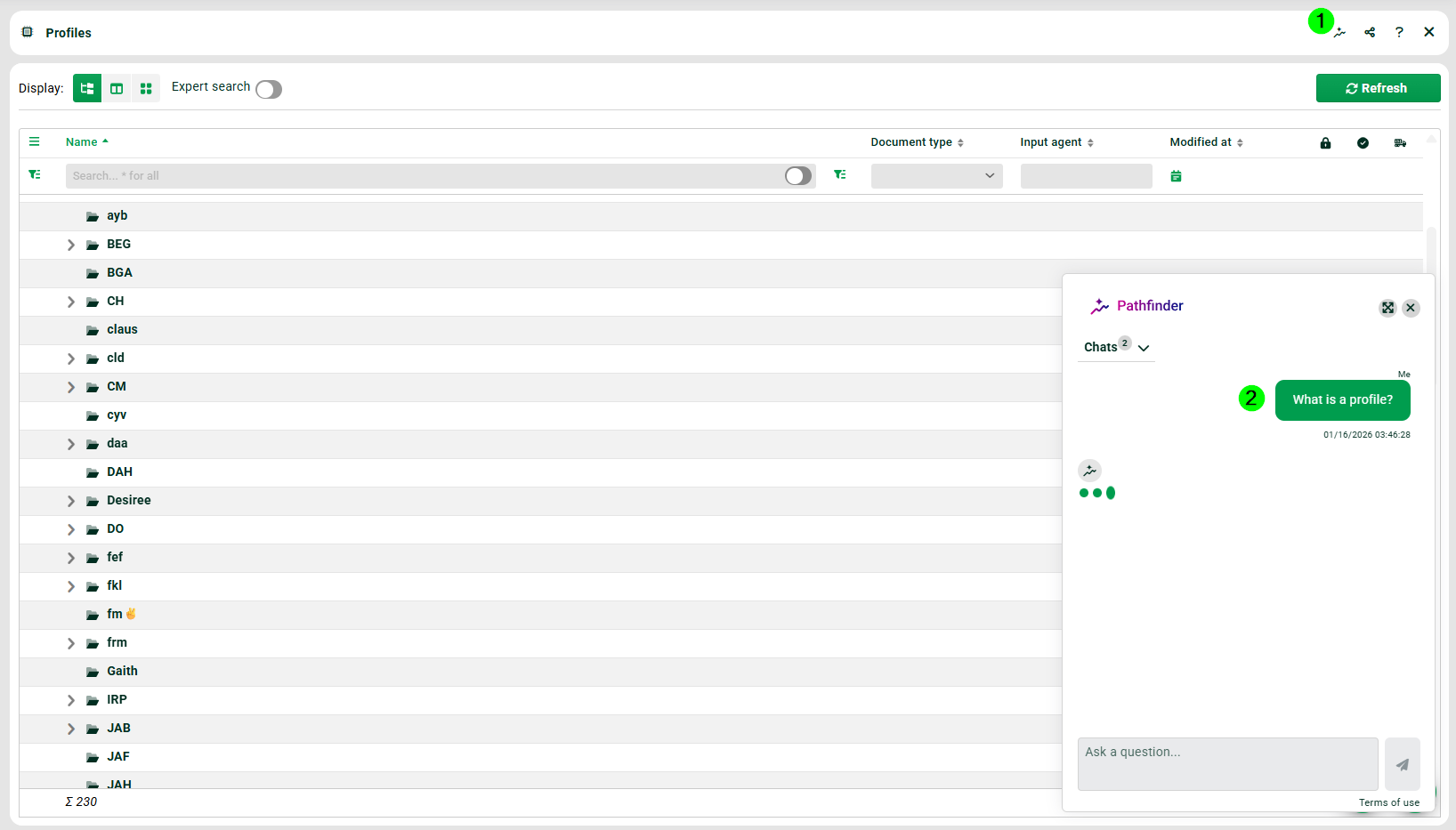
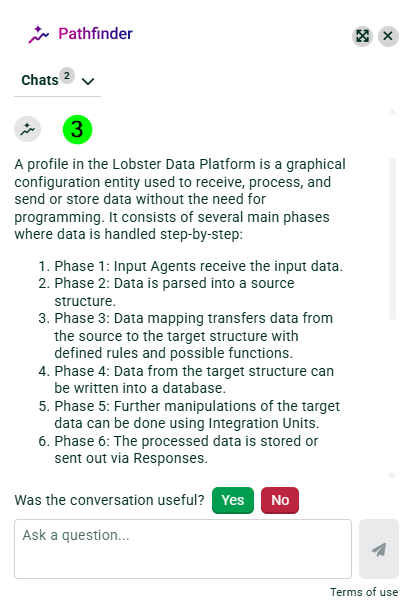
To use the chatbot:
Open Pathfinder using the Pathfinder icon in the top bar (the first one in the row).

Enter your question in the input field.
Read the generated answer.
Ask follow-up questions if needed.
The example questions on the chatbot start page adapt to the current context. In a profile, Pathfinder suggests different questions than in the log view. Pathfinder recognizes the following contexts:
SQL Query Generator: Help with generating and explaining SQL for the selected database.
Cron syntax: Help with cron expressions and scheduling.
Profile: Help with profile configuration and settings.
Logs: Help interpreting log entries and errors.
Event Handling: Help with triggers, event actions, and flow logic.
Available controls in the chat window
The chat window contains the following controls:
Control | Function |
|---|---|
Chats | Starts a new conversation. The label adapts to the window size. In small windows, only the icon with a tooltip appears. |
Minimize | Shrinks the chat window without closing the conversation. When you reopen it, you see the latest state. |
Maximize | Click here to bring the chat window to its maximum size. The icon changes. When you click again, the window returns to its original size. |
Conversation history | Shows past chats in two tabs: Context matching chats and All chats. The title shows the first 30 characters of the first message. Actions such as Use result are disabled in loaded histories. |
Thumbs up/down | Rates individual Pathfinder answers. After rating, the feedback button Share more appears so you can optionally share additional information. |
Privacy link | Opens the Pathfinder privacy policy. The link is at the bottom of the chat window. |
Additional notes about the chat window
Messages are grouped by day. Each day group shows the date above it, for example Today or May 30.
Each of your messages shows the time in hours and minutes below it.
Inline links in Pathfinder answers open in a new tab.
If the AI service is unavailable, Pathfinder shows an error message.
The Use result button appears only in contexts where inserting the result is possible.
Explain and generate cron expressions
Pathfinder explains and generates cron expressions. Pathfinder helps you configure time-based processes. See the section Crontab syntax.
Generate SQL queries
Pathfinder creates SQL queries from natural-language descriptions. To achieve this, Pathfinder uses only the database schema. However, Pathfinder cannot see the contents of the tables themselves.
See the section SQL console.
See the section Basic SQL (Input Agent cron).
.png)
Generate and explain regular expressions (regex)
Pathfinder generates valid regular expressions from your natural-language descriptions. Pathfinder explains existing regular expressions on request. Pathfinder also confirms whether an existing regular expression is correct and returns valid results.
For detailed instructions, see the how-to article Creating regular expressions with Pathfinder.
Document function chains
Pathfinder documents function chains automatically. See the section Functions (GUI).
Search and summarize functions
Pathfinder looks for the available functions and summarizes them. See the section Functions (GUI).
Explain error messages
Pathfinder explains error messages from logs in plain language. See the section Errors.