See also: Object to JSON
Value resolver – Abstract
Purpose: Parses a string provided as input value as a JSON structure to return an object.
Tooltip
Usage: The value resolver returns the generated object if successful.
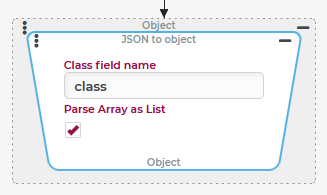
Parameter: The Class field name (default value
class) determines which name in the JSON structure defines the class of objects.NOTE If no value (
$null) is present as input value, then no value ($null) is returned.
The Server xml to object value resolver parses a string passed as input value as JSON to return an object.
The following cases are differentiated:
Input value (abstract) | Input value (specific examples) | Return value | Error |
|---|---|---|---|
No value ( | No value ( | No value ( | n/a |
A string that violates the rules of the JSON notation | Empty string ("")
| n/a |
|
|
| No value ( | n/a |
| Null (String) | n/a | |
| 1500.0 (Double) | n/a | |
| An array or list with four elements: ABC (string), 123 (long), true (Boolean), no value ( | n/a | |
| A client object with an | n/a | |
NOTE The "volatile entity" created from this JSON structure (see "Return value" column, right) can be saved using the Save changes later event action, for example, to create the entity server-side. However, this only works if the ID 666 is not yet in use. WARNING The assignment of IDs for new entities should definitely be left to the Lobster Data Platform/Orchestration server by assigning the ID | If the appropriate Class field name A "volatile" entity of the "Incident" type (see SCEM Incident) with ID (Entity data in JSON notation) / In the JSON notation, the values of properties that are If the Class field name is inappropriate (e.g. (Data of the client object in JSON notation) NOTE This JSON structure was created with the Object to JSON value resolver. For demonstration purposes, the value | n/a |
Configuration
Parameter | Meaning |
|---|---|
Class field name | The parameter defines a property name that can be used within the JSON string to identify the class of an object. The |
Parse array as a list | This option is selected by default, so that an array (in the input value) is converted into a "list" object (List). |
Example
In the context of an event handling, the user should be able to enter a comma-separated list of values via User prompt, the total of which is subsequently calculated.
Runtime example:
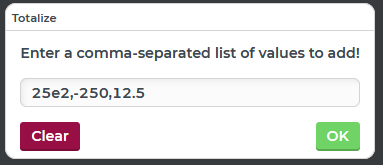
A discount of 10% (-250) is deducted from a list price of 2500 (25 x 10²) and a handling fee of 12.5 is added. Result:

Configuration:
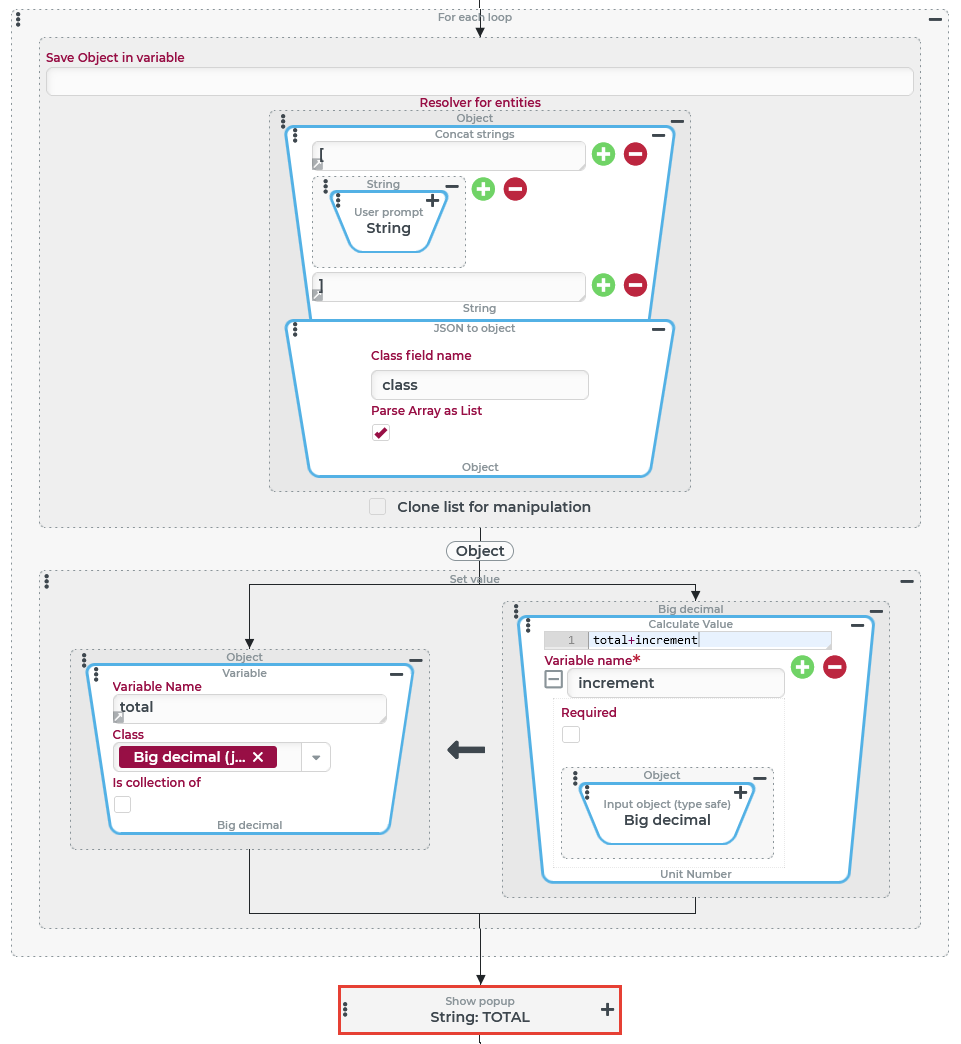
The JSON to object value resolver is used here to demonstrate "resolving" the text value from the User prompt into a list of individual values. The surrounding Concat strings value resolver encloses the user's input in square brackets ( The User prompt is used in conjunction with the Concat strings and the chained JSON to object value resolver directly to define the Resolver for entities parameter in a For each loop event action. The loop iterates over the entered scalar values and adds them successively via Calculate value value resolver in the variable After the loop has been completed, the amount can be read from the IMPORTANT In addition to the configuration shown here, the variable |
|