See also: Show document (Event action)
Event action – Abstract
Purpose: A new browser tab is opened to display or download the 'Content' (
Content) provided via a value configuration for the Content to show parameter.Tooltip
Usage: Using a value configuration for the Content to show parameter, a data object of the type 'Content' (
Content), 'Document' (Document) or 'File information' (FileInfo) or a byte array (byte[]) can be provided to be transferred to the browser for display or download. For all other data types, the string image of the data object is displayed as plain text in the open browser tab.Parameter: There must be a value configuration for the Content to show. The value resolvers used can refer to the reference object in the execution context.
The reference object is not used as Content to show without a value configuration.
If there is no value configuration or it returns 'No value' (
$null) at runtime, the Show content event action has no effect.NOTE In contrast to Show document (Event action), the Show content event action is not available in the client context (Client Workflow, Client workflows).
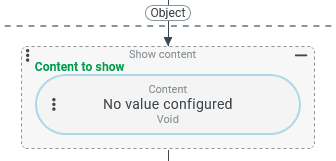
The Show content event action opens an additional browser tab to display the 'Content' (Content) made available via a value configuration for the Content to show parameter.
CAUTION The Content to show is completely loaded into the server's working memory before it can be offered for download/opening. It is not recommended to use the Show content event action for particularly large files (e.g. videos).
IMPORTANT The Show content event action – in contrast to Show document (Event action) – is not available in the client context (Client Workflow, Client workflows).
If there is no value configuration for the Content to show parameter or it returns 'No value' (
$null) at runtime, no browser tab is opened.A reference object present in the execution context also applies as a reference object for a value configuration in the Content to show parameter, but is not used as the default value if no value configuration is present.
The Content to show is often provided or generated via a value resolver from the Content builder category.
The value resolvers in the Content builder category provide return values of the 'Content' (
Content) or text (String) type.In principle, text (
String) is output directly in the browser tab.The browser ultimately decides whether 'Content' (
Content) is displayed directly in the browser tab or treated as a download, depending on its 'media type' (mediaType), which also takes into account the extension in the file name (name).NOTE A browser tab also appears temporarily during a download, but is automatically closed again.
For some 'related' data types for 'Content' (
Content), an automatic type conversion takes effect:Documents can be provided either completely – as a 'Document' (
Document) object (incl. file name) – or as a byte array ((byte[])) from theDocumentfield 'document content' (documentContent).A 'File information” (
FileInfo) object (e.g. from a File element in a form) can be displayed directly as content. The 'MIME type' (type) property can be decisive for how the browser prepares the data (e.g.text/plainvs.text/html).
For all other data types, the string image defined on the server side is displayed as a test in the browser tab.
EXCEPTION Show or download multiple content objects
If the return value for parameter Content to show is a list, the contained entries will be shown in individual browser tabs or provided as download.
Each entry of a list will be handled exactly, as if the respective value had been provided individually as Content to show.
Examples
Simple use case: Display image file from the server file system
Within an event handling, a stored image file (overview.png) should be opened in a new browser tab under certain conditions.
Configuration:
The file reference value resolver is used in the Content to show parameter to provide the file as 'Content' (
|
|
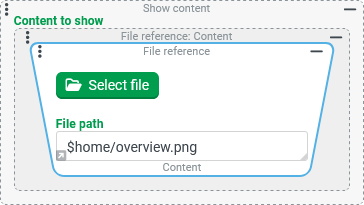
NOTE Since the file in question should not be 'publicly' accessible (without logging into Lobster Data Platform/Orchestration), it was not placed in the web folder of the server file system, but directly in the parent upload directory, which serves as the root directory ($home) for the File manager.
If the file were stored 'publicly' within the web folder (e.g. in the path $home/web/pics/overview.png), the Open external URL event action (with the relative URL pics/overview.png) could also be used to display the image in a new browser tab instead of the Show content event action.
More complex use case: Display data of an entity in the browser
The Session information value resolver provides a wide range of information about the current session in a structured form – as an entity of the 'Session information' (SessionInformation) type.
In the following configuration, different approaches are demonstrated with which the information contained can be visualized via the Show content in a separate browser tab.
Configuration options | Result (displayed in the open browser tab) | |
|---|---|---|
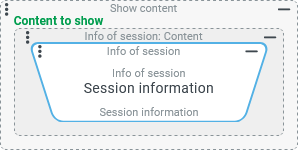
The return value of the Session information value resolver is defined here directly as Content to show. The string image of the entity is then output (see right). NOTE The results obtained are not particularly useful when it comes to gaining insights into the session. |
|
|
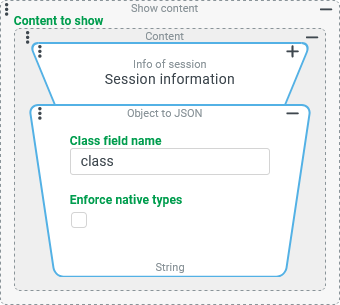
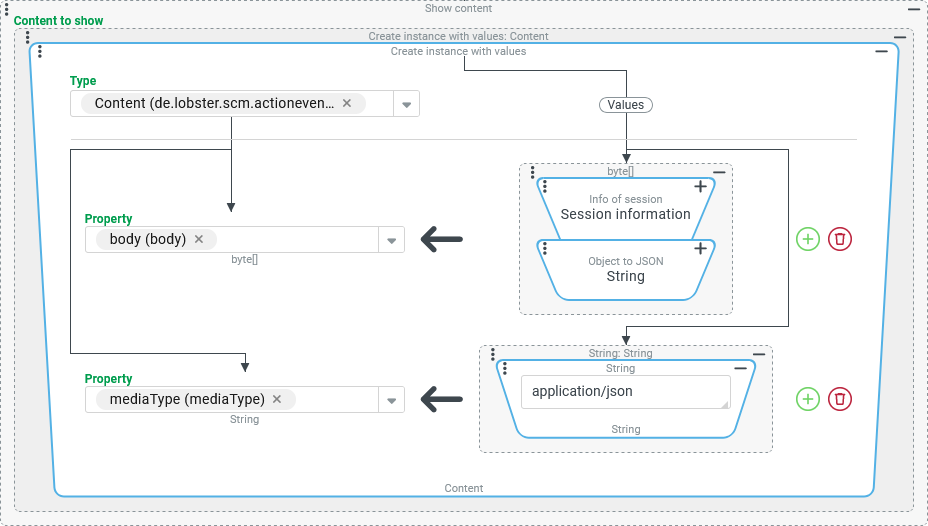
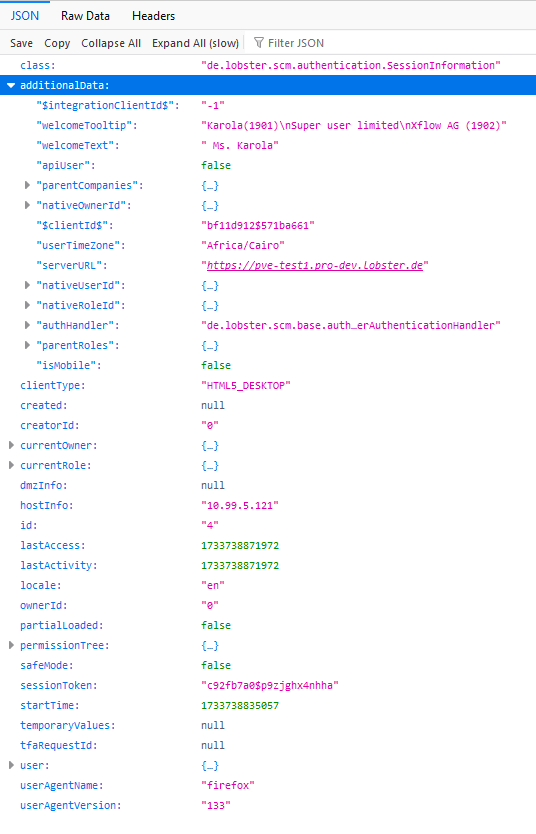
In order that the information contained in the 'Session information' object can be examined in the browser tab, the Session information value resolver is linked here with an Object to JSON resolver. As Content to show, we receive quite an extensive text that describes the 'Session information' object in JSON format in detail and thus makes it readable (see extract on the right). NOTE The Object to JSON resolver provides the JSON image directly as text, which is output as Content to show directly in the browser tab. With the more complex configuration variant below, the browser can also be 'notified' that the text ( ▼ |
| |
NOTE In the same way as this example, an XML string (e.g. from the XML export resolver) can be linked with the type |
| |