Bridge database connection on the Lobster Data Platform
The Lobster Data Platform can connect to a database on the Bridge system through the tunnel. This enables the Lobster Data Platform to use the database that is located on the Bridge system.
On the Lobster Data Platform, navigate to “Configuration → Databases and Connectors“ and create a new connection. See section Databases/connectors for details.
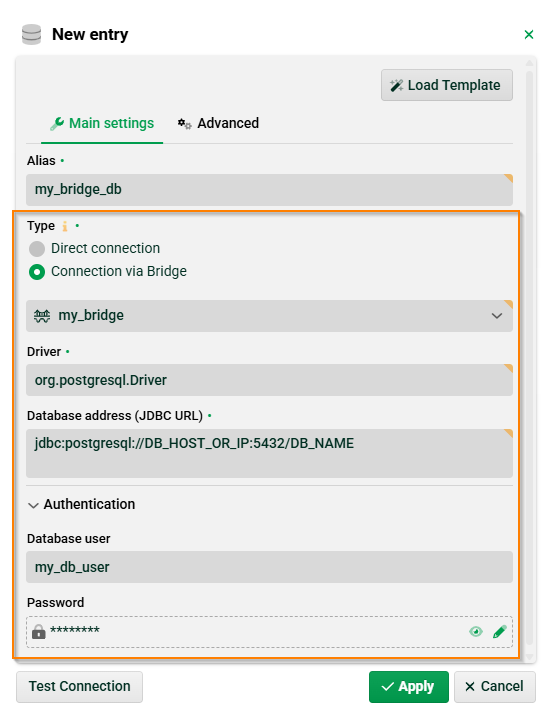
Select “Connection via Bridge” as type and choose your Bridge.
Enter the database parameters for the database located on the Bridge system (Driver, Database address, Database user, Password).
Bridge database connection on the Bridge
On the Bridge, a Bridge database connection is shown on page "Administration → Database connections".
.png)
Database drivers
The same JDBC driver has to be installed on both systems.
You already know how this is done on the Lobster Data Platform. See section Databases/connectors.
On the Bridge system, place the JDBC driver into folder ./extlib and restart the Bridge.