Actions – Abstract
The Reload element data action updates the data in the linked Target element with a possibly changed state in the background (e.g. via Client Workflow).
The Reload element data action updates the data in the linked Target element with a possibly changed state in the background (e.g. via Client Workflow).
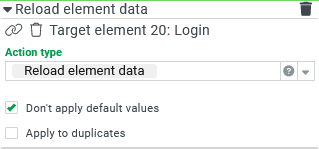
The action appears under Action type only if a Target element is already linked.
Example
A portal compiles certain information about the current session in a Column layout container that is to appear as a "footer" embedded in other forms (see Embed forms (Sub-forms)).
At runtime, a Check box element in the footer should allow a selection as to whether the ID or the name should be displayed for the Role of session and the User of session.
Runtime example:
Mode | View at runtime |
|---|---|
Display of name (default) (Checkbox "Display IDs?" blank) |
|
Display of IDs (Checkbox "Display IDs?" set) |
|


Configuration:
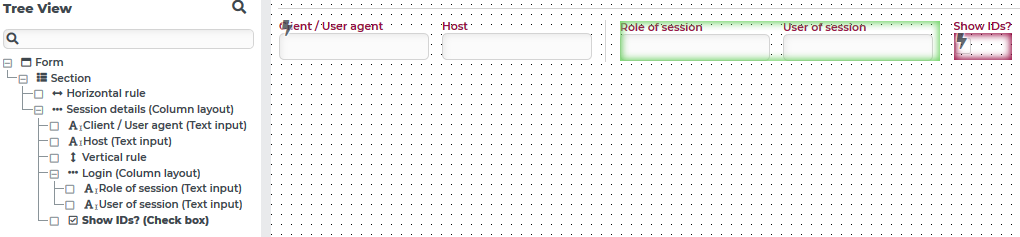
The hierarchy in the Tree View (left) illustrates the hierarchy in the Column layout container "Session details", which contains the Text field elements "Client/User agent" and "Host", and combines the fields "Role of session" (here: data field
role) and "User of session" (here: data fielduser) in a child Column layout "Login".In the layout, the Column layout container "Login" appears highlighted with a green frame. Next to it, the Check box "Show IDs?" is marked with a red frame.
| For the Check box "Show IDs?" the behavior shown on the left is configured, which controls the switching for the display in the fields "Role of session" and "User of session":
|
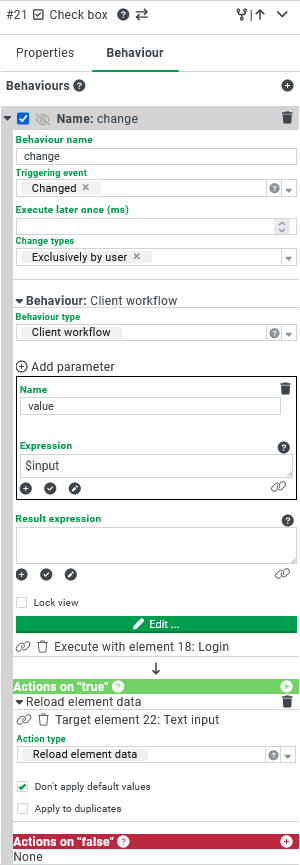
The workflow itself is accessible via the Edit button. It uses a Static rule (with the setting "true"; not in the image) as the only check, so it is always executed:
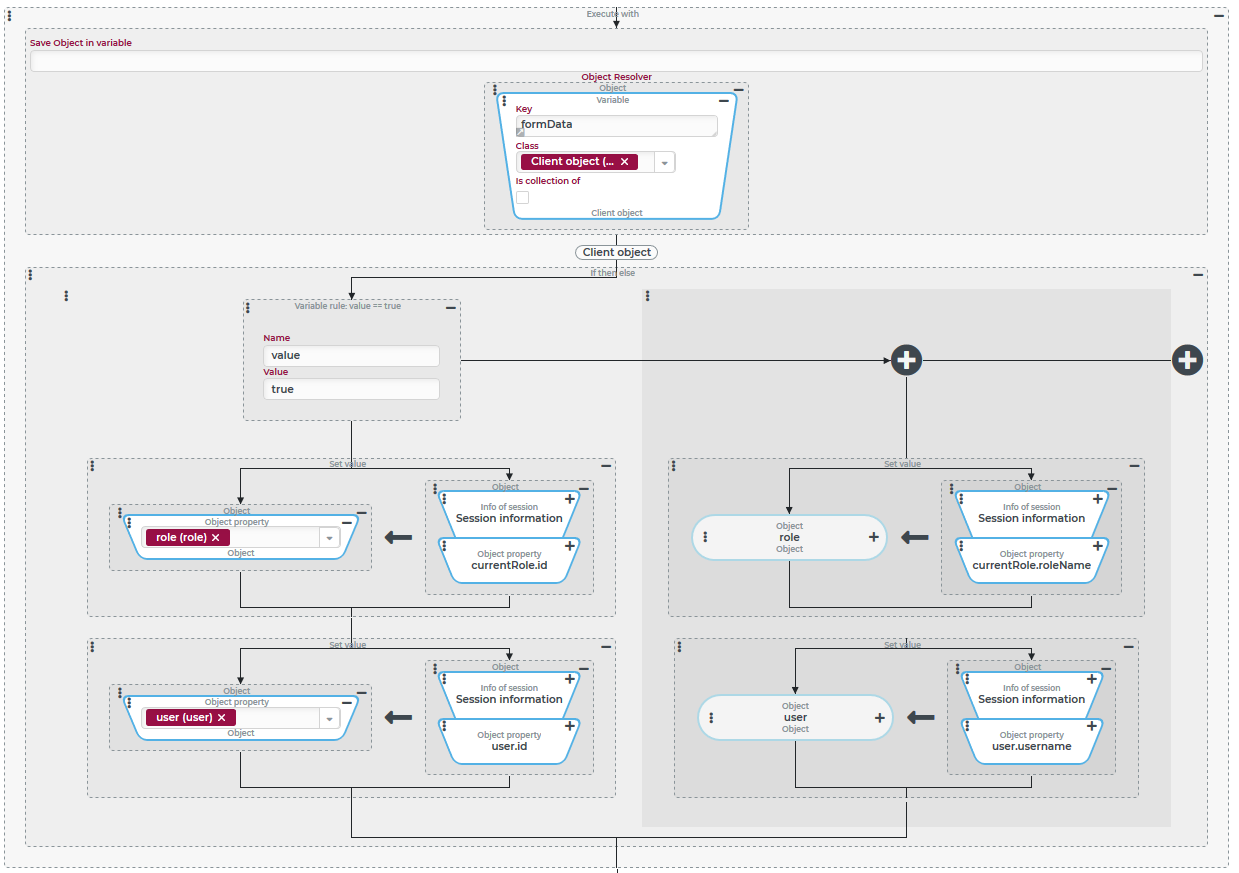
The reference to the
formDatavariable is established by an Execute with event action. All further Event actions are executed in this context.The case distinction via If then else event action checks the state of the checkbox "Show IDs?" passed by the variable
valueby means of a Variable rule.If the value is
true, IDs for user and role should be displayed. The data fieldsroleanduserof theformDataare then populated by Set value with the respective ID values from the "Session information" object, which is provided by the Session information resolver.If the value is
false, the names for user and role should be displayed. The data fieldsroleanduserof theformDataare then populated by Set value with the respective field value from the "Session information" object, which is provided by the Session information resolver.