Value resolver – Abstract
Purpose: This sorts the entries in a list provided as an input value in ascending or descending order. Hierarchical sorting criteria can optionally be defined, the value configuration of which is applied to all list entries.
Tooltip
Usage: The Sort list value resolver sorts the entries of a list available as an input value, taking into account the configured parameters. The return value is always a new list instance that lists all entries from the input value according to the sort order.
Parameter: The following parameters can be optionally used for an unspecified number of sorting criteria, which are applied hierarchically with descending priority:
The optional Compare value parameter can be used to define how a compare value is determined for the given list entries, which is then used instead of the list entry for sorting.
The Ascending option is checked by default. It must be unchecked to sort in descending order.
NOTE
If no input value is present, the return value is
$null.If the input value is not a list, the return value is a list containing the input value as the only entry.
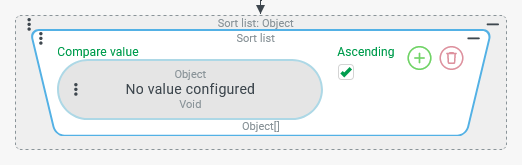 The Sort list value resolver sorts the entries of a list present as input value, taking into account one or more hierarchical sort criteria with the following parameters:
The optional Compare value parameter defines a value resolver that is applied per list entry to determine the value that is decisive for sorting.
The Ascending option (checked by default) defines the direction of sorting. It can be unchecked if descending sorting is desired.
The return value is always a new list instance that lists all entries from the input value according to the sort order.
Special cases:
If the input value is "no value" (
$null), the return value is also "no value" ($null).If the input value is an empty list (
[]), the return value is also an empty list ([]).If the input value is a value that is not "no value" (
$null) but also not a list, then the return value is a list with this value as the only entry.
Configuration
The optional Compare value parameter can be used to define a value resolver that is applied to each entry in the input value to determine a compare value for sorting.
|
|
The Ascending option is checked by default, which causes sorting in ascending order according to the Compare value. If sorting in descending order is desired, the Ascending option must be unchecked. | |
Initially, the configuration of the Sort list value resolver provides for a single sort criterion.
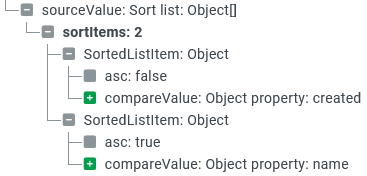
The screenshot on the right shows a configuration with two search criteria:
|
|
NOTE If the configuration is carried out in a context that contains a tree view, these sorting criteria can be rearranged using drag & drop to adjust their priority in the hierarchy.
|
|
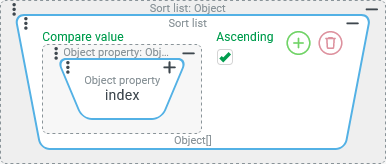
.svg) icon, further sorting criteria can be added to create a hierarchy with descending priority.
icon, further sorting criteria can be added to create a hierarchy with descending priority..svg) icon ("rubbish bin"), existing sorting criteria can be removed from a hierarchy as long as at least one sorting criterion remains.
icon ("rubbish bin"), existing sorting criteria can be removed from a hierarchy as long as at least one sorting criterion remains.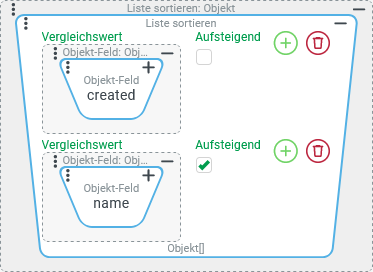
Examples
Simple use case: Sort simple values
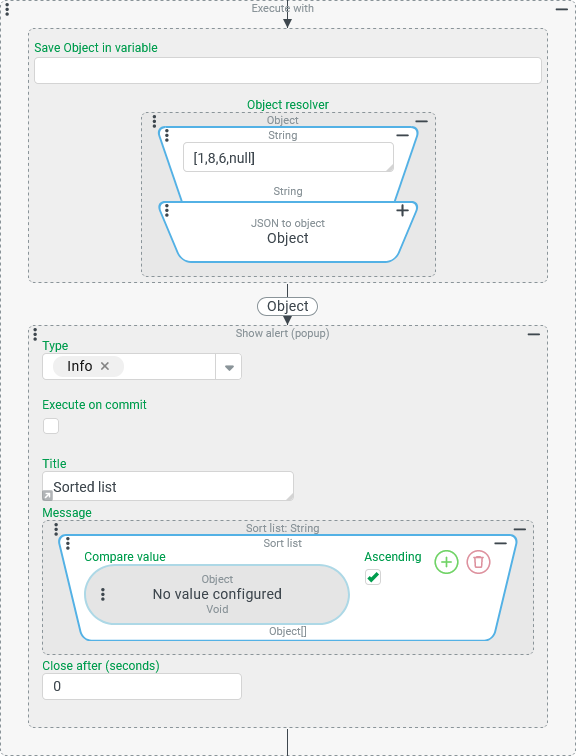
In the following example, a list of simple values (in JSON notation: [1,8,6,null]) is output in descending order.
Runtime example:

Configuration:
In the context of an Execute with event action, the list defined statically for demonstration purposes is first defined as the reference object for the following event actions, as shown on the right:
|
|
Variant:
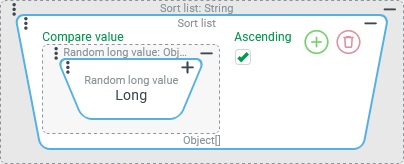
Based on the previous example, the statically defined list entries are now output in a random order.
Configuration: (As an adjustment within the previous configuration)
In the Sort list value resolver, a Compare value is now defined via the Random long value resolver. This value resolver randomly allocates a value from the value range for the NOTE The Ascending option can be checked or unchecked. Since the sorting is random, this affects the order of the entries in the specific case. For once, however, this has no influence on the random sorting as a whole. Effectively, the order in the return value always appears randomly. |
|
Typical use case: Sort a list of objects by a specific property
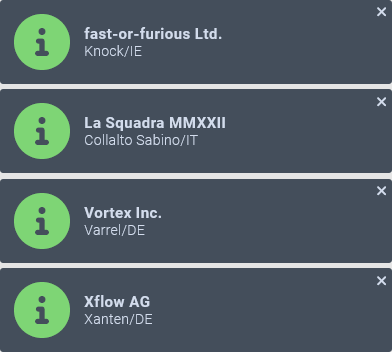
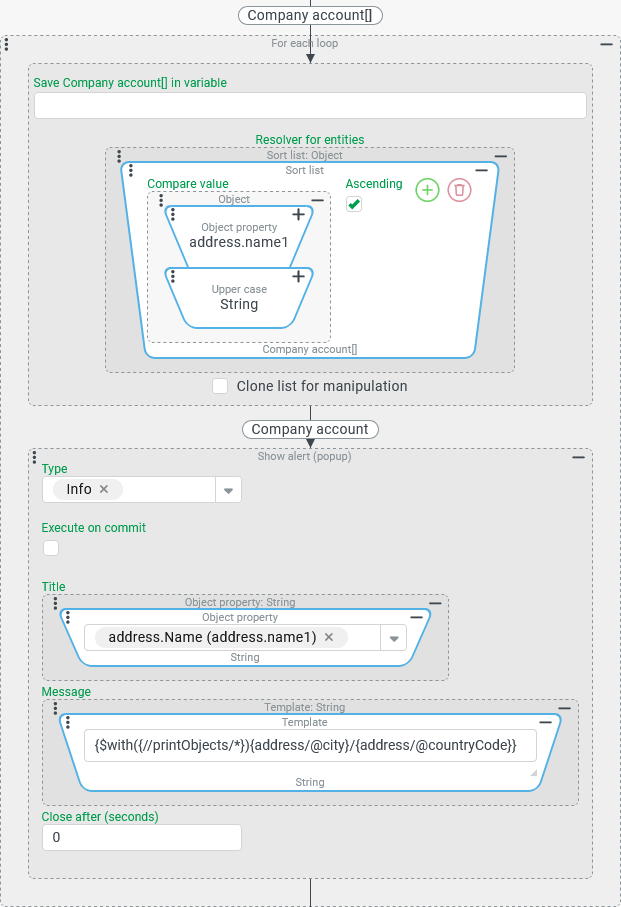
Within an event handling the ( A separate notification appears for each company involved, reflecting selected address characteristics of the company according to a uniform scheme. Specifically, the companies are then listed in alphabetical order by the "Name" ( | Runtime example:
|
Configuration:
The
|
|
Special use case: Multi-stage sorting
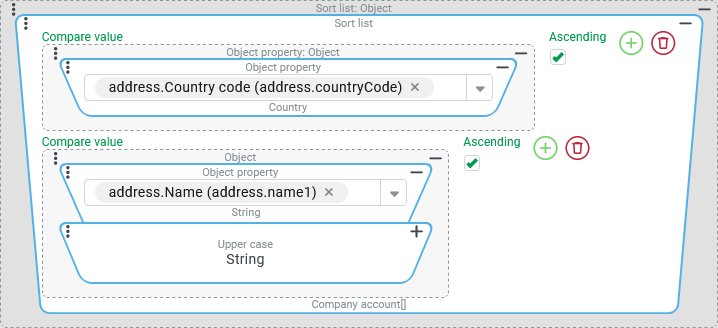
The sorting of companies in the previous example is now adjusted in such a way that it is first sorted according to the country code (countryCode) and only then according to the company name.
Runtime example: (for the same list of companies involved as above)
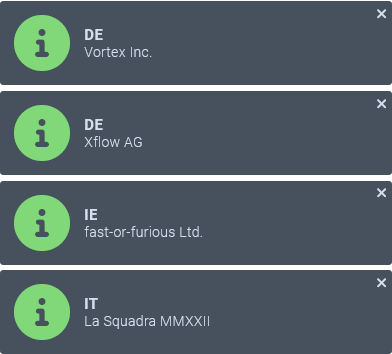
Configuration:
To achieve multi-level sorting, only one additional sort criterion (per NOTE As the screenshot on the right shows, this should be positioned at the top of the list. However, adding |
|
IMPORTANT The Object property value resolver for the "Country" ( Based on the sorting for the top criterion "Country" in the specific example ( The sort order for enumeration values is regulated differently depending on the execution context (server/client):
For the countries referenced in the example – "Germany" ( This would look different for a list with the countries "Germany" (
For a stable sorting with values from dynamic enumerations, it is therefore essential to explicitly decide how these values should be integrated. | |
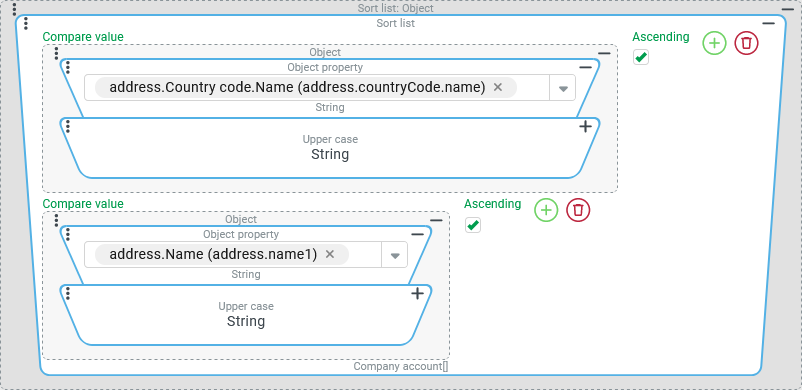
The screenshot on the right shows a variant of the above configuration, in which the "Name" ( The concatenated Upper case resolver ensures that the sorting takes place without differentiating between upper and lower case in the "Name" field. The fact that all names in the enumeration are capitalized is also just a "fragile" convention. NOTE In the configuration on the right, the data field path that leads directly to the name of the enumeration value has been selected in the Object property resolver:
The same effect can be achieved by linking two or three Object property resolvers. |
|
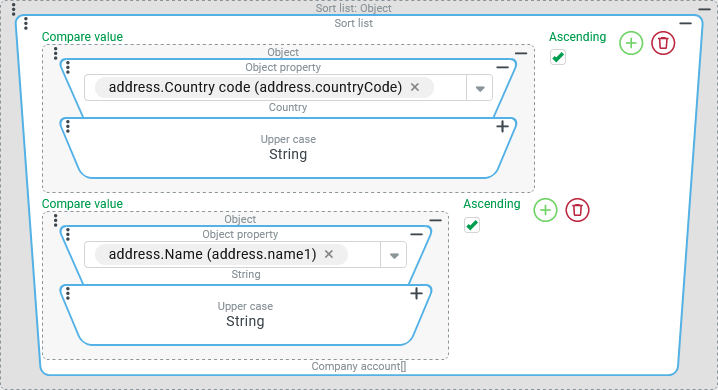
The variant in the screenshot on the right looks very similar to the previous one, but does not directly address the "Name" ( The concatenated Upper case resolver recognizes that the input value (Country type) is not a
|
|
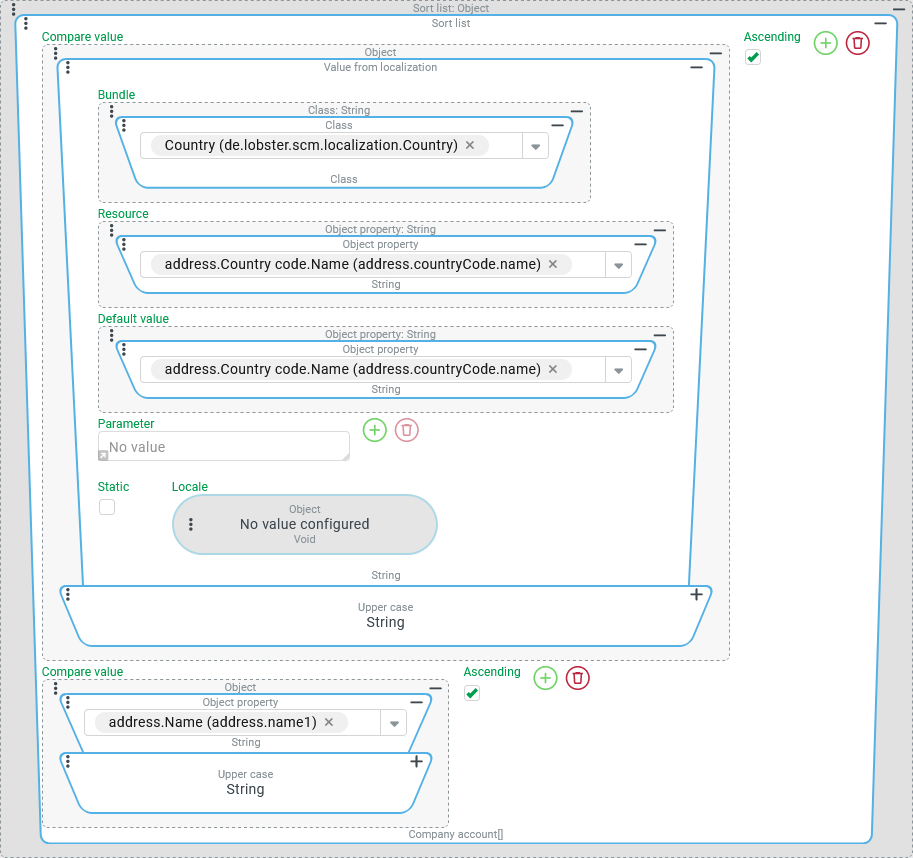
The somewhat more complex configuration in the screenshot on the right aims to force a sorting according to the localization for the Country referenced in the address for the Current locale in upper case (i.e. case-insensitive) both in the server context and in the client context:
CAUTION Even this substantial configuration effort compared to the initial "naive" access to the For countries in the DACH region (as an example), the value resolver chain shown sends their default localizations for the Current locale "German" (
However, the server and client sort the umlaut "Ö" differently (ASCII code/"OE"), so that Austria is categorized after Switzerland in the server context and between Germany and Switzerland in the client context. |
|