See also: Random text token
Value resolver – Abstract
Purpose: Returns an integer signed 64-bit (
Long) pseudo random number on the server side.Tooltip
Usage: The value resolver returns a signed 64-bit (
Long) integer pseudorandom number on each call. The input value is ignored.Note: To obtain random numbers in a certain range of values, the modulo operator (%) can be used in a concatenated Calculate value value resolver, for example.
Example: Calculation expression
abs(random%limit) returns random numbers in the range{0, ..., limit-1}ifrandomis a Random long value.WARNING In the client context, only the lowest 52 of the 64 bits are considered, so only integers ≥0 (from the interval
[0;2^52[)are returned.
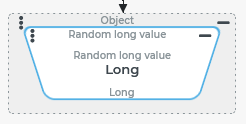
The Random long value resolver returns a signed 64-bit (Long) integer pseudorandom number on the server side.
IMPORTANT In a Client Workflow, the Random long value resolver returns only the lowest 52-bits of the random Long value for technical reasons. The higher value bits are ignored or truncated. This also includes the sign bit (no. 64)! The value range in the Client Workflow is therefore limited to integers in the interval [0;2^52[, while on the server side the 64-bit value range spans approximately symmetrically around 0.
Configuration
The value resolver ignores the input value and does not use any parameters.
Example
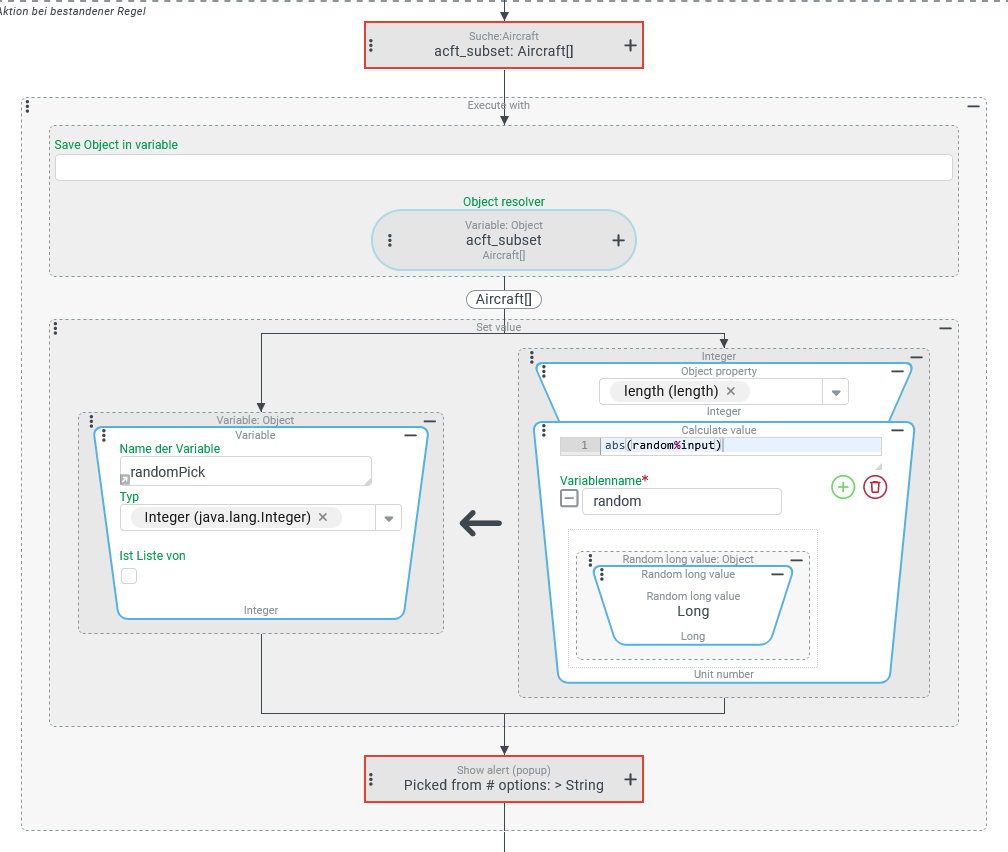
An event handling makes a random selection from a number of options. The options for the selection are determined "dynamically" at runtime via a Search (Event action). The number of options can vary depending on the basic data and the search criteria.
All options qualified by the Search (Event action) are considered equally in the random selection, i.e. selected with the same degree of probability.
In the specific example, an event handling should make a random single selection from a subset of instances for a custom entity type (see Custom type definitions) "Aircraft" (Aircraft), whose suitability for a specific use is checked by Restrictions within the Search.
Configuration:
The screenshot on the right shows an overview of the configuration of event handling, which determines a list of qualified "candidates", makes a random selection and communicates the decision via a notification:
|
|
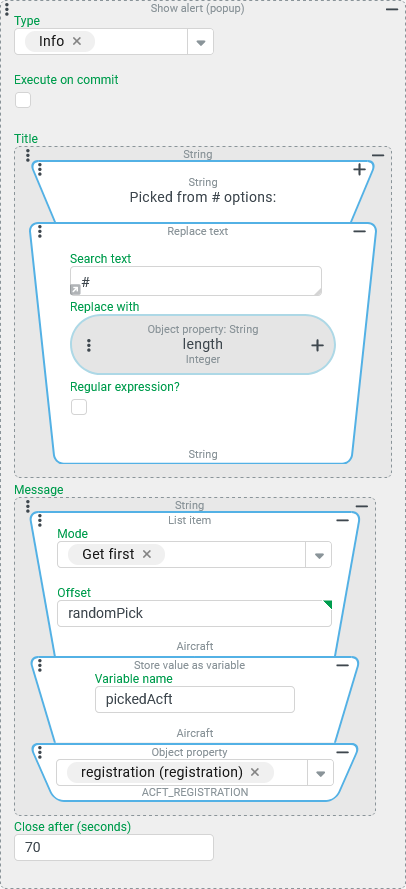
The screenshot on the right shows the configuration for the Show alert event action, which is still executed in the context of the Execute with event action with the list of candidates as the reference object:
NOTE The "cloze text" in the Title for the Show alert event action can be executed in multiple languages by using a Value from localization resolver in conjunction with a localization entry that provides a ( |
|