Value resolver – Abstract
Purpose: Returns a continuous section (substring) of the string passed as input value.
Tooltip
Usage: The Begin index and Max. length parameters define the portion of the string in the input value that is returned.
Parameter: The Begin index and Max. length parameters can be determined by direct input or by a value resolver..
A Begin index >=0 indicates the offset from the beginning of the string in the input value from which the desired section extends to the right.
A Begin index <0 indicates the offset to the end of the string in the input value from which the desired section extends to the left.
A Max. length >0 defines an upper limit for the number of characters returned as a section.
With Max. length =0 the section includes all characters up to the beginning or end of the string returned, depending on the Begin index.
WARNING If values <0 are assigned for the Max. length, an error occurs.
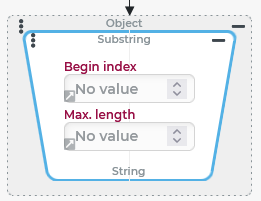
The Substring value resolver returns a continuous section (Substring) of the string passed as input value.
The Begin index and Max. length parameters define the position and the (maximum) length of the returned section.
If no value (
$null) is present as input value, no value ($null) is returned.For input values that are not strings, their string mapping is processed.
Configuration
Parameter | Value range | Meaning |
|---|---|---|
Begin index (default: 0) | >=0 | Index counts from left to right; |
<0 | Index counts from right to left; | |
Max. Length (default: 0) | 0 | "All" (any number of) characters starting from the line item defined by the Begin index |
>0 | Maximum number of characters from the item defined by Begin index | |
<0 | Error ( |
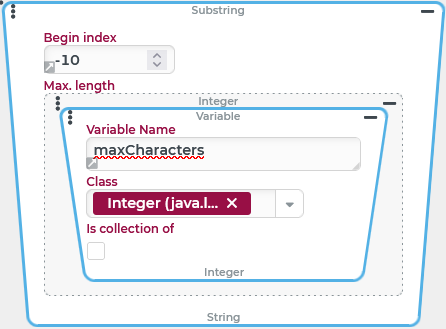
Both parameters can be set by direct input (as a positive or negative integer) or via a value resolver at runtime.
In the example on the right, the value For the Max. length parameter, a Variable value resolver is used so that at runtime the value of the NOTE Starting from the direct input provided by default, the definition of a value resolver must be initiated by clicking on the small gray arrow at the bottom left of the input value (see Begin index in the screenshot). If "no value" (from the context menu) is selected instead of a value resolver, the direct input appears again the next time the Substring value resolver is expanded. |
|
Examples
Examples of parameterization
The following table illustrates the effect of the substring value resolver with different parameters using the example of the string SCMU3216083 BLU/WHT 40ft as input value (11-digit BIC code of a container followed by a space and then description text):
Begin index | Max. Length | Result | Comment |
|---|---|---|---|
0 (or: no value) | 0 (or: no value) |
| All characters |
0 (or: no value) | 3 |
| Owner (first three characters of the container number) |
12 | 0 (or: no value) |
| Description (any number of characters from 13th character) |
10 | 1 |
| Check digit (at the end of the container number, i.e. 11th character) |
-4 | 0 (or: no value) |
| Here: Container type (convention: "last 4 characters") |
-4 | 2 |
| Here: Digits for length of the container in feet (according to convention) |
-80 | 0 (or: no value) |
| The last 80 characters → "all" if less than 81 characters |
0 (or: no value) | 80 |
| The first 80 characters → "all" if less than 81 characters |
More complex configuration example
The readability of a string that combines the BIC code of a container with a description text of undefined length, as in the example above, is improved by inserting spaces between the segments within the container number.
Runtime example:

NOTE The following configuration demonstrates the use of the Substring value resolver in the context of a loop with dynamic assignments for the parameters. The desired "segmentation" of the string can also be achieved using the Replace text value resolver via a regular expression.
Configuration:
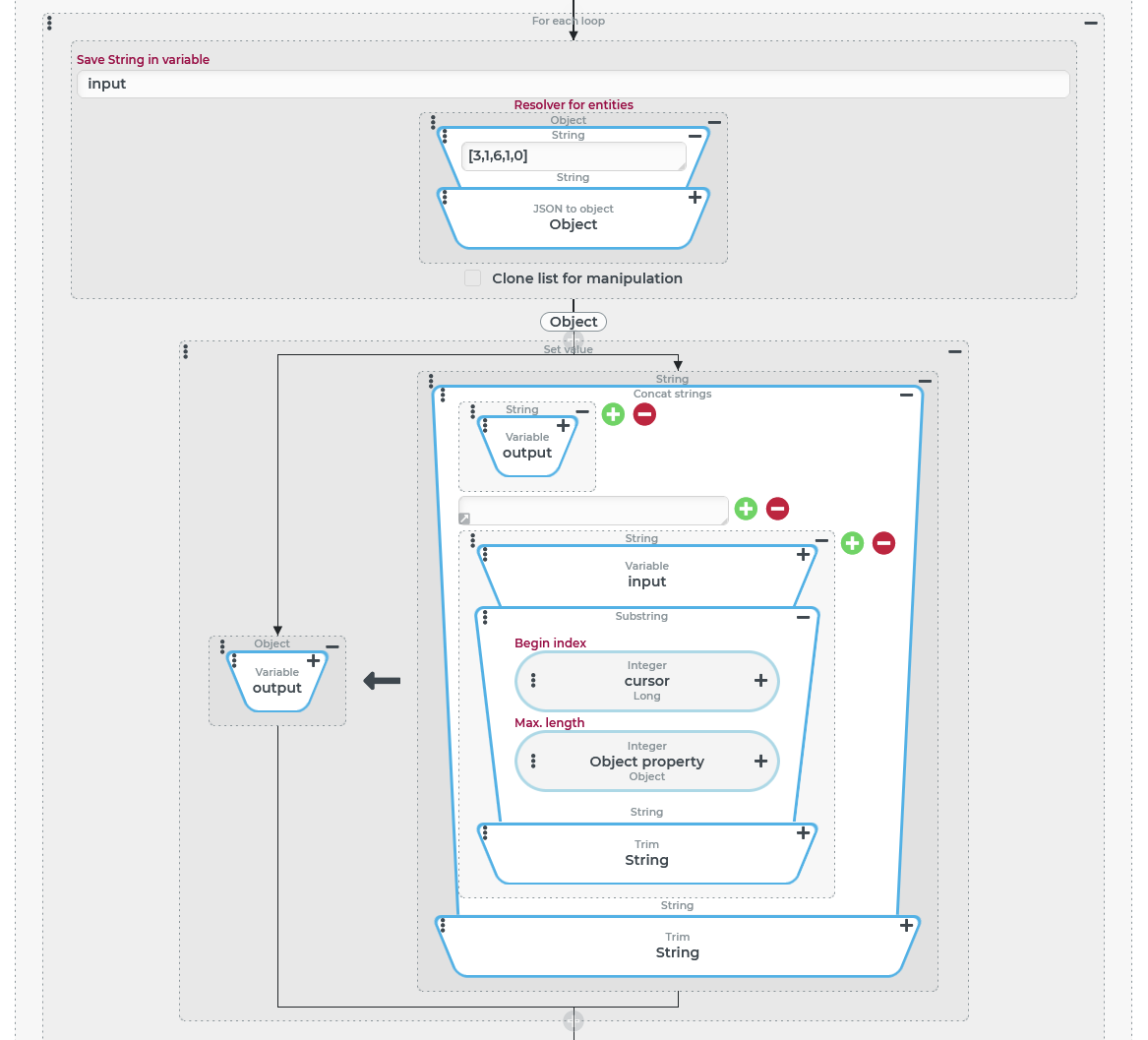
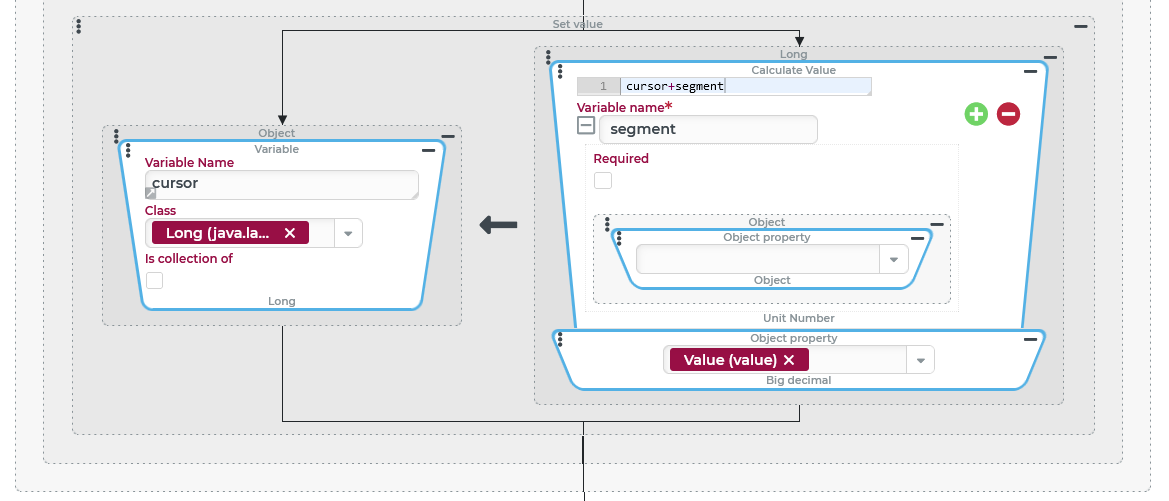
To make it as easy as possible to adjust the "segmentation" of the string as needed, the following configuration defines the desired length of the segments in question using a static string that can be interpreted as an array of integers in the JSON notation: [ The value 0 at the last position means that all characters after the 11-digit (3+1+6+1) container number should be output. The JSON to object value resolver generates a list of integers from the static text, which can be processed in the header of a For each loop in the Resolver for entities parameter. In the loop header, the Save String in variable parameter specifies that the input value (the string to be structured) is stored in the The screenshot on the right shows a Set value event action in the action block for iteration, which is used to successively build the structured string for output in the The parameters in the Substring value resolver change for each iteration:
A space is inserted before each "attachment" from the To eliminate excess spaces, the Trim value resolver is concatenated in two places:
|
|
The IMPORTANT The |
|