See also: Compare with
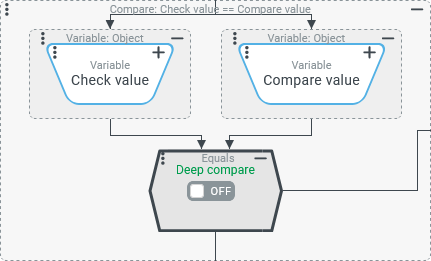
The Equals compare type checks whether the values determined as the Check value (value configuration on the left) and the Compare value (value configuration on the right) are considered to match according to the applicable criteria.
The Deep compare option should only be enabled to perform a "deep comparison" (in terms of matching all features) of two complex data objects. Details are described in the "Configuration" section (below).
IMPORTANT Compare values of different types?
If the Check value and the Compare value are not the same data type, automatic type conversion rules will apply to allow the values to be compared:
An automatic type conversion always tries to convert the Compare value (right) to the Check value type (left) and not the other way around.To illustrate:
The Check value "0815" (
String) is not equal to the Compare value 815 (Long), because the Compare value is interpreted asString"815" by type conversion.The Check value 815 (
Long), on the other hand, is equal to a Compare value "0815" (String), since the Compare value is interpreted asLong815 by type conversion.Whether a type conversion succeeds may also depend on the execution context (server/client). Comparisons may turn out differently in Association criteria, Event handling, etc. than in a Client Workflow.
To prevent uncertainties and "surprises", it is recommended to explicitly define the type of Check value and Compare value for the comparison as far as necessary, e.g. via a concatenated Input object (type safe) resolver.
IMPORTANT The Deep compare option should not be selected if the comparison of contents concerns two "lists" (as a Check value and a Compare value).
In the server context, the "content" comparison otherwise only considers the
lengthfield of the list, which means that differences between list entries are ignored as long as their number matches.In a Client Workflow, two lists are compared independently of the Deep compare option in terms of content – i.e. taking into account the individual list entries and their order.
Configuration
The value configurations for Check value (left) and Compare value (right) are not optional for the Ends with compare type.
The Deep compare option should be used only if the comparison of complex data objects requires it:
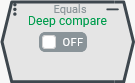
| The Deep compare option is off (
|
| If the Deep compare option is activated, then all characteristics (such as fields, attributes, etc.) of the data objects passed as Check value and Compare value are compared (recursively if necessary) in order to determine whether the same object is described in the same sense and form. However, the check does not take into account whether the object is technically the same. This content check is generally more time-consuming than the simple comparison of the identity of two objects performed by default (see above). The |
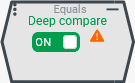
.svg) icon (see screenshot) appears when the option is turned on to indicate that comparing the object contents may have an unfavorable effect on performance.
icon (see screenshot) appears when the option is turned on to indicate that comparing the object contents may have an unfavorable effect on performance.Examples
Checking the match between two strings
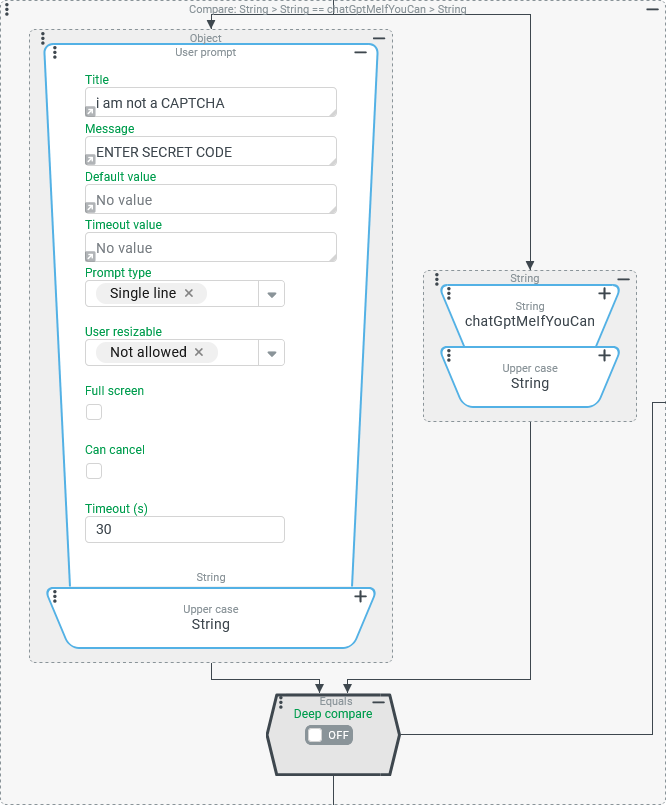
To confirm a "critical" operation in a workflow, a code word will be prompted from the user.
The string entered should match a Compare value (defined statically here as an exception) without regard to upper/lower case in order for the operation to be triggered.
Configuration:
The Entity property rule shown on the right can be used in the Validating rule of an event handler or in an If then else event action to conditionally perform the critical operation:
NOTE Typing a string like |
|
Compare integer part of a calculated "Unit number" with a specific target value
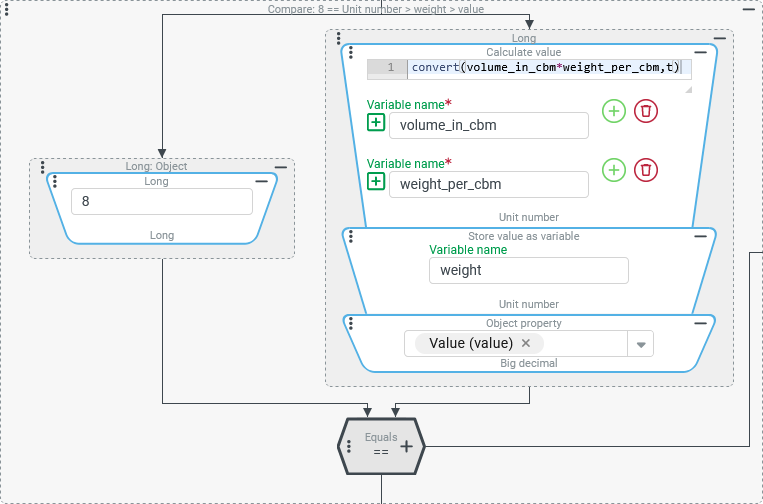
An Entity property rule should apply exactly when the calculated weight of a liquid cargo is in the target range for a transport container (between 8 and 9 tons).
The liquid volume is specified with a selectable Volume unit. A
volume_in_cbmvariable provides the scalar for the number of corresponding cubic meters (cbm).A
weight_per_cbmvariable is used to provide the weight of one cubic meter of the fluid in question in a selectable mass unit (Weight & mass units).
Configuration:
NOTE For a comparison between numerical values, the Compare with comparison type should preferably be used and not Equals. Nevertheless, the successful use of the Equals compare type in terms of the task is first demonstrated here.The red shaded area of the table uses a configuration variant to explain possible misunderstandings and problems when comparing numerical values, which, however, should not play a role when using the Compare with comparison type.
The Entity property rule shown on the right offsets the input variables, checks the condition ("Load weight in target range"), and stores the charge weight in a
|
|
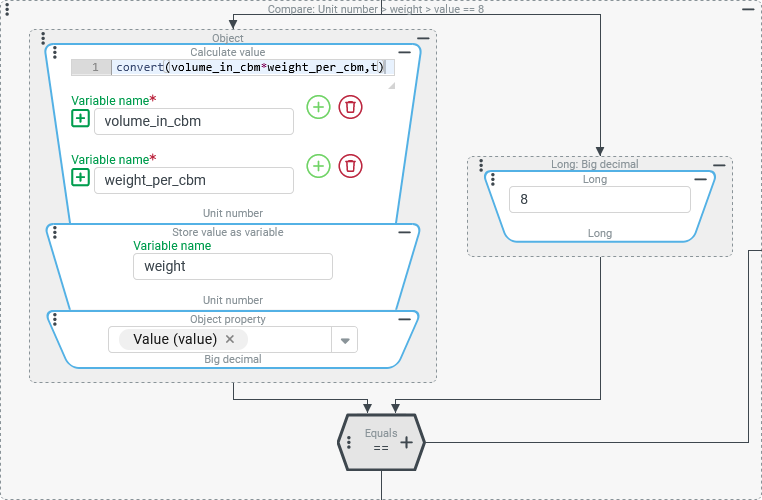
IMPORTANT The Equals comparison type converts the Compare value data type (on the right) to the Check value type (on the left). In the configuration on the right, the | |
NOTE In the configuration on the right, "only" the value configurations for Check value and Compare value are interchanged. It could be assumed that such a "change of sides" cannot affect an Equals comparison. After all, "equality" intuitively sounds like "symmetry" and "interchangeability". However, this is not always the case:
|
|
IMPORTANT Even if the calculated Check value (number of tons for the load weight in the "Value" field on the left) corresponds mathematically exactly to the Compare value, an Equals comparison of the values as The calculated Check value contains three zeros as appended decimals, which are not relevant for a numerical comparison but nevertheless interfere with the agreement with the Compare value, which represents the same numerical value without the appended "worthless" decimals. NOTE Whether decimals are added to the Check value in the course of the calculation depends on the specific numerical values and the calculation operations performed. In this specific case, the liquid volume was specified in liters ( Conclusion: An Input object (type safe) value resolver could be appended to the left side of the Compare value at the bottom of the value resolver chain for the Check value, which converts the "value" of Using the In any case, a more robust comparison of numerical values is provided by using the Compare with comparison type instead of the Equals comparison type. | |
Compare lists
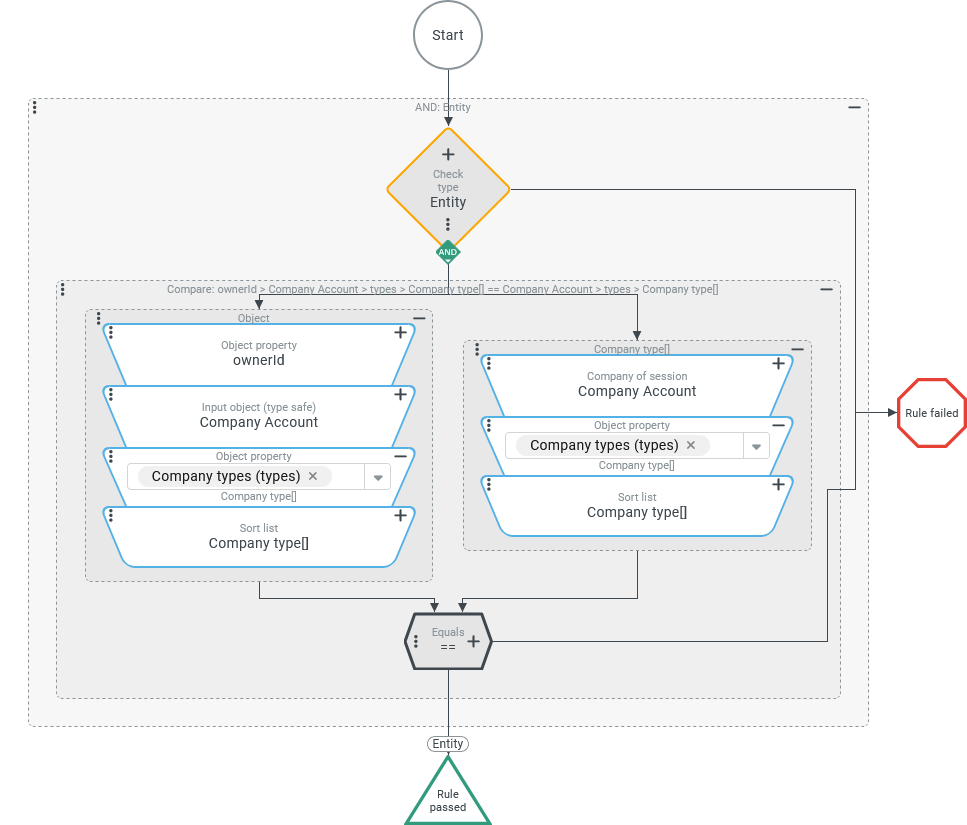
An association criteria (see Association criteria) should be considered passed if the company account (see Companies/Clients), which is considered the "owner" of an entity given as input in the context, is associated with the same "Company types" (types) as the Company of session.
Configuration:
The association criteria shown on the right defines a two-stage check within an AND conjunction (see Junction):
NOTE The Sort list value resolver must use a sort criteria acting in the same sense in the Check value and in the Compare value in both cases. Only then is it guaranteed that the compared company type lists are evaluated as matching even if they contain the same entries in a different order. Runtime example: (Rule is considered passed)
|
|
Compare data objects
A tour list variable describes waypoints along a planned transport by unique combinations for the characteristics "Country" (country), "Area" (area) and optionally "Zone" (zone). Each waypoint within the list is mapped as a "client object" with the named fields, without any persistent entities facing these entries (so far).
By default, the first three characters from the postal code of a specific destination address are used as the identifier for an "Area".
Special destinations (e.g. industrial parks or logistic hubs) can additionally be identified by a text key "Zone", which must be unique for the country/area combination.
For a given address, a check is made whether the assigned waypoint is contained in an existing tour. For this comparison, another "Client object" is created, to which field values for "Country", "Area" and possibly "Zone" are assigned based on the address data. Afterwards, the tour list is searched for a waypoint with the same combination of characteristics.
Runtime example: Specific tour...
Destination (Plain text) | Waypoint (fields) | List variable | ||
|---|---|---|---|---|
Country | Area | Zone | ||
■ Prague, Czech Republic |
|
| n/a | |
▼ Regensburg, Germany |
|
| n/a | |
▼ Burghausen, Germany, Zone "CTR" |
| 844 |
| |
▼ Rennstein, Austria |
| 950 | n/a | |
■ Logatec, Slovenia |
|
| n/a | |
Configuration:
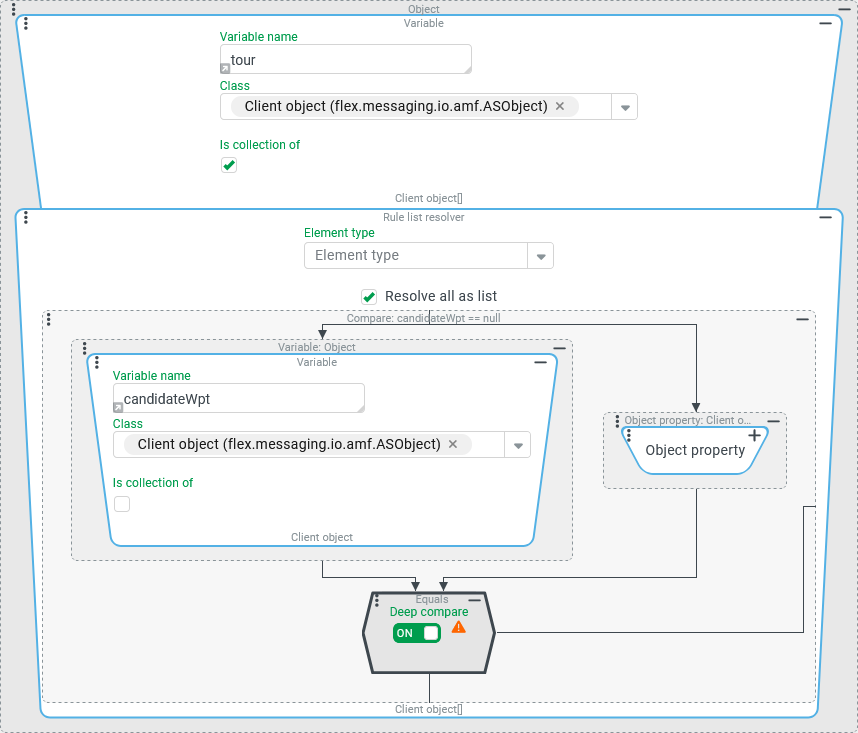
The value resolver chain shown on the right examines the list of client objects representing waypoints provided in per
IMPORTANT For the Equals compare type (below) the Deep compare option has been set here, since the question is not whether the "Client object" in the |
|
NOTE If the check is limited to whether the | |
Runtime example:
Additional destination address ("Candidate") | "Candidate" transformed as waypoint "client" | Check result for |
|---|---|---|
| | Candidate is considered a new waypoint, although the third waypoint ("Burghausen") refers to the same country ( The candidate lacks the "Zone" ( |
| | The reference to the "Combi Terminal Rail" (see destination address) is systematically reflected in the This now also recognizes that the destination is covered by the third waypoint of the tour. |
Compare entities
For the comparison of two entities, it is not sufficient for the Equals comparison type if the Check value and Compare value refer to the same entity type and ID (id).
If the Deep compare option is disabled (default), then it must be the same data object for the same entity for the comparison to pass.
If the Deep compare option is enabled (default), then the comparison is considered to have passed as long as the Check value and the Compare value completely match in terms of content (with regard to all field values).
IMPORTANT Whether an Entity property rule with the Equals comparison type evaluates as expected when comparing two entities depends largely on the extent to which this expectation and the understanding of the runtime behaviour of involved value resolvers are correct in the client-side or server-side context.
The following table shows some simple but potentially "common" examples, which are hardly relevant to practice in terms of content, but are intended to sensitize for the stumbling blocks of an Equals check of entities:
Check value | Compare value | Result for Equals └ Option "Deep compare": | Reason | |
|---|---|---|---|---|
Turned off | Turned on | |||
|
|
|
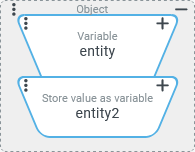
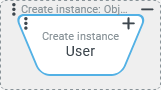
| As a Check value and as a Compare value, one instance each of the Create instance value resolver returns a "new" entity of the "User" type (see Users). Although they do not differ in content immediately after creation, they are considered to be non-matching for Equals as long as the Deep compare option is turned off. If the option is enabled, however, they will pass the comparison of object contents. |
|
|
|
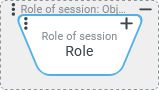
| As a Check value and as a Compare value, one instance each of the Role of session value resolver returns an individual "clone" of the role used in the session (see Roles). Although these two clones do not differ in content, they are considered non-matching for Equals as long as the Deep compare option is disabled. However, they pass the comparison performed with the option enabled. |
|
|
|
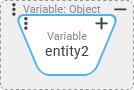
| The The value configuration for the Compare value refers to the |
|
| in server context: in Client Workflow:
| in server context:
in Client Workflow:
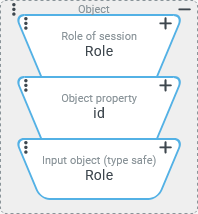
but only by chance (see notes right) | For the Check value and Compare value, the Role of session is first accessed. Since this value resolver returns two "clones" of the actual role (see above), we access the "ID" ( NOTE The Input object (type safe) value resolver only really returns the data of the role referenced by ID in the server context. In a Client Workflow, it instead returns a data object for which only the |
|
| in server context: (because of the "clone" left) in Client Workflow:
(because of the "clone" left) | in server context:
(Details see right) in Client Workflow:
(Details see right) | In the Check value, the Role of session value resolver provides a "clone" of the role used in the session. As in the previous example, the same role is added as an "input object" as a Compare value via the ID found in the Role of session. The Equals check fails in this configuration in all cases for different reasons:
|
.svg) not passed
not passed.svg) passed
passed