See also: Concat strings, concatWs (Concatenate texts) for Calculation expression, Split text
Value resolver – Abstract
Purpose: This concatenates character strings that are taken or obtained from entries in a list provided as an input value into a common string via an optionally definable Delimiter.
Tooltip
Usage: The entries of a list transferred as input value are concatenated directly or as a string image via the parameterized Delimiter in order to merge them into a coherent string.
If the input value is "no value" (
$null), the return value is also "no value" ($null).If a list entry is a data type other than text (
String), its string image is used.If there is an input value that is not considered a "list" in Lobster Data Platform/Orchestration, it is treated as if it were the only entry in a list. The value itself or its string image is therefore the return value.
Parameter: The optional parameter Delimiter defines a character string of any length, either as static text or via a value configuration, which is "inserted" in the return value between two text values from the merged list.
NOTE If the input value contains
$nullvalues as entries, these are not skipped, but interpreted as an empty string, so that several Delimiter instances may directly follow each other in the return value.
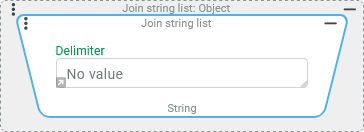
The Join string list resolver concatenates strings that are taken or obtained from the entries of a list provided as input value into a common string via an optionally definable Delimiter.
The following special cases must be distinguished:
If the input value is "no value" (
$null), the return value is also "no value" ($null).If a list entry is a data type other than text (
String), its string image is used.If there is an input value that is not considered a "list" in Lobster Data Platform/Orchestration, it is treated as if it were the only entry in a list. The value itself or its string image is therefore the return value.
NOTE If a list contains "no value" ($null) as an entry, the string image is an empty string "" (and not null). If no Delimiter is defined in this case (default), then the impression could arise that empty entries are completely "skipped". In conjunction with a Delimiter, it is immediately apparent that this is not the case.
Configuration
The list with the entries to be converted into a continuous string is expected as an input value, which is transferred from the predecessor in the context of a concatenation (see Chained resolver) or is available as a reference object.
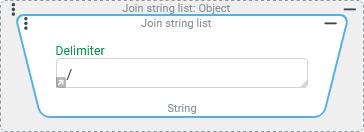
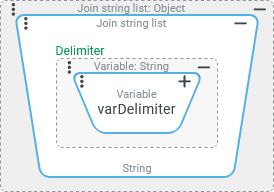
The optional Delimiter parameter can either be provided as Text via direct input (see screenshot top right) or – after clicking on the small grey arrow at the bottom left of the Text field displayed by default – determined by a value configuration, the return value of which is determined at runtime and transferred to the return value (possibly as a string image) (see screenshot bottom right). Both methods can be used to assign a single "Delimiter" as well as any longer text value, which may appear repeatedly in the return value. NOTE The Delimiter is "inserted" after every list entry except the last one in the returned text value, i.e. with |
|
Examples
Simple use case: Concatenate text values
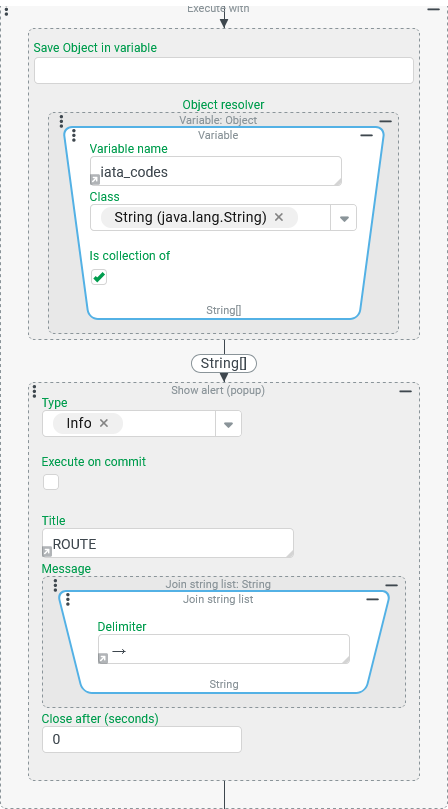
A Variable iata_codes is used to provide a list with a flexible number of IATA codes for airports, which describes a "route" that is flown in the given order.
In a notification, the listed iata_codes are to be merged via text concatenation using the text → (an arrow symbol between two spaces) as a Delimiter.
Runtime example:

Configuration:
In the screenshot on the right, an Execute with event action provides the Variable
|
|
Simple use case: Linking address features to a "matchcode"
Selected characteristics of an address (see Addresses) should be linked via the underscore ("_") as a delimiter to form a "matchcode", which can be used, for example, to look up an address in an external system or to recognize and merge redundant variants of an address.
The "concatenation scheme" stipulates that the text components for the relevant "Name" (name1), "Name 2" (name2), "Name 3" (name3), "City" (city) and "Country" (countryCode) address fields, should be included in the "Matchcode" in this order and converted to capital letters, if they contain any value at all.
Runtime example:

NOTE The matchcode shows that only two name fields are filled in the address, but not which ones are involved. This should not play a role for the matchcode. The fact that fields without a value are effectively skipped (including the delimiter) and there is a variable number of visibly concatenated components, is a clear argument in favor of using the Join string list resolver over the Concat strings resolver, which only provides an inflexible concatenation scheme.
Configuration:
The screenshot on the right shows how the Join string list resolver can be used in the context of a reference object of the "Address" ( The assignment enables a Set value event action here:
|
|
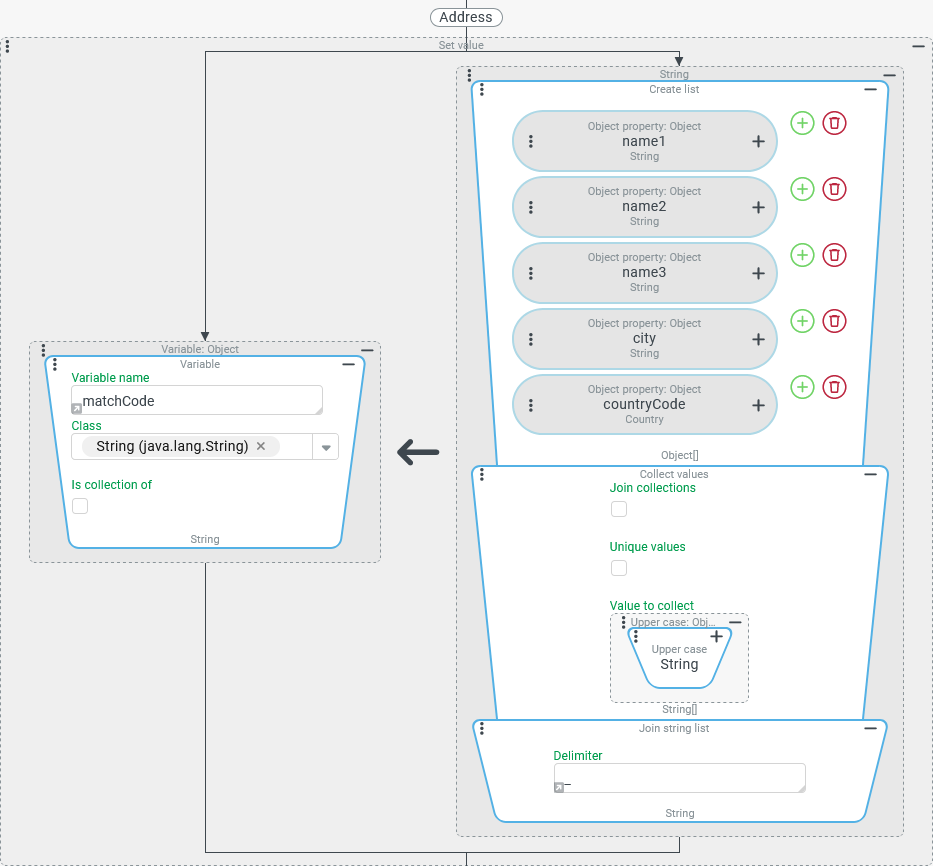
NOTE As the "Country" (countryCode) field does not directly contribute a text value but a value from the Country dynamic enumeration, the string image for the enumeration value is brought into play (here: by the Upper case resolver). It should be noted that the string image for an enumeration value is defined differently for the server context and the client context. The example given is for the Country "Germany", which is internally labelled DE based on the ISO alpha2 code. This only applies in the server context as a string image (see runtime example), while in the client context the applicable localisation (by default "Germany") is returned as a string image. If necessary, a matching string image can be enforced here regardless of the context by explicitly referencing the "Name" field of the enumeration value (countryCode.name) when reading access to the "Country" (countryCode) field.