Event action – Abstract
Purpose: This event action immediately ends the execution of actions and the iteration in a parent For each loop without aborting the entire event processing.
Tooltip
Usage: The event action is only useful within a For each loop. As a rule, Break loop is used in the action block of the relevant loop. However, the aborted loop can also be located in a called event handling. The use of Break loop only makes sense in the context of an event action with a case distinction (e.g. If then else, User callback, Try/Catch actor), unless the parent loop should be terminated for test purposes.
NOTE The event action does not provide any information on the loop termination (no flag, no index value) for any subsequent event processing. Corresponding assignments must be configured explicitly if required.
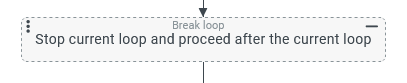
The Break loop event action is used to stop the iteration of a parent For each loop event action with immediate effect. Event processing is then continued after or 'below' the loop.
If multiple instances of the For each loop event action are used in a nested manner, the Break loop event action only ends the iteration at the level at which it is executed. Parent level loops are not cancelled.
In special cases, the For each loop event action to be cancelled is located in a calling event handling that directly or indirectly triggers the event handling with the Break loop event action in the context of the loop.
Typically, the cancellation of the loop is linked to the evaluation of a cancellation criterion, the evaluation of which requires a case distinction in the action block of the loop:
Generally, the If then else event action is used to represent the conditional execution of Event actions (depending on a rule configuration; see Rule types).
The User callback event action handles the special case where the decision is queried interactively by the user rather than being determined by rule.
The Try/Catch actor event action can be used to end a loop in response to an error without halting event processing altogether.
NOTE Although the $index variable serves as a loop counter during the execution of a loop, it is only available within the action block. This means that it is not possible to determine in which iteration the cancellation was triggered by direct read access to the $index variable after a loop has been cancelled by the Break loop event action.
Configuration
The Break loop event action does not use any parameters.
Examples
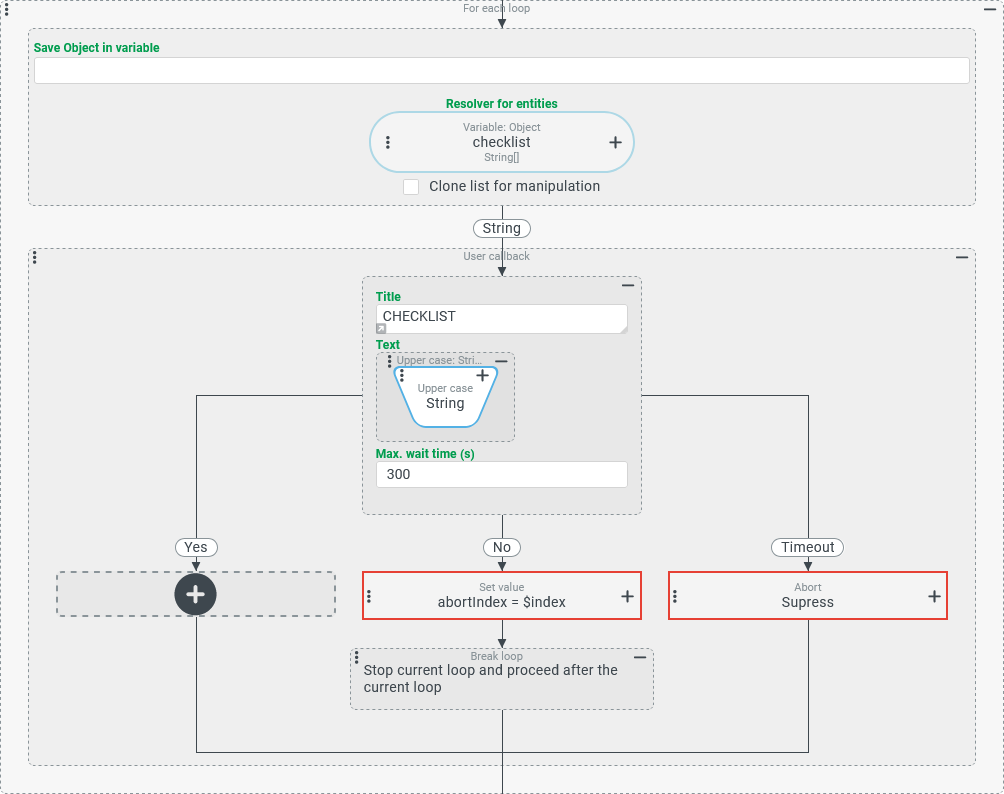
Simple use case: Cancelling a checklist at the first unconfirmed input
The release of a tour should only be triggered if the user confirms all steps of a small checklist, which is available as a list of text values (String[]) in a checklist variable.
As soon as an input is not confirmed by the user, the processing of the checklist should be cancelled.
After an abort, the
abortIndexvariable refers to the list item that has not been confirmed.The following steps should be carried out independently of cancelling the checklist, but should evaluate the values of the
checklistandabortIndexvariables.
Configuration:
The screenshot on the right shows the For each loop used to process the checklist:
|
|
More complex use case: Aborting nested loops over several stages
An event handling searches all address book entries and company addresses for which read access exists for address contacts with the Contact type 'Building' (BUILDING) in order to compile a 'Set' (Set) with plain text identifiers for each building, which is displayed in a note.
The maximum number of rows output should be limited by a positive Integer value in a variable (limit).
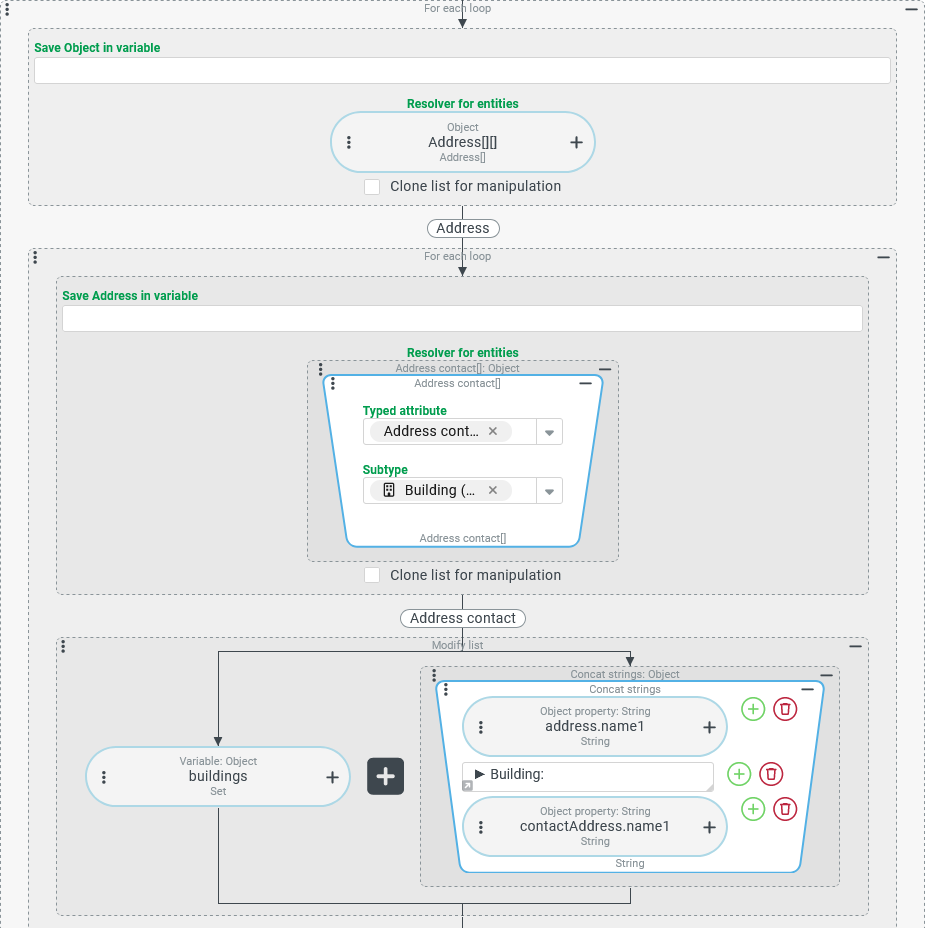
In the following configuration, searching through the address contacts is displayed by two nested loops, of which the outer one iterates over addresses and the inner one over the address contacts within the respective address.
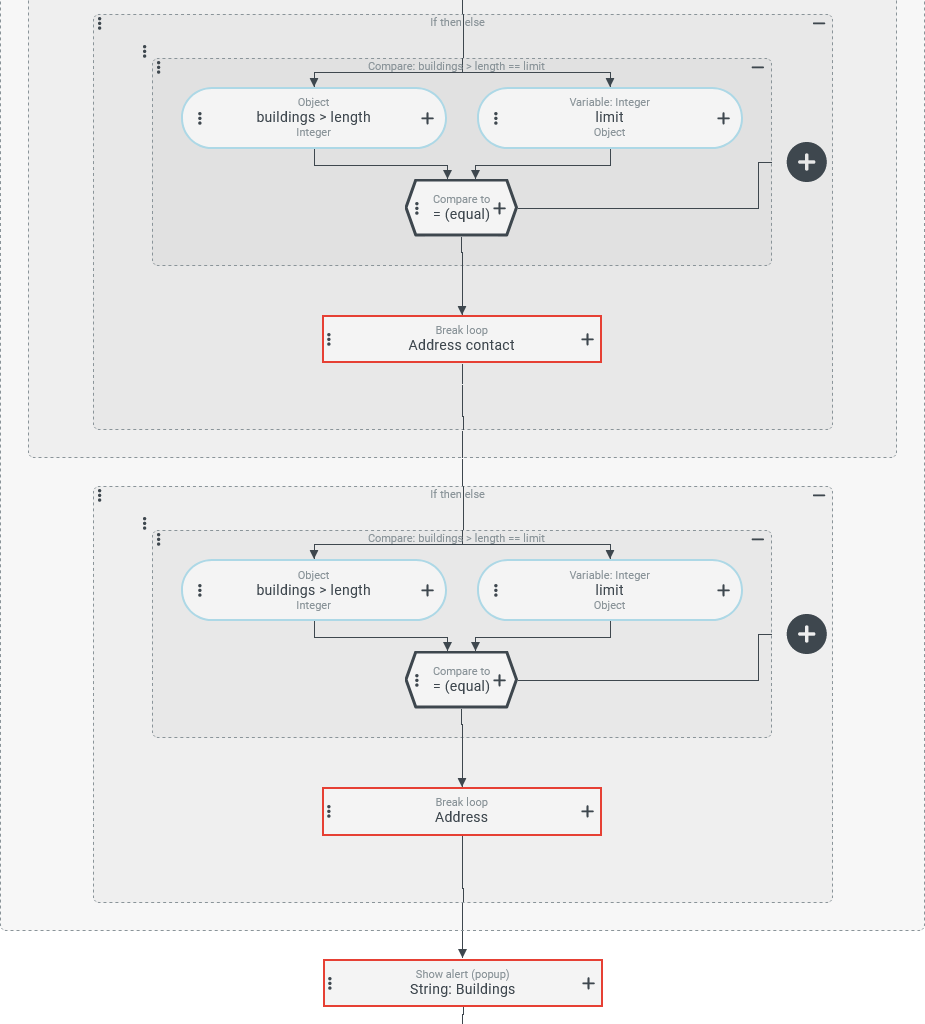
As soon as the 'Set' (Set) has reached the maximum number of plain text identifiers, the iteration over both loop levels is cancelled and the list of collected building names appears in a notification.
Runtime example:
The following screenshot shows a notification with a list of three 'building names/numbers', which obviously refer to two different companies:
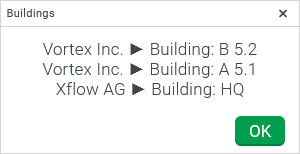
NOTE 'Set' (Set) is not simply output here as a string, but is cosmetically revised using Replace text, otherwise the usual list notation ([ , , ]) would be visible here.
Configuration:
The following screenshot shows the For each loop event action for the outer loop and (at the bottom) the Show alert event action for the output to be executed after completion or cancellation of the iteration(s).
|
|
Special case: Cancelling a loop in a calling event handler
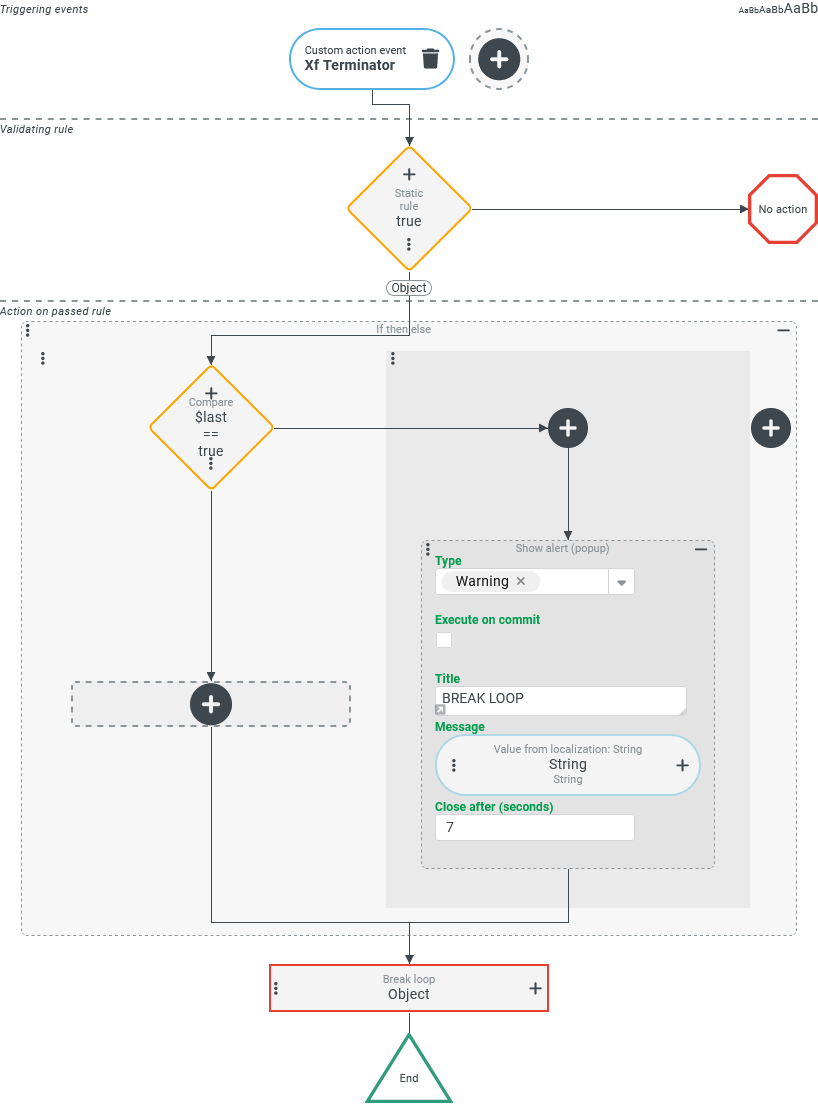
In order to be able to define a default process for aborting loops, a Custom action event has been set up (here: XF_TERMINATOR), which can be triggered via the Dispatch action event event action instead of a direct call of the Break loop event action.
Specifically, when a loop is broken, a warning message such as the following should always be displayed if at least one further iteration would be executed without the cancellation.

Configuration example for the call:
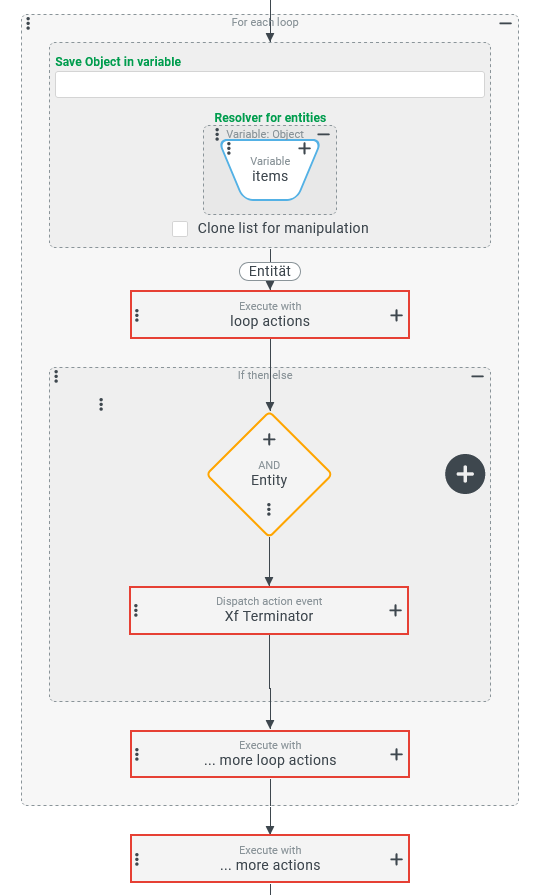
The screenshot on the right schematically shows an event handling with a For each loop event action, in which the custom action event All other event actions are summarized here in Execute with event actions, whose labeling characterizes their significance for the sequence:
|
|
Configuration:
The screenshot on the right shows the configuration for an event handling that maps the default process for a loop cancellation:
NOTE There is no point in arranging further event actions below because the Break loop event action is not used here in the context of a For each loop. These would never be executed, as the control is returned to the parent loop with the cancellation. |
|
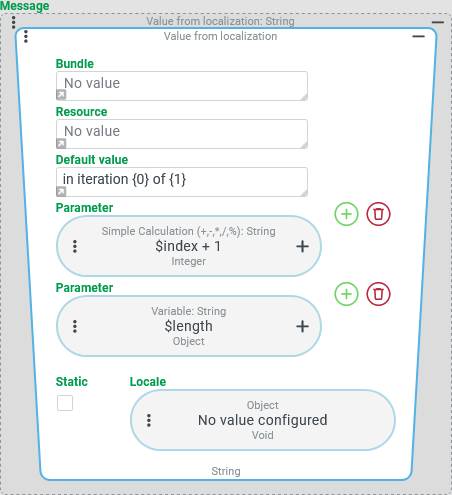
The Message for a 'real' cancellation is defined as shown on the right via the Value from localization resolver, which is used here without real access to the Localization (neither Bundle nor Resource are named):
|
|